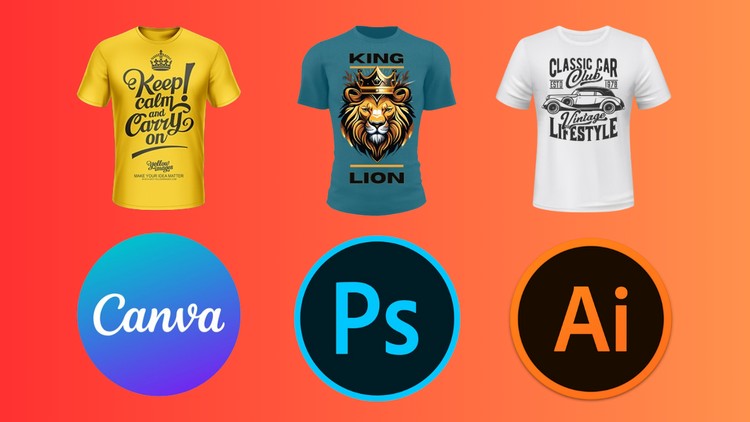
Design Unique and Eye-Catching T-Shirts using Illustrator, Photoshop and Canva
What you will learn
Canva Interface
Photoshop Interface
Illustrator Interface
Decorative Text With Sunset Gradient Mask
Streetwear T-shirt design
Typography Floral T-shirt Design
Summer T-shirt Design
Retro Sunset T-Shirt Design
Hunting T-shirt Design
Create Fishing Hunting T-shirt Design
Gaming T-Shirt design
Lumberjack T-Shirt Design
Why take this course?
Level up your t-shirt design game with this 3-in-1 course!
Turn your ideas into eye-catching t-shirt designs with this comprehensive course! This course is your one-stop shop for mastering the art of t-shirt design. We’ll take you from brainstorming ideas to creating stunning, print-ready designs using the power of Canva, Photoshop, and Illustrator.
In this course, you’ll learn:
Canva: The Beginner’s Friend: Grasp the fundamentals of graphic design with Canva’s user-friendly interface. Create basic layouts, incorporate text and graphics, and explore customization options.
Photoshop: Power Up Your Designs: Unlock the potential of Photoshop for t-shirt design. Learn photo editing, image manipulation, and advanced text effects to create professional-looking tees.
Illustrator: Mastering Vector Graphics: Dive into the world of vector graphics with Illustrator. Create logos, illustrations, and intricate designs that can be scaled to any size without losing quality.
This course is perfect for:
- Beginners with no prior design experience
- Enthusiasts who want to create their own t-shirt designs
- Entrepreneurs looking to launch their own t-shirt business
By the end of this course, you’ll be able to:
- Design unique and eye-catching t-shirts using Canva, Photoshop, and Illustrator
- Confidently use design elements like text, graphics, and illustrations
- Apply photo editing and manipulation techniques for t-shirt designs
- Create high-quality vector graphics for scalable designs
- Prepare your designs for printing or online marketplaces
The course includes:
- Comprehensive video lectures with clear and concise instructions
- Downloadable resources and practice files
- Engaging quizzes to test your understanding
- Get access to exclusive tips and tricks for creating stand-out t-shirt designs.
Don’t wait! Enroll today and unleash your inner T-Shirt designer!
Overview: Beyond the “Side Hustle” Hype
I’ve spent the better part of a decade staring at high-resolution monitors and navigating the intricate workflows of the Adobe Creative Cloud. Usually, when I see a course title that bundles Canva with Photoshop and Illustrator, I’m skeptical. It often feels like a “jack of all trades, master of none” situation. However, after diving into “T-Shirt Design Mastery,” I realized this isn’t just another generic tutorial. It’s a comprehensive deep dive into the practical application of industry-standard tools for a market that is absolutely exploding right now.
What sets this course apart is its refusal to get bogged down in dry, academic theory. Instead, it treats the curriculum like a series of hands-on labs. You aren’t just learning what a “Clipping Mask” is; you’re learning why it’s the secret sauce behind that high-end Streetwear T-shirt design you see on Instagram. The instructor understands a fundamental truth about modern design: the tool you choose depends on the speed and complexity of the project. By teaching the Photoshop Interface alongside Illustrator and the accessibility of Canva, the course prepares you for the realities of a fast-paced creative environment.
It’s refreshing to see a course that acknowledges the beginner to advanced trajectory. It starts by holding your hand through the basics of typography and composition, but quickly shifts gears into complex projects like Lumberjack or Gaming themed apparel. This isn’t just about making “cool” shirts; it’s about understanding the visual language of different subcultures to create real-world projects that actually sell.
Prerequisites: What You Actually Need
If you’re worried you need a degree in Fine Arts to start, let me stop you right there. This course is designed to be accessible. However, to get the most out of it, you should have:
- A subscription to Adobe Creative Cloud (specifically Photoshop and Illustrator). Even the trial versions will work for the duration of the hands-on labs.
- A basic Canva account (the free version is fine, but Pro helps with background removal).
- A functional laptop or desktop—don’t try to master Illustrator on a tablet; your sanity will thank you.
- A genuine interest in career growth within the creative sector or a drive to launch a Print-on-Demand (POD) business.
Skills & Tools: Your New Technical Arsenal
The curriculum is a powerhouse of job-ready skills. You’ll be toggling between vector and raster graphics like a pro. Here’s a breakdown of the core competencies you’ll develop:
- Vector Mastery: Using Illustrator to create scalable graphics that never lose quality, essential for professional printing.
- Raster Manipulation: Leveraging Photoshop for textures, distressing, and those complex Sunset Gradient masks that give designs a vintage feel.
- Rapid Prototyping: Using Canva to quickly mock up ideas or create Typography Floral designs for clients who need a fast turnaround.
- Niche-Specific Aesthetic: Mastering the “look” of various markets, from the gritty Hunting and Fishing styles to the sleek, neon-heavy Gaming T-shirt design world.
Career Benefits & Job Roles
The “T-Shirt Design Mastery” course is essentially a certification prep for life as a professional creator. Completing these modules doesn’t just mean you have a few new files on your hard drive; it means you have a portfolio. This can lead to several high-impact roles:
- Freelance Graphic Designer: Platforms like Upwork and Fiverr are starving for designers who can produce unique and eye-catching apparel designs.
- E-commerce Entrepreneur: Launching your own brand on platforms like Printful, Redbubble, or Amazon Merch.
- Apparel Production Coordinator: Understanding the technical side of industry-standard tools makes you an asset to local print shops.
- Social Media Content Creator: The design principles taught here apply directly to high-engagement Streetwear branding and marketing.
Pros: Why This Course Hits the Mark
- Practical Project Variety: You aren’t just making one shirt. You’re making ten different styles. This breadth ensures you don’t get stuck in a “one-trick pony” design rut.
- Efficient Workflow: The course teaches you when to use which tool. This is a job-ready skill that saves hours of frustration in a professional setting.
- Niche Focus: The inclusion of specific categories like Lumberjack and Retro Sunset designs provides a blueprint for targeting high-converting markets.
- Real-World Application: Everything you build is a real-world project. By the end, you have a ready-to-launch product line.
Cons: The Honest Truth
If there is one area where the course could dig deeper, it’s in the advanced file preparation for specific printing methods like DTG (Direct to Garment) versus Screen Printing. While the designs look incredible on screen, a bit more focus on color separation and technical “print-ready” specs for professional-grade factories would have been the cherry on top. That said, for anyone looking to master the creative side, this is a minor hurdle you can easily clear with a bit of extra research.