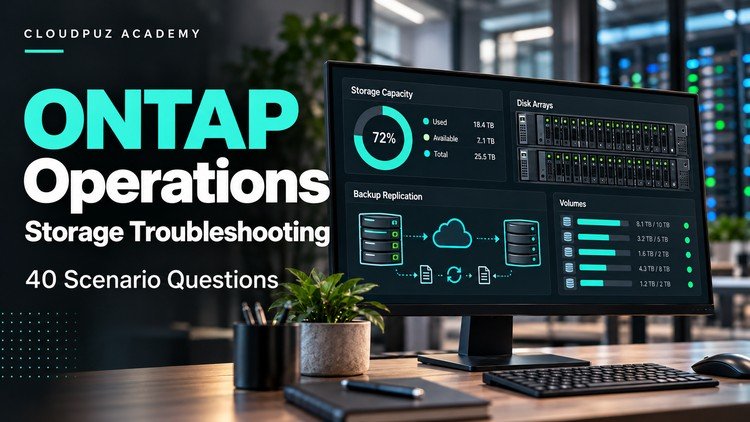
Focused practice on capacity, NAS access, SnapMirror recovery and SAN path troubleshooting
What You Will Learn:
- Interpret storage capacity and snapshot retention symptoms.
- Diagnose NAS access using network, export and file permission evidence.
- Evaluate recovery points and safe replication failover decisions.
- Identify SAN presentation and multipath troubleshooting steps.
Alright, let’s dive into this course, ‘ONTAP Operations: 40 Troubleshooting Scenario Questions’. I’ve spent enough years banging my head against the wall with storage issues to know a good training resource when I see one, and this one definitely aims for the sweet spot of practical, problem-solving skills. If you’re wading through NetApp certifications or just trying to keep your SAN and NAS environments from imploding, this is worth a look.
Overview
This isn’t your typical “click here, then click there” tutorial. The title says it all – it’s a deep dive into troubleshooting, presented as 40 distinct scenarios. Think of it as a series of intense, simulated real-world fires you’ll need to put out. The course emphasizes interpreting symptoms, which is the absolute crux of effective troubleshooting. They’re not just giving you answers; they’re forcing you to connect the dots between odd storage behavior, what the logs are screaming, and what’s actually happening on the network or at the client level. It’s about building that mental model of how ONTAP works under pressure, and more importantly, how it breaks. The scenarios cover the bread-and-butter of ONTAP administration: capacity planning gone sideways, users suddenly can’t access their shares, replication is borked, or your SAN LUNs are playing hide-and-seek with your hosts. It’s a fantastic way to solidify your understanding beyond just passing a certification exam; it’s about being truly job-ready.
Prerequisites
This course is definitely not for absolute beginners who are still figuring out what a LUN is. You should have a solid foundational understanding of:
- Basic ONTAP administration: Navigating the CLI, understanding WAFL, basic provisioning concepts.
- Networking fundamentals: TCP/IP, DNS, SMB/CIFS, NFS.
- Storage concepts: SAN (FC, iSCSI) vs. NAS, LUNs, volumes, aggregates, protocols.
- Replication concepts: Basic SnapMirror understanding.
If you’re trying to jump into advanced troubleshooting without this baseline, you’ll likely get lost. It’s best approached when you’ve already got some hands-on experience or are in the process of prepping for an intermediate-level NetApp certification.
Skills & Tools
The primary skill you’ll hone here is diagnostic reasoning. You’ll learn to:
- Interpret cryptic error messages and log entries.
- Correlate symptoms across different ONTAP components (e.g., capacity issues impacting NAS performance).
- Utilize industry-standard tools like network sniffers (Wireshark), host-level OS tools, and ONTAP CLI commands effectively.
- Develop a systematic approach to isolating the root cause of storage problems.
While the course itself is content-based, the implicit tool is your ONTAP environment (or a lab setup). The best way to engage with this is to have a sandbox where you can try out the commands and concepts discussed.
Career Benefits & Job Roles
For anyone in a storage administration, SAN/NAS engineer, or cloud infrastructure role, this course is a significant career booster. It bridges the gap between theoretical knowledge and practical, on-the-job problem-solving. Completing this will make you a more valuable asset to your team and significantly increase your chances of landing senior roles or those requiring deeper ONTAP expertise. It’s the kind of training that directly translates into job-ready skills that employers are actively seeking. Think of roles like:
- Senior Storage Administrator
- NetApp Engineer
- Cloud Storage Specialist
- Data Center Operations Lead
This knowledge is invaluable for career growth and can even open doors to specialized roles requiring deep expertise in large-scale, mission-critical storage deployments.
Pros
- Scenario-Based Learning: This is the absolute standout. Instead of dry theory, you’re presented with realistic problems, forcing you to think critically and apply knowledge. It’s like having a stack of real-world projects to dissect.
- Focus on Root Cause Analysis: The course excels at teaching you *how* to find the problem, not just what the problem is. This is a crucial skill for any experienced tech professional.
- Covers Key ONTAP Areas: The selection of troubleshooting scenarios hits the most common and critical pain points for ONTAP admins – capacity, NAS access, SnapMirror, and SAN multipathing.
- Excellent for Certification Prep: While not explicitly stated as a prep course, the depth and breadth of troubleshooting covered align perfectly with the practical question types you’ll find on higher-level NetApp certifications.
Cons
My one honest quibble is that while the scenarios are great, they are presented as questions and explanations. For a truly immersive experience that builds muscle memory for troubleshooting, I’d love to see this course integrate more guided hands-on labs. Having the option to actually *perform* the diagnostic steps in a simulated environment alongside the explanations would elevate it from excellent to phenomenal.