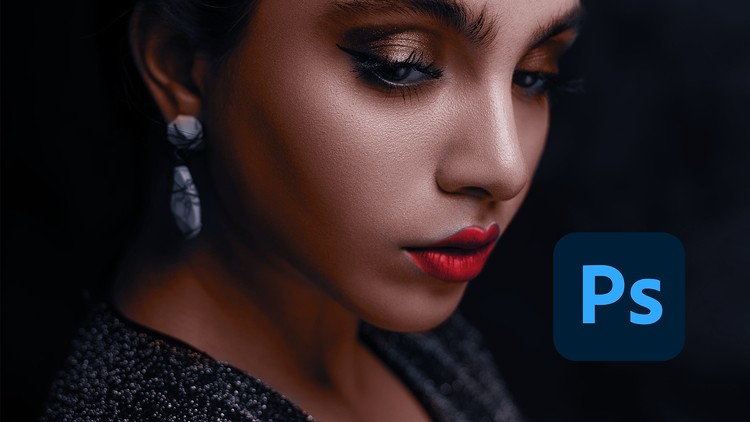
Learn how to achieve mesmerizing color grading in Photoshop using unconventional methods.
What you will learn
Color-correct using curves.
Color-correct using levels.
Use camera raw in Photoshop.
Copy color-grading from one image unto another.
Why take this course?
Welcome to “Color Grading Techniques in Adobe Photoshop CC”
Hello and welcome to this exciting free course! Whether you’re a photography enthusiast, a graphic designer, or a creative professional looking to enhance your editing skills, this course is designed just for you. Get ready to dive into the world of color grading and learn how to transform your images into stunning, professional-quality visuals. Let’s unlock the power of color together!
Why This Course is Important
Color grading is one of the most essential skills in photo editing. It’s not just about fixing colors—it’s about creating mood, evoking emotions, and telling a story through your images. Whether you’re editing photos for social media, professional portfolios, or personal projects, mastering color correction and grading will take your work to the next level. These skills are highly sought after in industries like photography, graphic design, and digital marketing, making them a valuable addition to your toolkit.
What You’ll Learn
This course is packed with practical, step-by-step tutorials that will teach you the art of color grading in Adobe Photoshop CC. You’ll learn how to:
- Use Levels for Advanced Color Correction: Master precise adjustments to brightness, contrast, and color balance.
- Harness the Power of Curves: Dive into advanced techniques for fine-tuning shadows, highlights, and midtones.
- Work with Camera Raw in Photoshop CC: Explore powerful tools for non-destructive editing and color enhancement.
- Steal Color Grading from One Image to Another: Learn how to replicate the color grading of one image and apply it to another for consistent and professional results.
Each video is designed to be easy to follow, yet packed with professional techniques that will elevate your editing skills.
Why Learn from Me?
With 9 of experience in photo editing and Adobe Photoshop, I’ve worked on a wide range of projects, from portrait retouching to commercial photography. I’ve also taught thousands of students worldwide, helping them master complex editing techniques in a simple and engaging way. My goal is to make color grading accessible and fun, so you can achieve professional results with confidence. When you learn from me, you’re learning from someone who’s passionate about helping you succeed.
Join the Course Today!
Don’t miss this opportunity to learn advanced color grading techniques for free! Whether you’re looking to enhance your photography, boost your design skills, or simply explore your creativity, this course is your chance to master Adobe Photoshop CC and create stunning, color-graded images. Enroll now and start your journey toward becoming an editing pro!
Join the course today. Let’s bring your images to life with the power of color!
- Course Overview: This program is designed to move beyond the standard tutorial format by focusing on the logic and philosophy of digital manipulation, ensuring you understand why certain tools work better than others in specific creative scenarios.
- Course Overview: You will explore the intricacies of the Adobe Photoshop CC interface, learning how to customize your workspace to prioritize efficiency and ergonomics, which is crucial for high-intensity professional environments.
- Course Overview: We delve into the psychology of visual perception, teaching you how to guide a viewer’s eye through a composition using contrast, focal points, and deliberate spatial arrangement of graphic elements.
- Course Overview: The curriculum emphasizes the importance of a non-destructive workflow, allowing you to make iterative changes at any stage of the design process without permanently altering your original source files.
- Course Overview: You will be introduced to the concept of “Digital Alchemy,” where we combine disparate photographic elements and textures to create cohesive, believable environments that defy the laws of reality.
- Course Overview: The course provides a deep dive into the history of digital imaging and how modern tools have evolved to replicate traditional darkroom techniques, giving you a well-rounded appreciation for the craft.
- Requirements / Prerequisites: A reliable desktop or laptop computer with a modern operating system (Windows 10/11 or macOS) capable of handling large multi-layered PSD files without significant performance degradation.
- Requirements / Prerequisites: A creative mindset and the willingness to experiment with unconventional techniques that may initially seem counterintuitive but yield superior artistic results.
- Requirements / Prerequisites: Basic proficiency in navigating a computer file system, including creating folders, managing file extensions, and understanding the difference between various image formats like TIFF, PSD, and JPEG.
- Requirements / Prerequisites: An active subscription to Adobe Creative Cloud to ensure you have access to the latest software updates and cloud-based features used throughout the instructional modules.
- Requirements / Prerequisites: While no prior artistic training is necessary, a basic understanding of light, shadow, and perspective will help you grasp the more advanced compositing concepts faster.
- Skills Covered / Tools Used: Master the Pen Tool and Curvature Tool for creating ultra-precise vector paths, which are essential for high-end product isolation and logo tracing within a raster environment.
- Skills Covered / Tools Used: Utilize the Camera Raw Filter as a powerful engine for global and local adjustments, enabling you to extract maximum dynamic range and detail from flat images.
- Skills Covered / Tools Used: Explore the Blend If sliders within the Layer Styles dialog to perform complex transparency tasks based on luminosity and color channels without the need for manual masking.
- Skills Covered / Tools Used: Gain a comprehensive understanding of Adjustment Layers such as Selective Color, Gradient Maps, and Photo Filters to build sophisticated color palettes that evoke specific emotions.
- Skills Covered / Tools Used: Learn to harness the Type Tool and character panels to implement advanced typography, including kerning, tracking, and the application of layer effects to create 3D-styled text.
- Skills Covered / Tools Used: Implement Smart Objects and Smart Filters to maintain a high level of flexibility, allowing you to swap out assets or change filter parameters at any point in your workflow.
- Skills Covered / Tools Used: Discover the power of Luminosity Masks and Channel-based Selections to achieve surgical precision when editing highlights, midtones, and shadows independently.
- Skills Covered / Tools Used: Master the Clone Stamp and Healing Brush family of tools for professional retouching, focusing on maintaining natural textures while removing unwanted distractions.
- Skills Covered / Tools Used: Work with Custom Brushes and the Brush Settings panel to create unique textures, lighting effects, and digital atmospheric conditions like fog, rain, or smoke.
- Benefits / Outcomes: Develop a refined aesthetic sense that allows you to distinguish between amateur work and industry-standard professional design through the application of advanced color theory.
- Benefits / Outcomes: Build a comprehensive portfolio of diverse projects that demonstrate your versatility as a designer, making you a highly attractive candidate for creative agencies or freelance clients.
- Benefits / Outcomes: Drastically reduce your project turnaround time by mastering keyboard shortcuts and automated actions, allowing you to focus more on the creative aspect and less on repetitive technical tasks.
- Benefits / Outcomes: Gain the confidence to critique and improve your own work by understanding the technical benchmarks of high-quality digital art, such as histogram balance and pixel integrity.
- Benefits / Outcomes: Learn how to properly prepare files for various outputs, including high-resolution CMYK printing for physical media and optimized RGB assets for social media and web platforms.
- Benefits / Outcomes: Foster a specialized “problem-solving” mentality that enables you to troubleshoot technical software issues and find creative workarounds for complex design challenges.
- Benefits / Outcomes: Establish a sustainable creative habit by following a structured path that transitions from fundamental basics to complex, professional-level projects.
- PROS: The course utilizes real-world scenarios and assets, ensuring that the skills you acquire are directly applicable to the current demands of the creative industry.
- PROS: It focuses heavily on “unconventional” color grading, giving your work a unique visual signature that separates your style from the generic presets used by many other designers.
- PROS: Comprehensive coverage of both the “how” and the “why,” bridging the gap between technical button-pushing and genuine artistic expression.
- CONS: The sheer depth of the software’s capabilities and the advanced nature of the unconventional methods taught can lead to a steep learning curve that requires consistent practice and patience to fully master.