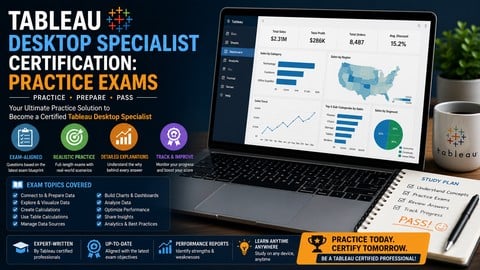
Assess your knowledge, identify your weak spots, and pass the official Tableau certification with high-quality mock test
What You Will Learn:
- Test your readiness for the official Tableau Desktop Specialist certification exam.
- Identify specific knowledge gaps in data connections, visual analytics, and dashboard formatting.
- Practice time management by taking full-length, scenario-based mock exams under pressure.
- Learn from your mistakes through in-depth, technical explanations provided for every single question.
Learning Tracks: English
Note➛ Make sure your 𝐔𝐝𝐞𝐦𝐲 cart has only this course you're going to enroll it now, Remove all other courses from the 𝐔𝐝𝐞𝐦𝐲 cart before Enrolling!
Add-On Information:
- Course Overview
- Meticulous Alignment with Official Exam Domains: The curriculum is strategically architected to mirror the current Tableau Desktop Specialist exam blueprint. It covers the four fundamental pillars: Connecting to and Preparing Data, Understanding Tableau Concepts, Exploring and Analyzing Data, and Sharing Insights. This ensures that every minute spent on these practice exams directly translates to the competencies required by the official certifying body.
- High-Fidelity Simulation Architecture: Each mock exam is designed to replicate the rigorous environment of the actual certification portal. By mimicking the question distribution, weightage, and difficulty scaling, the course transforms the testing experience into a familiar routine, stripping away the intimidation factor often associated with professional data assessments.
- Dynamic Assessment-Led Pedagogy: This course moves beyond passive consumption of information. It utilizes a testing-first approach where learners engage with the material through active recall. This method has been scientifically proven to increase long-term retention of complex technical concepts, such as data blending and the nuances of the Tableau order of operations.
- Contextual Learning through Scenarios: Unlike simple definition-based quizzes, these exams present realistic business problems. You will be asked to determine the most effective visualization for a given dataset or identify the correct data preparation step to resolve a specific formatting conflict, preparing you for the multifaceted nature of real-world data consulting.
- Requirements / Prerequisites
- Foundational User Interface Familiarity: Participants should have a basic working knowledge of the Tableau Desktop workspace. This includes understanding the functionality of the Data Pane, the Shelves (Columns, Rows, Pages, Filters), and the Marks card, which are the primary building blocks of any visualization.
- Rudimentary Data Literacy: A prerequisite for success in these exams is a basic grasp of data organization. Students should understand the difference between rows and columns, the concept of a header, and have a high-level awareness of common file types used in the industry, such as .csv, .xlsx, and .hyper extracts.
- Analytical Logic Mindset: While deep statistical knowledge is not required, a learner should be comfortable with basic logical reasoning. This includes understanding simple arithmetic operations and the conceptual difference between looking at data at an aggregated level versus an individual record level (granularity).
- Software Accessibility: Although the exams are web-based, it is highly recommended that students have Tableau Desktop (or Tableau Public) installed on their machine. This allows for immediate hands-on verification of specific question outcomes, reinforcing the theoretical knowledge through physical application.
- Skills Covered / Tools Used
- Advanced Metadata Management: You will master the art of organizing and streamlining data sources. This involves learning how to manage field names, assign aliases, modify data types on the fly, and set default properties like colors and number formats to ensure consistency across all worksheets.
- Discrete and Continuous Logic: A significant portion of the course focuses on the “Blue vs. Green” pill concept. You will develop a refined ability to distinguish between discrete dimensions and continuous measures, understanding how each choice impacts the headers, axes, and overall structure of your visualization.
- Geographic and Spatial Analysis: The exams delve into Tableau’s mapping capabilities. You will explore how to assign geographic roles to fields, utilize density maps to find hotspots, and manipulate map layers to provide a richer, more informative geographic context for your stakeholders.
- Visual Best Practices and Efficiency: Beyond technical clicks, the course covers the logic of effective storytelling. You will learn to determine the optimal chart type for specific analytical goals—whether it is using a bullet graph for progress tracking, a tree map for hierarchical parts-to-whole analysis, or a dual-axis chart for comparing disparate metrics.
- Benefits / Outcomes
- Enhanced Professional Marketability: Successfully completing these practice exams prepares you to earn a globally recognized credential. This certification acts as a powerful signal to recruiters and hiring managers that you possess a verified level of technical proficiency in one of the world’s leading business intelligence tools.
- Psychological Exam Readiness: One of the greatest hurdles in certification is exam anxiety. By exposing yourself to the structure and pressure of these mock tests, you build the mental stamina and psychological resilience needed to remain calm and focused during the high-stakes official session.
- Mastery of Tableau Vocabulary: The course ensures you are fluent in the “language” of Tableau. This clarity is essential not only for passing the exam but for communicating effectively with other developers, data architects, and business stakeholders in a professional environment.
- Reduction in Real-World Development Time: By internalizing the best practices and shortcuts highlighted in the exam explanations, you will become a more efficient developer. You will find yourself spending less time troubleshooting basic data connection errors and more time deriving actionable insights from your dashboards.
- PROS
- Authentic Question Diversity: Includes a balanced mix of single-choice, multiple-response, and scenario-based questions that accurately represent the breadth of the actual exam.
- Immediate Feedback Loop: Provides instant grading and technical justifications, allowing you to pivot your study focus immediately to areas that require the most attention.
- Mobile-Optimized Learning: The exam interface is fully responsive, enabling you to study and take practice tests on any device, making it ideal for busy professionals on the go.
- Lifetime Content Refreshes: Enrolled students benefit from periodic updates to the question bank, ensuring the material remains relevant as Tableau releases new software versions and modifies exam criteria.
- CONS
- Non-Instructional Format: This course is strictly a testing and assessment tool; it does not contain step-by-step video tutorials for beginners who have never opened the Tableau software before.