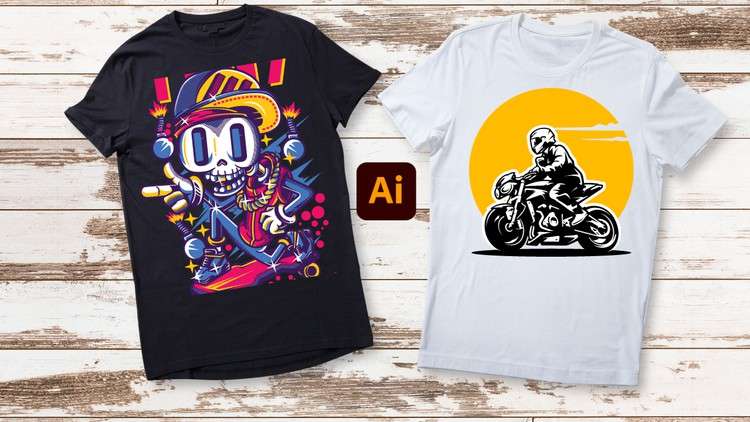
Unleash Your Creativity: From Beginner Brushstrokes to Expert Masterpieces – T-Shirt Design in Adobe Illustrator
What you will learn
Basic tools to use in Adobe Illustrator to make t-shirt designs
How you can start designing from the basic to advance in making t-shirt design
How you can customize fonts and elements
How to add in photos and ai objects in the panel
How to customize objects and turning objects into outlines for editing
How to mockup designs on t-shirt
Making desired shapes and editing them
How to make several types of t-shirt designs
Description
Hello everyone, welcome to our class of Adobe Illustrator t-shirt design so if you are planning to learn T-shirt designing from the beginning then you are in the right place because we will cover in this class from the basic to advanced. This is a beginner level class so if you have no previous experience then you can join in this class.
Let’s look what you will learn from this class:
- Introduction to Adobe Illustrator
- Workspace and Interface
- Basic tools to use in Adobe Illustrator to make t-shirt designs
- How you can start designing from the basic to advance in making t-shirt design
- How you can customize fonts and elements
- How to add in photos and ai objects in the panel
- How to customize objects and turning objects into outlines for editing
- How to mockup designs on t-shirt
- How to mask objects
- Making desired shapes and editing them
- Gradients and colors
- How to make several types of t-shirt designs
After complete this class you will be able to do:
- Make your own t-shirt design
- Get more comfortable using the workspace of Adobe Illustrator
- Able to grab a good knowledge of making shapes and objects and editing
- Customizing elements to your own desire
This is a project-based class so during learning you will have class project so what you learned you will be able to participate in class project so you can practice while you are learning. You will have supporting resources in this class so it will be easier for you to learn.
While learning if you face any issue or if you have any questions then feel free to ask me, I am always there to help you. So, let’s start learning Adobe Illustrator t-shirt design together.
Content
Introduction
Overview
Alright, let’s dive into this “T-Shirt Design in Adobe Illustrator Beginner Guide to Expert” course. As someone who’s spent a fair bit of time wrestling with vector graphics for various design applications, I was curious to see how this course would stack up. The title promises a journey from zero to hero, which, let’s be honest, is a tall order, especially with a tool as robust as Illustrator. What really caught my eye was the emphasis on practical application – not just learning features, but actively *applying* them to create marketable t-shirt designs. It’s one thing to click around and draw shapes, it’s another to churn out something that could realistically sell. This course aims to bridge that gap, focusing on the nuances of t-shirt design specifically, rather than just a general Illustrator tutorial. It touches on everything from the absolute foundational tools to more complex techniques like object manipulation and incorporating external assets, which is crucial for staying competitive in the print-on-demand and custom apparel space.
Prerequisites
Honestly, for a course pitched as “Beginner Guide to Expert,” the prerequisites are blessedly minimal. You don’t need to be a seasoned graphic designer. The primary requirement is a working computer capable of running Adobe Illustrator and a willingness to learn. Having a basic understanding of computer operations will certainly help, but no prior design software experience is strictly necessary. Think of it as learning to drive: you don’t need to be a Formula 1 racer to get behind the wheel, just understand the pedals and steering.
Skills & Tools
This course is laser-focused on equipping you with the essential skills and proficiency in **Adobe Illustrator**, the undisputed industry-standard tool for vector graphics. You’ll get hands-on experience with:
- Fundamental Vector Tools: Pen Tool, Shape Tools, Pathfinder, Gradient Tool – the building blocks of any Illustrator project.
- Typography Mastery: Customizing fonts, kerning, leading, and creating unique text treatments.
- Asset Integration: Seamlessly incorporating photos and AI-generated elements into your designs.
- Object Manipulation: Transforming, combining, and editing shapes to achieve desired aesthetics, including turning objects into outlines for precise editing.
- Design Versatility: Learning to create a range of t-shirt design styles, from minimalist graphics to intricate illustrations.
- Mockup Creation: Presenting your designs professionally on t-shirt templates.
Beyond just Illustrator, the course implicitly hones your **visual design sensibility** and your understanding of how to translate concepts into print-ready artwork.
Career Benefits & Job Roles
This is where a course like this can really shine, especially if you’re looking for **career growth** in the creative industries. Mastering t-shirt design in Illustrator can open doors to various roles, including:
- Freelance T-Shirt Designer: Working with clients for custom apparel.
- Print-on-Demand (POD) Seller: Creating designs for platforms like Redbubble, Merch by Amazon, or Etsy.
- Graphic Designer (Apparel Focus): Contributing to brands that produce their own merchandise.
- Small Business Owner: Designing merchandise for your own brand.
The **job-ready skills** you acquire are directly transferable to the growing e-commerce and creator economy. It’s about developing tangible, marketable abilities. While this isn’t a formal **certification prep** course, the practical knowledge gained is incredibly valuable for building a portfolio that speaks volumes to potential clients or employers.
Pros
- Comprehensive Skill Progression: The course does a commendable job of guiding learners from absolute basics to more advanced techniques, ensuring a solid foundation and then building upon it. This structured approach is key for anyone intimidated by a powerful tool like Illustrator.
- Practical, Real-World Application: The focus on t-shirt design specifically means the lessons are immediately applicable. You’re not just learning Illustrator features in a vacuum; you’re learning how to use them to create actual products. The mockup portion is particularly good for this.
- Emphasis on Customization: The detailed walkthroughs on customizing fonts and objects are fantastic. This is where a lot of unique designs come from, and the course provides the roadmap for achieving that bespoke look.
Cons
- Depth of AI Integration might be superficial for advanced users: While the inclusion of “AI objects” is a great nod to modern workflows, for those already dabbling in AI art generators, the integration part might feel a bit basic. The course covers *adding* and *customizing* these elements within Illustrator, but doesn’t necessarily delve into the finer points of AI generation or advanced compositing techniques if you’re expecting a deep dive into AI-driven design workflows. It’s more about bringing AI elements *into* your Illustrator designs than mastering AI *for* design itself.