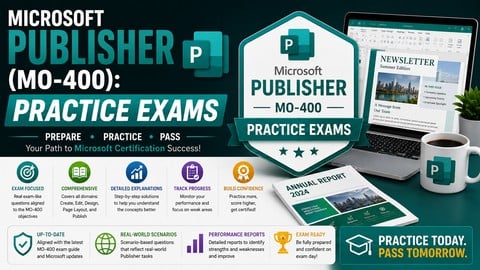
Validate your desktop publishing, master page architecture, and prepress layout alignment skills with 200+ mock question
What You Will Learn:
- Test your technical readiness for the official Microsoft Publisher (MO-400) certification exam.
- Identify deep knowledge gaps in canvas bleed guides, text frame links, and CMYK print color models.
- Practice time management by taking full-length, task-based mock exams under pressure.
- Learn from your mistakes through in-depth, technical explanations for every single question.
Learning Tracks: English
Note➛ Make sure your 𝐔𝐝𝐞𝐦𝐲 cart has only this course you're going to enroll it now, Remove all other courses from the 𝐔𝐝𝐞𝐦𝐲 cart before Enrolling!
Add-On Information:
Course Overview
- This intensive practice exam course is meticulously designed for individuals preparing to conquer the Microsoft Publisher (MO-400) certification.
- Far beyond simple multiple-choice, it immerses you in highly realistic, scenario-based challenges mirroring the actual exam.
- You will encounter diverse tasks demanding practical application of Publisher features, pushing you to comprehend the logical flow and interoperability of software components.
- Each practice exam replicates the official test’s format, timing, and complexity, ensuring you develop familiarity and composure.
- The course material systematically reviews every facet of Publisher, from foundational document setup to advanced publication techniques, providing a robust framework for solidifying your expertise prior to the MO-400.
- It’s an indispensable resource for pinpointing strengths and, more critically, for methodically addressing any remaining ambiguities.
Requirements / Prerequisites
- To gain maximum benefit, participants need a foundational working knowledge of Microsoft Publisher.
- This course is not an introductory software tutorial; it assumes prior experience navigating the interface, creating basic documents, and understanding core functionalities.
- Familiarity with the Windows operating system and general computer literacy are essential.
- Access to a fully installed, functional version of Microsoft Publisher (preferably latest, MO-400 compatible) is mandatory, as hands-on practice is highly recommended.
- While not strictly required, a basic grasp of graphic design principles (typography, color theory, visual hierarchy) can significantly enhance your ability to interpret and execute design tasks and excel.
- This preparation ensures focus on exam readiness, not initial software instruction.
Skills Covered / Tools Used
- This course rigorously evaluates and refines your proficiency across a comprehensive array of Microsoft Publisher capabilities, mirroring official MO-400 exam objectives.
- You will extensively practice creating publications from scratch or templates, configuring page setup (margins, orientation, paper size), and mastering text boxes, picture frames, and shape objects.
- Skills honed include advanced text formatting, applying styles, managing fonts, and implementing typographic controls.
- The practice exams challenge your ability to insert and format media types (images, tables, hyperlinks), and work with building blocks and design elements.
- You’ll gain practical experience organizing content using layers, groups, and alignment.
- Furthermore, the course delves into publication management tasks: saving in different formats, printing options, packaging for commercial printing, and preparing for web distribution.
- The primary tool is Microsoft Publisher, alongside the interactive practice exam platform simulating the official testing experience.
Benefits / Outcomes
- Upon successful engagement, you will emerge not only technically prepared but also strategically adept for the Microsoft Publisher (MO-400) certification.
- A key outcome is a significant boost in confidence, derived from repeated exposure to challenging questions and detailed feedback.
- You will develop effective test-taking strategies, including pacing through complex tasks and prioritizing information.
- Beyond certification, this course cultivates a deeper, more nuanced understanding of Publisher’s professional applications, enabling higher-quality, impactful desktop publications in real-world scenarios.
- Your improved command over design layouts, content organization, and prepress considerations will translate directly into enhanced efficiency and professionalism in any desktop publishing role.
- Ultimately, navigating these practice exams empowers you to validate expertise, distinguish yourself, and confidently undertake sophisticated projects.
PROS
- Self-paced Learning: Offers flexibility to study at your own pace, focusing on challenging areas as needed.
- Comprehensive Coverage: Ensures all Microsoft Publisher (MO-400) certification exam objectives are thoroughly addressed via diverse mock questions.
- Detailed Explanations: Provides in-depth, technical rationales for every answer, transforming mistakes into valuable learning opportunities.
- Realistic Simulation: Replicates the actual exam environment, reducing test anxiety and building familiarity with the testing format and time constraints.
- Cost-Effective Preparation: An economical alternative to instructor-led training, delivering high-quality preparation material.
CONS
- Lack of Direct Instructor Interaction: As a self-study format, it does not offer real-time feedback or personalized guidance from an instructor.