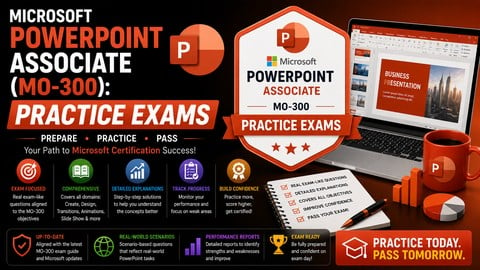
Validate your slide design, presentation management, and animation skills with 200+ realistic practice questions.
What You Will Learn:
- Test your readiness for the official Microsoft PowerPoint Associate (MO-300) certification exam.
- Identify specific knowledge gaps in slide master design, custom layouts, and animations.
- Practice time management by taking full-length, task-based mock exams under pressure.
- Learn from your mistakes through in-depth, technical explanations for every question.
Learning Tracks: English
Note➛ Make sure your 𝐔𝐝𝐞𝐦𝐲 cart has only this course you're going to enroll it now, Remove all other courses from the 𝐔𝐝𝐞𝐦𝐲 cart before Enrolling!
Add-On Information:
Course Overview
- This course provides a rigorous practice environment mirroring the Microsoft PowerPoint Associate (MO-300) certification exam, designed to solidify existing knowledge and pinpoint improvements.
- Engage with over 200 realistic, task-based questions simulating the MO-300 exam’s format and difficulty, offering unparalleled familiarity with the testing experience.
- Experience real exam pressure through multiple full-length mock tests, timed to official limits, building crucial exam-taking stamina and time management.
- Delve into comprehensive scenarios covering the entire MO-300 objective domain, ensuring exposure to all potential question types.
- Benefit from an intuitive platform tracking progress, highlighting performance trends, and allowing repeated attempts for adaptive learning.
Requirements / Prerequisites
- Foundational knowledge of Microsoft PowerPoint 2019 or Microsoft 365 desktop version is essential; this course validates existing skills, not basic instruction.
- Access to Microsoft PowerPoint (desktop version) is highly recommended for practical application and concept verification during practice.
- Familiarity with PowerPoint’s basic interface and common features (e.g., creating presentations, adding slides, text boxes) is expected.
- A commitment to active review and practice, leveraging detailed explanations, is crucial for success.
- Prior review of the official Microsoft MO-300 objective domain can optimize your targeted study approach.
Skills Covered / Tools Used
- Presentation Creation and Management: Rigorous assessment of managing sections, modifying slide masters, and organizing content effectively.
- Text, Shapes, and Images Proficiency: Applying and confirming skills in manipulating text boxes, formatting paragraphs, customizing shapes, and editing image types.
- Complex Object Integration: Expertise with tables, charts, SmartArt graphics, and embedding/managing audio/video files.
- Transitions and Animations Application: Precision in customizing slide transitions and object animations for dynamic content delivery.
- Collaboration and Presentation Delivery: Challenging scenarios covering sharing options, reviewing presentations, and setting up slideshows (e.g., presenter view).
- Interactive Online Exam Simulator: The primary tool, offering a real-time, timed examination experience with navigation and review.
- Comprehensive Answer Explanations: Each question provides a detailed explanation, clarifying correct answers and deepening understanding.
Benefits / Outcomes
- Pinpoint and Address Knowledge Gaps: Analytical reports precisely highlight MO-300 sub-domains needing attention, enabling targeted study.
- Cultivate Exam Confidence: Repeated exposure to exam format and pressures builds significant confidence, making the actual test feel familiar.
- Develop Robust Time Management Strategies: Learn to allocate time wisely across diverse tasks within constraints, critical for both exam and real-world efficiency.
- Enhance Practical PowerPoint Application: Task-based questions ensure active application of features, reinforcing practical proficiency in professional presentations.
- Gain a Competitive Professional Edge: MO-300 certification validates expertise to employers, signaling capability in business PowerPoint usage.
- Solidify Best Practices: Exposure to various scenarios and feedback fosters adoption of industry best practices for slide design and content organization.
- Receive Immediate Feedback: Instant scoring and in-depth explanations allow for immediate learning and adjustment of your study plan.
PROS
- Highly Realistic Simulation: Mimics official exam complexity and format.
- Detailed Explanations: Thorough explanations for every answer.
- Flexible Learning: Practice anytime, anywhere online.
- Comprehensive Coverage: Tests all MO-300 objective domains.
- Performance Tracking: Monitor progress and identify improvement areas.
CONS
- Not for Beginners: Assumes prior PowerPoint knowledge; focuses solely on assessment, not initial instruction.