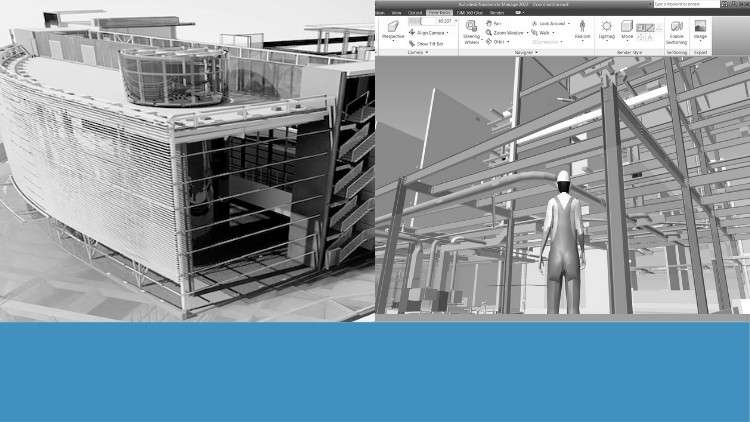
Tutorials on Navisworks: Navigation, Timeliner, Scripter, Clash Detection, Animator, Quantification, and Rendering
What you will learn
Explore the Navisworks User Interface and Navigation Tools
Perform 4D and 5D Simulations for Project Management on Real World Project
Perform Clash Detection and Quantifications on Real World Project
Create Detailed Animations, Renderings, and Scripts for Enhanced Visualization
Why take this course?
Unlock the full potential of Autodesk Navisworks with our comprehensive, step-by-step tutorial course designed to guide you through all the essential concepts and features of this powerful BIM tool. Whether you are a beginner or looking to enhance your skills, this course covers everything you need to master Navisworks.
What You’ll Learn:
- Model Navigation: Learn to navigate complex models with ease, including viewing, sectioning, and visualizing different aspects of your BIM projects.
- Timeliner: Discover how to create 4D and 5D simulations to visualize project schedules and costs over time.
- Clash Detection: Master the techniques of identifying and resolving conflicts within your BIM models to ensure seamless project execution.
- Scripter and Animator: Gain proficiency in creating detailed animations and scripts to simulate real-world scenarios and project workflows.
- Quantification: Learn how to perform accurate quantity takeoffs and generate detailed reports for project planning and cost estimation.
- Rendering: Explore advanced rendering techniques to produce high-quality visuals and presentations of your BIM projects.
Course Features:
- Real-World BIM Projects: Apply your learning on real-world BIM projects, ensuring practical, hands-on experience.
- Step-by-Step Tutorials: Follow structured, easy-to-understand tutorials that build your skills progressively.
- Exercises and Quizzes: Test your knowledge and reinforce your learning with practical exercises and quizzes at the end of each module.
- Comprehensive Coverage: From basics to advanced techniques, this course provides a thorough understanding of all Navisworks functionalities.
- Reading Materials: Each section of the course includes reading materials that provide an in-depth study of the tools used in that section’s tutorials.
Enroll now to take your BIM skills to the next level and become proficient in Autodesk Navisworks!
The Real Deal on Navisworks Mastery: From a BIM Veteran’s Perspective
If you have been in the architecture, engineering, and construction (AEC) industry for more than a minute, you know that Revit is great for design, but Navisworks is where the actual construction “magic” (and the occasional headache) happens. I recently dove into the ‘Exploring Navisworks: BIM Tutorials from Basics to Advanced’ course to see if it actually delivers on the promise of turning a novice into a BIM Coordinator. Most courses in this niche tend to be dry, robotic, and stuck in a version of the software from five years ago. This one, however, feels like sitting down with a senior VDC (Virtual Design and Construction) lead who actually wants you to succeed in the field.
The core philosophy of this course isn’t just about clicking buttons; it’s about understanding the BIM workflow. It bridges the gap between a 3D model and a live construction site. What struck me most was the emphasis on job-ready skills. We aren’t just looking at pretty pictures; we are looking at how to save a project millions of dollars by catching a duct running through a structural beam before the concrete is poured. It’s practical, it’s gritty, and it’s exactly what the industry demands right now.
Prerequisites
Before you jump into the deep end, let’s be realistic about what you need to bring to the table. This isn’t a “my first computer” course. To get the most out of these hands-on labs, you should have:
- A foundational understanding of AEC industry standards and basic construction terminology.
- Familiarity with 3D modeling concepts (if you’ve used Revit, AutoCAD 3D, or ArchiCAD, you’re golden).
- A computer that doesn’t scream when you open a large NWC or NWD file—Navisworks is a memory hog.
- The drive to move beyond design and into the world of project management and coordination.
Skills & Tools Covered
The course is a comprehensive deep-dive into the industry-standard tools that make Navisworks the powerhouse it is. You’ll get your hands dirty with:
- Clash Detective: The bread and butter of BIM coordination. You’ll learn how to run interference checks and, more importantly, how to manage the results.
- Timeliner (4D): This is where you link your 3D model to a project schedule (Gantt charts). Seeing a building “grow” over time is more than just cool—it’s vital for site logistics.
- Quantification (5D): Moving into the world of cost estimation by pulling automated takeoffs directly from the model geometry.
- Animator and Scripter: This is advanced territory. You’ll learn how to create object animations and trigger them with scripts for high-level visualizations.
- Rendering: Using the Autodesk Raytracer to create visuals that actually impress clients during stakeholders’ meetings.
Career Benefits & Job Roles
Let’s talk money and career growth. Taking a course like this is essentially certification prep for the real world. In the current market, “BIM-literate” professionals are seeing a significant salary bump compared to traditional CAD draftsmen. By mastering these modules, you are positioning yourself for high-demand roles such as:
- BIM Coordinator: Managing the clash detection process and leading coordination meetings.
- VDC Engineer: Focusing on the virtual construction phase and 4D/5D simulations.
- Construction Project Manager: Using real-world projects data to track progress and budgets.
- BIM Manager: Overseeing the entire digital lifecycle of a project from a high level.
Pros
- Real-World Application: The course uses real-world projects rather than theoretical shapes. This is crucial because real buildings have messy data, and learning how to clean that up is a skill in itself.
- Comprehensive 4D/5D Integration: Many tutorials stop at 3D. This course pushes into the 4D (Time) and 5D (Cost) dimensions, which are the most sought-after skills in modern construction firms.
- Advanced Scripting Content: It’s rare to find a course that covers the Scripter tool. It’s a bit of a “dark art” in Navisworks, and having this in your toolkit makes you an outlier in the best way possible.
- Logical Progression: It truly moves from beginner to advanced without leaving you behind. The transition from basic navigation to complex clash rules is handled smoothly.
Cons
- Intensity of the Scripter Module: While I praised it as a pro, the Scripter and Animator sections are quite dense. If you are a total tech-phobe, you might find yourself hitting the “rewind” button a few times to fully grasp the logic-based triggers. It’s a steep learning curve, but worth the effort.