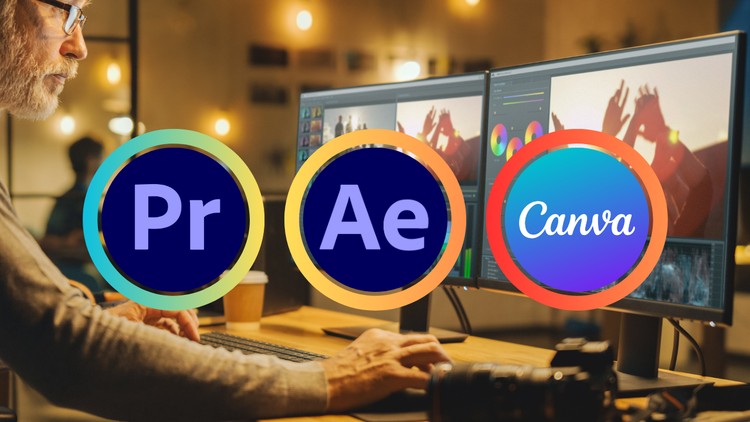
Master Video Editing for Instagram Facebook Youtube TikTok with Premiere Pro, After Effects & Canva
What you will learn
The fundamentals of video editing: Master the basics of cutting, trimming, transitions, and effects in Premiere Pro.
Motion graphics magic: Breathe life into your videos with After Effects’ powerful animation tools. No prior animation experience needed!
Canva for captivating visuals: Design stunning graphics, titles, and lower thirds using Canva’s user-friendly interface.
Pro editing techniques: Learn color correction, audio editing, and other advanced editing skills to take your videos to the next level.
Why take this course?
Master Social Media Video Editing: From Beginner to Pro with Premiere Pro, After Effects & Canva
Become a social media video editing powerhouse with this comprehensive course!
In today’s social media landscape, captivating video content is key to grabbing attention and growing your audience. This course equips you with the skills to create professional-looking videos for all your favorite platforms, using a powerful combination of industry-standard tools and a user-friendly design platform.
Here’s what you’ll learn:
- Adobe Premiere Pro: Master the fundamentals of video editing in Premiere Pro. Learn to import, edit, trim, and arrange clips, add transitions, and create polished sequences.
- Adobe After Effects: Take your videos to the next level with After Effects. Explore motion graphics, animation, and visual effects to add stunning visuals and intros to your content.
- Canva: Unlock the powerful video editing features of Canva. Learn to create social media-specific video formats, add text overlays, graphics, and music, and easily export your videos for various platforms.
This course is perfect for:
- Anyone who wants to create engaging social media content
By the end of this course, you’ll be able to:
- Edit and create professional-looking social media videos
- Utilize After Effects to add captivating motion graphics and visual effects
- Design stunning visuals and text overlays using Canva
- Export your videos in the perfect format for each social media platform
The course includes:
- Step-by-step tutorials for each software
- Practical demonstrations to solidify your learning
- Real-world examples to inspire your creativity
No prior experience is necessary! With this comprehensive course, you’ll have everything you need to become a social media video editing pro. Enroll today and start creating content that gets noticed!
Overview
Alright, let’s talk about the ‘Social Media Video Editing: Premiere Pro After Effects Canva’ course. As someone who’s spent a good chunk of my career navigating the ever-evolving landscape of digital content creation, I was curious to see how this course tackled the holy trinity of social media video: polished editing with Premiere Pro, eye-catching motion graphics from After Effects, and the universally accessible Canva for those crucial visual elements. My initial thought was, “Can they *really* bridge the gap between these powerful, yet distinct, tools effectively?” The promise of mastering video editing for Instagram, Facebook, YouTube, and TikTok is a big one, and frankly, the market demands it. This isn’t just about slapping clips together anymore; it’s about creating engaging narratives that cut through the noise. The caption highlights a solid curriculum covering the fundamentals, diving into motion graphics without requiring prior animation knowledge (a big win for many!), leveraging Canva for professional-looking graphics, and then layering on pro editing techniques. It sounds like a well-rounded approach, aiming to equip learners with a diverse toolkit for various social media platforms.
Prerequisites
Honestly? Not much. For a course promising to get you from zero to hero with industry-standard tools like Premiere Pro and After Effects, the prerequisites are refreshingly minimal. A **basic understanding of computer operation** and a willingness to learn are your main assets here. You don’t need to be a graphic designer or a seasoned editor to jump in. The course is designed to be approachable, which is crucial for anyone looking to acquire **job-ready skills** without feeling overwhelmed.
Skills & Tools
This is where the course really shines in its ambition. You’ll get hands-on experience with:
- Adobe Premiere Pro: The workhorse for linear video editing. You’ll learn everything from basic **cutting and trimming** to more complex **transitions and effects**. This is foundational for creating polished video content.
- Adobe After Effects: This is the magic wand for motion graphics. The course promises to demystify animation, which is a huge draw. Think dynamic text animations, animated logos, and engaging visual elements that make your content pop.
- Canva: The champion of accessible design. You’ll learn to create **captivating visuals**, including **titles, lower thirds, and supporting graphics** that seamlessly integrate with your video projects. It’s about adding that extra layer of professionalism without needing a deep design background.
- Color Correction & Audio Editing: These are critical, often overlooked, skills. Mastering these will elevate your videos from amateur to professional, significantly impacting viewer retention and overall production value.
Career Benefits & Job Roles
Let’s be real, the primary driver for taking a course like this is **career growth**. The skills acquired here are in high demand across numerous industries. You’ll be well-positioned for roles such as:
- Social Media Video Editor
- Content Creator
- Digital Marketing Specialist (with a video focus)
- Junior Video Editor
- Freelance Video Producer
The **certification prep** aspect, if implied by the depth of coverage, could be a significant bonus, adding a tangible credential to your resume. It’s all about developing **job-ready skills** using **industry-standard tools**.
Pros
- Comprehensive Tool Stack: The inclusion of Premiere Pro, After Effects, and Canva provides a holistic approach to social media video creation. You’re not just learning one piece of the puzzle; you’re learning how they all work together.
- Beginner-Friendly Motion Graphics: The promise of tackling After Effects without prior animation experience is a massive selling point. This opens up a world of creative possibilities for those who previously found motion graphics intimidating.
- Real-World Application Focus: The emphasis on creating content for specific platforms (Instagram, Facebook, YouTube, TikTok) means you’re learning practical skills that are immediately applicable to current market demands.
- Value for Investment: Mastering these three powerful tools can significantly boost your resume and open doors to new **career opportunities**, making it a worthwhile investment for anyone looking to break into or advance in the digital content space.
Cons
- Depth vs. Breadth: While covering three powerful tools is a strength, there’s always a risk of superficiality. It’s crucial that the course provides enough depth in each area to be truly impactful, rather than just skimming the surface of each application. Achieving mastery in Premiere Pro alone takes significant time and practice, so balancing this with After Effects and Canva will require a very well-structured curriculum.