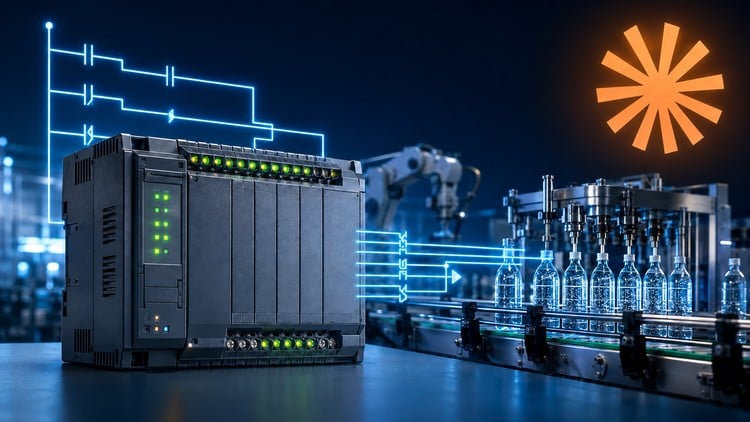
Learn PLC ladder logic, timers, counters and state machines through hands-on projects using simulators and Claude AI.
What You Will Learn:
- Explain how PLCs, inputs, outputs and the PLC scan cycle work in industrial automation.
- Read, create and simulate PLC ladder logic using contacts, coils, rungs, tags and free PLC tools.
- Translate machine requirements into AND, OR, XOR and NOT logic using NO and NC contacts.
- Build motor Start/Stop circuits using seal-in latches, Set/Reset instructions and one-shots.
- Configure TON, TOF and RTO timers and CTU, CTD and CTUD counters for automation tasks.
- Use comparison, range-check, math and MOVE instructions to process numerical PLC data.
- Design traffic lights and machine sequences using finite state machines and state transitions.
- Build and test an automatic bottle-filling station using timers, counters, states and outputs.
- Use Claude AI to draft I/O lists, explain ladder logic and assist with PLC debugging responsibly.
- Test PLC programs, identify common ladder logic errors and verify safe operation in simulation.
The Real Scoop on Mastering the Factory Floor Digitally
If you have spent any time in a manufacturing plant or a modern warehouse, you know that Programmable Logic Controllers (PLCs) are the brain behind the muscle. I’ve seen plenty of beginners get intimidated by the “spaghetti code” of ladder logic, but “PLC Programming: Ladder Logic for Beginners” takes a refreshing, modern approach to the discipline. Instead of just dryly explaining what a Normally Open (NO) contact is, this course treats automation like a language you actually want to speak. What caught my eye immediately was the integration of Claude AI. Using an LLM as a pair-programmer for industrial automation isn’t just a gimmick; it’s a massive career growth hack that helps you troubleshoot complex rungs before you ever go live on a factory floor. This course moves fast from basic gate logic to the kind of real-world projects that actually mirror what you’d see in a Siemens or Allen-Bradley environment.
Who Should Sign Up?
The beauty of this curriculum is that it doesn’t demand a four-year engineering degree. However, you aren’t going to get far if you aren’t willing to think logically. The ideal candidate is:
- Maintenance technicians looking to move into systems integration or higher-paying industrial automation roles.
- Hobbyists or students who want job-ready skills without dropping thousands on proprietary hardware.
- Aspiring automation engineers who need a solid foundation for certification prep.
- Anyone with a basic understanding of electricity (Volts, Amps, and basic circuits) and a “tinker” mindset.
You don’t need a physical PLC on your desk, which is a huge plus. The focus here is on industry-standard tools and free simulators that replicate the behavior of expensive hardware-in-the-loop setups.
High-Value Skills & Technical Tools
This isn’t just a “watch and learn” course; it’s built around hands-on labs. You will be spending a significant amount of time in simulators, which is where the real learning happens. Key highlights include:
- Ladder Logic Mastery: Moving beyond simple coils to Set/Reset instructions, one-shots, and math instructions.
- State Machine Design: Learning how to structure complex sequences—like a traffic light or an automatic bottle-filling station—so they don’t crash the machine.
- AI-Assisted Debugging: Using Claude AI to draft I/O lists and explain why a specific rung isn’t firing. This is a game-changer for beginner to advanced transitions.
- Data Handling: Understanding MOVE instructions and comparison blocks to process numerical data, which is essential for modern IIoT environments.
Career Benefits & Job Roles
Let’s talk money. Industrial automation is a high-demand niche where job-ready skills translate directly into salary bumps. By completing this course, you are positioning yourself for roles such as:
- PLC Programmer: Writing and optimizing code for new production lines.
- Control Systems Technician: Troubleshooting real-world projects and maintaining existing automated systems.
- Field Service Engineer: Traveling to commission new equipment using the industry-standard tools you mastered in simulation.
The focus on safe operation and debugging ensures that you aren’t just a “copy-paste” coder, but a professional who understands the PLC scan cycle and the physical consequences of a software error.
Why This Course Hits the Mark (The Pros)
- The AI Edge: Teaching students how to use Claude AI responsibly is brilliant. It reflects the modern workplace where AI is a tool for efficiency, not a replacement for logic.
- Simulation-First Approach: You get to make “expensive” mistakes in a virtual environment. Breaking a virtual bottle-filler costs $0; breaking a real one can cost you your job.
- Logical Progression: It starts with Boolean logic (AND/OR) and scales beautifully into Finite State Machines. This builds a mental framework that applies to almost any PLC brand.
- Practicality: The projects, specifically the motor Start/Stop and bottle-filling station, are classic hands-on labs that appear in almost every entry-level certification prep exam.
The One Major Reality Check (The Cons)
If I have one gripe, it’s that the course is purely simulation-based. While the logic is identical, nothing truly prepares you for the “fun” of a loose terminal screw, a dusty sensor, or the electrical noise of a variable frequency drive (VFD). You will be a logic wizard by the end, but you’ll still need to get your hands dirty with real wires eventually to be a complete industrial automation pro. Simulation is 90% of the battle, but that final 10% of physical troubleshooting is something you can only learn on a vibrating, loud factory floor.