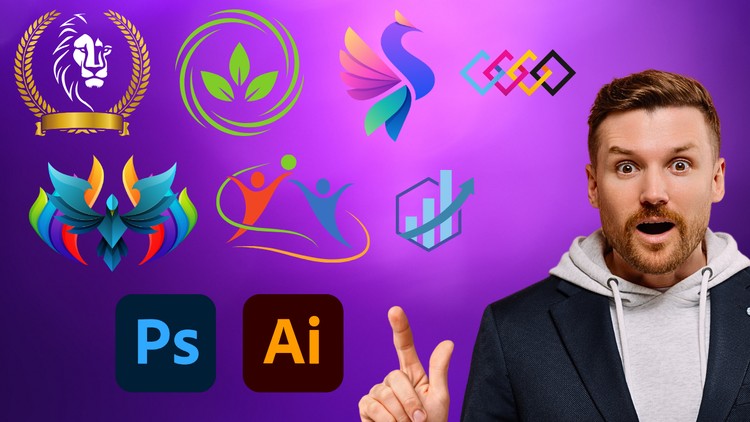
Essential Skills for Logo Designers
What you will learn
Understanding the role of logos in branding
Identifying target audiences and brand identity
Exploring logo design styles and concepts
Building complex logo designs with precision
Why take this course?
Are you passionate about design and eager to create iconic logos that leave a lasting impression? Look no further! This comprehensive course is your gateway to mastering the art of logo design using industry-standard software, Photoshop and Illustrator.
Whether you’re a budding designer looking to kickstart your career or a seasoned professional seeking to refine your skills, this course offers a solid foundation in logo design principles and practical techniques. You’ll learn to transform abstract ideas into visually captivating logos that resonate with your target audience.
What You’ll Learn:
- Logo Design Fundamentals: Grasp the core concepts of logo design, including brand identity, target audience analysis, and the psychology of color. Develop a keen eye for visual hierarchy and balance, essential for creating impactful logos.
- Photoshop Mastery: Harness the power of Photoshop to create stunning visuals. Learn to manipulate images, apply effects, and refine your logo designs with precision. Discover advanced techniques for color correction, image retouching, and creating seamless compositions.
- Illustrator Expertise: Master the art of vector graphics with Illustrator. Learn to create clean, scalable logos that look perfect at any size. Explore various drawing tools, shape building techniques, and typography options to bring your logo designs to life.
- Concept Development and Ideation: Unleash your creativity through brainstorming and sketching techniques. Learn to generate innovative logo concepts that align with your client’s vision. Explore different design styles and approaches to find the perfect fit for your project.
- Typography and Layout: Discover the world of typography and its impact on logo design. Learn to select appropriate fonts, create custom letterforms, and arrange elements for optimal visual impact. Master the art of kerning, leading, and tracking to achieve perfect typography.
- Color Theory and Application: Understand the psychology of color and how it influences brand perception. Learn to create harmonious color palettes that evoke desired emotions and enhance your logo designs. Explore color mixing techniques and color modes in Photoshop and Illustrator.
- Logo Refinement and Presentation: Refine your logo designs through iterative processes, incorporating feedback and making necessary adjustments. Learn to create professional logo presentations and mockups to showcase your work effectively.
- Logo Design for Different Industries: Explore the unique challenges and opportunities of designing logos for various industries. Discover industry-specific trends and best practices to create logos that resonate with specific target audiences.
Why Choose This Course?
- Comprehensive Curriculum: Covers all essential aspects of logo design, from theory to practical application.
- Hands-On Projects: Learn by doing with practical exercises and real-world examples.
- Expert Instruction: Benefit from clear and engaging teaching by experienced designers.
- Lifetime Access: Enjoy unlimited access to course materials and updates.
- Certificate of Completion: Showcase your achievement and enhance your professional profile.
By the end of this course, you’ll have a solid understanding of logo design principles, a mastery of Photoshop and Illustrator tools, and a portfolio of impressive logo designs. You’ll be confident in your ability to create impactful logos that help businesses build strong brand identities.
Don’t miss this opportunity to elevate your design skills and embark on a rewarding career in logo design. Enroll now and start your journey to becoming a logo design expert!
Overview: Beyond the “Make It Pretty” Mentality
Let’s be real for a second: the internet is drowning in “logo design” tutorials that do nothing more than show you how to draw a trendy shape in fifteen minutes. If you’re looking for a quick fix to land a five-dollar gig, this isn’t the course for you. But if you’re looking to actually understand the bridge between a client’s business goals and a visual identity that doesn’t fall apart when it’s printed on a billboard, Logo Design Essentials: Photoshop & Illustrator hits the nail on the head. In my years in the tech and design space, I’ve seen countless “designers” who can’t explain the difference between a raster and a vector, and honestly, it’s a career killer. This course tackles that knowledge gap head-on.
What I appreciated most about this specific curriculum is that it doesn’t treat industry-standard tools like isolated islands. Most people think logo design is purely an Illustrator game. While that’s 90% true for the final delivery, this course utilizes hands-on labs to show you how Photoshop plays a critical role in the conceptualization and presentation phases. It moves from beginner to advanced techniques by focusing on the “why” before the “how.” We aren’t just pushing pixels; we’re building a visual language. It’s an opinionated look at the industry that values longevity over trends, which is exactly what a real-world project requires to be successful.
Prerequisites: What You Actually Need Before Starting
- Basic Computer Literacy: You don’t need to be a coder, but you should know your way around a file system. We’re dealing with high-res assets here.
- Adobe Creative Cloud Subscription: You’ll need active versions of both Photoshop and Illustrator. Trying to follow along with open-source alternatives will just frustrate you because the shortcuts and workflows are specific.
- A Creative Problem-Solving Mindset: If you hate iterating and taking feedback, you’re going to struggle. Logo design is 20% drawing and 80% refinement.
- No Prior Design Experience Required: This is built to take you from zero, though a slight interest in typography or art certainly helps the medicine go down.
Skills & Tools: Mastering the Professional Stack
This course goes deep into the industry-standard tools that separate the pros from the hobbyists. You’ll spend the bulk of your time in Adobe Illustrator, mastering the Pen Tool—which, let’s be honest, is the most frustrating yet rewarding tool in a designer’s arsenal. You’ll learn about Bézier curves, pathfinders, and the golden ratio in ways that actually make sense for certification prep.
On the Photoshop side, the focus shifts to real-world projects like creating high-end mockups. Seeing your logo on a 3D storefront or a textured business card is how you sell a concept to a client. The course also covers color theory (CMYK vs. RGB), typography pairing, and file export protocols—boring stuff to some, but essential if you want job-ready skills that won’t result in a printer calling you at 2 AM because your files are a mess.
Career Benefits & Job Roles: Leveling Up Your Income
The transition from “person who knows Photoshop” to “Identity Designer” is a massive leap for your career growth. By finishing this course, you’re not just learning a hobby; you’re building a portfolio that proves you understand branding. This is prime certification prep for the Adobe Certified Professional exams, which can be a huge resume booster when applying for agency roles or in-house design positions.
Common job roles this course prepares you for include:
- Junior Graphic Designer: The foundational bread and butter for any creative agency.
- Brand Identity Specialist: A more lucrative path focusing on the entire “vibe” of a company, not just the logo.
- Freelance Logo Designer: Providing job-ready skills to run your own business and charge premium rates for professional-grade work.
- Creative Lead: For those looking to manage teams, understanding the technical constraints of logo files is a non-negotiable requirement.
Pros: Why This Course Stands Out
- Dual-Software Integration: Most courses pick one. By teaching the workflow between Photoshop and Illustrator, it mimics how actual professional studios operate.
- Focus on Target Audiences: It teaches you to design for the client’s customer, not for yourself. This is a crucial shift in perspective for career growth.
- High-Quality Hands-on Labs: You aren’t just watching videos; you’re building assets that you can actually use in a professional portfolio immediately.
Cons: The Honest Truth
- Heavy on Theory Initially: If you’re the type of person who wants to start clicking buttons in the first five minutes, the initial focus on brand identity and audience research might feel slow—but trust me, skipping this part is why most logos look amateur.