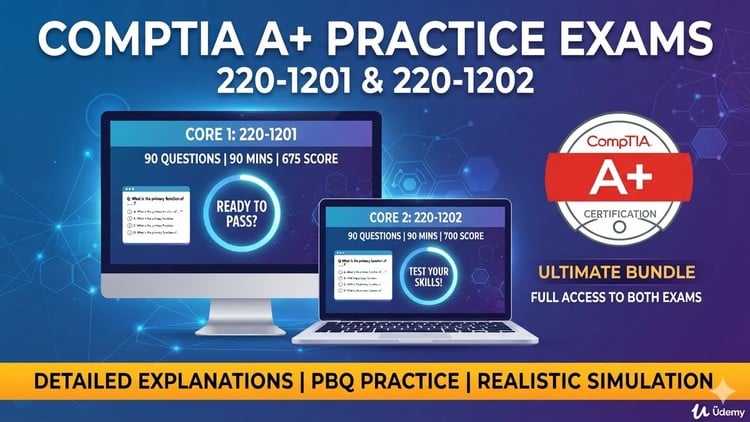
Pass the CompTIA A+ 220-1201 & 220-1202 Exams on Your First Try! Practice Tests with Detailed Explanations
What You Will Learn:
- Master Core 1 (220-1201) and Core 2 (220-1202) exam domains and passing requirements.
- Solve technical performance-based questions (PBQs) and troubleshooting scenarios.
- Identify correct procedures for hardware, software, security, and networking bugs.
- Gain confidence to pass the official CompTIA A+ certification on your first try.
Alright, let’s talk about the CompTIA A+ 220-1201 & 220-1202. Specifically, this review focuses on an “Unofficial Practice Exam” course designed to get you over the finish line. As someone who’s been around the block a few times in IT, I know the A+ is often the first rung on the ladder for many. It’s foundational, and passing it tells employers you’ve got the basic chops to handle a variety of IT infrastructure and endpoint management challenges.
This particular course isn’t a replacement for a full A+ study program. Let’s be clear: you won’t learn networking from scratch or how to build a PC just from these practice tests. What it IS, however, is a fantastic sanity check and an intensive session of certification prep. It’s designed to gauge your readiness, highlight your weak spots, and instill the confidence you need to tackle the actual exams. Think of it as the ultimate dress rehearsal before opening night. It’s for validating what you *think* you know and sharpening your troubleshooting methodologies under pressure.
Prerequisites
Let’s not beat around the bush. If you’re coming into this course completely green, expecting to learn the CompTIA A+ curriculum from the ground up, you’re going to have a bad time. This is explicitly a practice exam course. Therefore, a solid understanding of the Core 1 (220-1201) and Core 2 (220-1202) exam domains is an absolute must. You should have already gone through a comprehensive study guide, watched extensive video lectures, or ideally, completed some hands-on labs related to PC hardware, operating systems, networking fundamentals, and security concepts. This course assumes you have the knowledge; it just tests your application of it and your exam readiness. It’s for moving from a state of knowing the material to being *proficient* at passing the exam.
Skills & Tools
While you won’t be physically wrenching on servers or configuring routers in this practice exam, it’s instrumental in honing crucial skills and familiarizing you with the “tool” of the exam itself. The primary skill this course develops is exam technique. You’ll learn how to break down complex multiple-choice questions, manage your time effectively, and identify the nuances that CompTIA loves to throw in. More importantly, it helps you develop a methodical approach to tackling performance-based questions (PBQs) and real-world troubleshooting scenarios.
The “tool” here is the practice test environment itself, which closely mirrors the official CompTIA interface. This isn’t just about memorizing answers; it’s about understanding *why* an answer is correct and *why* the others are wrong, thanks to the detailed explanations provided. This helps you identify correct procedures for hardware, software, security, and networking bugs – essentially putting your theoretical knowledge into a practical, testable context. It’s about translating textbook knowledge into a demonstrable competence with industry-standard tools and concepts, even if virtually.
Career Benefits & Job Roles
Passing the CompTIA A+ certification, especially with the confidence gained from solid practice like this course offers, is a massive leap for your career growth in IT. It’s universally recognized as the starting point for anyone serious about a technical career. This certification validates your fundamental job-ready skills and makes you a much more attractive candidate for numerous entry-level IT positions.
Common job roles you can confidently pursue include:
- Help Desk Technician: The frontline of IT support, assisting users with various technical issues.
- IT Support Specialist: A broader role often involving more complex troubleshooting and system maintenance.
- Field Service Technician: Traveling to client sites to install, troubleshoot, and repair computer systems.
- Junior System Administrator: Assisting with the management of servers, networks, and IT systems.
- Desktop Support Analyst: Focusing specifically on end-user workstations and related software.
The A+ isn’t just about getting a job; it’s a springboard. It provides the foundational knowledge required for higher-level certifications like Network+, Security+, and even vendor-specific certifications, paving the way for a long and successful career in technology.
Pros
- Realistic Exam Simulation: These practice tests genuinely feel like the real thing. The question types, the difficulty level, and even the scenario-based questions accurately reflect what you’ll encounter on exam day. This is crucial for building familiarity and reducing anxiety.
- Detailed Explanations for Every Answer: This is where the course truly shines. It doesn’t just tell you if you’re right or wrong; it thoroughly explains the reasoning behind each correct answer and, importantly, why the incorrect options are wrong. This is invaluable for learning from your mistakes and solidifying your understanding.
- Comprehensive PBQ Coverage: Performance-Based Questions (PBQs) can be intimidating. This course includes examples and explanations that prepare you for these hands-on, scenario-driven challenges, which are often overlooked in other practice materials.
- Identifies Knowledge Gaps: By simulating the exam, the practice tests effectively pinpoint areas where your understanding is weak. This allows you to focus your subsequent study efforts on specific topics, making your revision highly efficient and targeted for optimal certification prep.
Cons
- Not a Primary Learning Resource: As mentioned multiple times, this is NOT a course to learn the A+ material from scratch. If you haven’t done your groundwork, you’ll find yourself overwhelmed and frustrated. It’s strictly for practice and validation, assuming a solid pre-existing knowledge base. Don’t expect it to teach you how to perform network configurations or implement security best practices; it tests your knowledge of them.