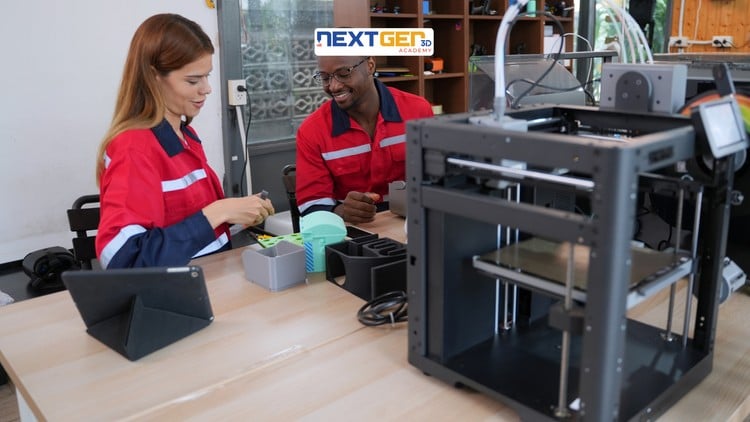
Master additive manufacturing for aerospace, automotive, medical & dental from prototyping to full-scale production.
What You Will Learn:
- Understand the core principles of additive manufacturing and the complete 3D printing workflow
- Compare major 3D printing technologies — FDM, SLA, SLS, and DMLS — and select the right one for any application
- Apply 3D printing across aerospace, automotive, medical, and dental industries with confidence
- Master the transition from rapid prototyping to full-scale production
- Implement quality control standards used in real industrial manufacturing
- Analyze real-world case studies including Airbus, NHS, Ford, and Invisalign
The Reality of Industrial Additive Manufacturing: More Than Just Plastic Trinkets
Let’s be honest: most “3D printing” courses you find online are geared toward hobbyists who want to print tabletop miniatures or replacement knobs for their kitchen stove. While that’s fun, it’s a world away from the high-stakes engineering required in aerospace or medical tech. I went into the Complete 3D Printing: Industrial Applications course with a healthy dose of skepticism, looking for something that bridged the gap between “desktop tinkering” and full-scale production.
What I found was a refreshingly deep dive into the actual business of making things that matter. The course doesn’t waste your time explaining what a filament is for three hours. Instead, it shifts the focus toward the “Additive Manufacturing” mindset—treating the printer as a serious industrial tool rather than a novelty. It tackles the hard questions: How do you certify a part for a jet engine? Why would you choose DMLS over SLS when budget is on the line? It’s about the complete 3D printing workflow, from the initial design constraints to the messy reality of post-processing and quality control standards. If you’re looking for job-ready skills that actually translate to a factory floor or a design lab, this is where the fluff ends and the engineering begins.
Prerequisites: Who Should Actually Sign Up?
You don’t need to be a rocket scientist to start, but you shouldn’t be a total stranger to technical concepts either. While the course is billed as “beginner to advanced,” I’d argue it hits the sweet spot for those with a baseline interest in STEM or manufacturing.
If you’ve never touched a CAD program, you might feel a bit of a learning curve, though it’s not a dealbreaker. A basic grasp of materials science (knowing the difference between a polymer and a metal) will help you move faster. Ultimately, this is for the professional looking for career growth—engineers, product designers, or supply chain managers who need to understand why their company is spending $500k on a metal 3D printer.
Skills Acquired and Industry-Standard Tools
This isn’t just a lecture series; it feels more like a certification prep track. You walk away with a sophisticated understanding of industry-standard tools and software ecosystems. We’re talking about the logic behind generative design and how to optimize topologies to save weight—essential for anyone looking at real-world projects in the aerospace sector.
The course covers the heavy hitters: FDM, SLA, SLS, and DMLS. But more importantly, it teaches you the “why.” You’ll learn to navigate the 3D printing ecosystem, understanding how to transition from rapid prototyping to creating end-use parts that meet ISO and ASTM standards. By the time you reach the hands-on labs (which are simulated but highly detailed), you’re thinking about support structures, thermal stress, and powder bed fusion like a seasoned pro.
Career Benefits and Job Roles
In today’s market, just saying “I know 3D printing” on a resume is too vague. This course gives you the vocabulary and the technical portfolio to apply for specific, high-paying roles. I’m talking about Additive Manufacturing Engineer, Direct Digital Manufacturing Specialist, or Prototyping Lead.
The career benefits here are tangible. Companies like Airbus, Ford, and various NHS trusts are screaming for people who understand how to integrate 3D printing into existing supply chains to reduce lead times. Whether you are looking to pivot your career or climb the ladder in your current firm, having this level of industrial application knowledge makes you the “subject matter expert” in the room when the digital transformation conversation inevitably happens.
The Pros: Why This Course Stands Out
- Unmatched Industry Context: The analysis of case studies like the Invisalign production line and Airbus bracket redesign provides a “behind the curtain” look that you just can’t get from a YouTube tutorial. It’s about the economics, not just the tech.
- Focus on Metal & Advanced Polymers: Most courses stay safe with PLA plastic. This one goes deep into DMLS (Direct Metal Laser Sintering), which is where the real career growth and high-paying job-ready skills are currently clustered.
- Workflow-Oriented: It treats 3D printing as a process, not a button-press. From orientation and nesting to heat treatment and post-processing, it covers the entire lifecycle of a manufactured part.
The Cons: An Honest Critique
The only real “gotcha” here is the accessibility of the hardware. Because the course focuses so heavily on industrial-grade machines (the ones that cost as much as a house), you won’t be able to “follow along” at home on your $200 Ender 3. The hands-on labs do their best to bridge this gap with software simulations and detailed walkthroughs, but if you’re the type of learner who needs to touch the physical machine to understand it, the high barrier to entry for industrial 3D printing equipment might feel a bit frustrating. This is a course for the mind, preparing you for a professional environment where someone else owns the million-dollar printer.