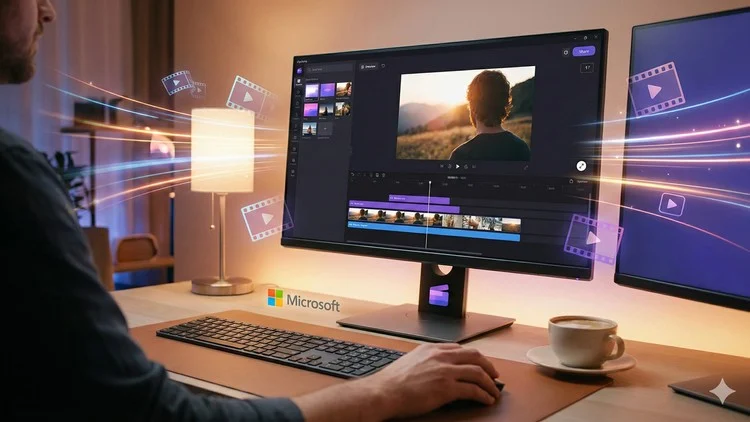
Learn Clipchamp easily and use Clipchamp to create high-quality videos for YouTube, Instagram reels, marketing and more.
⏱️ Length: 2.0 total hours
👥 15 students
🔄 February 2026 update
Add-On Information:
Course Overview
- This masterclass serves as your definitive expedition into the world of Clipchamp, Microsoft’s intuitive, browser-based video editing powerhouse. Designed as a complete A-Z guide, it systematically demystifies video production, transforming novices into confident creators.
- You’ll explore Clipchamp’s seamless workflow, leveraging its robust features to craft compelling visual stories without the steep learning curve often associated with professional software.
- Beyond basic edits, the course delves into strategic content creation, aligning your video output with diverse platform requirements, from engaging social media narratives to impactful marketing campaigns.
- It’s a pathway to mastering efficient video production, ensuring every project, whether personal or professional, achieves a polished, high-quality finish.
- The curriculum is meticulously structured to build practical expertise, empowering you to conceptualize, produce, and share stunning video content with remarkable ease and speed.
- Discover how to harness Clipchamp’s accessibility to elevate your digital presence and communication strategies across various online ecosystems, making professional-grade video creation attainable for everyone.
Requirements / Prerequisites
- A stable internet connection to access Clipchamp online and stream course materials without interruption.
- A personal computer (desktop or laptop) running a modern web browser capable of supporting Clipchamp’s online interface.
- An active Microsoft account to sign up for and fully utilize Clipchamp (both free and paid versions are suitable for the course content).
- No prior video editing experience is required; this course is specifically designed for absolute beginners and those new to Clipchamp.
- A willingness to learn, experiment with creative ideas, and unleash your visual storytelling potential.
Skills Covered / Tools Used
- Mastering Video Pacing & Narrative Flow: Learn to strategically control the rhythm and emotional arc of your videos, transforming raw footage into captivating, well-structured stories that hold viewer attention.
- Visual Composition & Aesthetic Enhancement: Develop an acute eye for impactful visual arrangements, ensuring your video elements contribute to a cohesive, professional, and attractive final product.
- Dynamic Text & Title Integration: Craft compelling on-screen text, animated titles, and lower thirds that effectively enhance messaging and maintain viewer engagement, moving beyond basic typography.
- Strategic Application of Effects & Filters: Understand how to apply visual enhancements and stylistic filters purposefully to evoke specific moods, improve visual quality, or align with brand identity, rather than just adding them randomly.
- Efficient Audio Production & Enhancement: Gain proficiency in leveraging Clipchamp’s audio features for clear dialogue, impactful sound effects, and perfectly synced background music, creating an immersive auditory experience.
- Leveraging Stock Media for Rich Content: Discover how to integrate Clipchamp’s extensive stock video, image, and audio library to supplement your own footage, ensuring diverse, high-quality visuals even with limited personal resources.
- Optimizing Content for Multi-Platform Distribution: Acquire the crucial knowledge to tailor your video exports for maximum impact and adherence to best practices across diverse platforms like YouTube, Instagram Reels, TikTok, and professional presentations.
- Streamlined Workflow & Project Management: Implement best practices for organizing your media, managing project files, and maintaining a consistent, efficient editing process from conceptualization to final export.
- Accessibility Enhancements: Explore techniques for making your videos more inclusive and widely consumable through effective captioning and subtitle implementation.
- Branding & Consistency in Video: Learn to apply consistent branding elements, such as logos, specific color schemes, and professional intro/outro sequences, to ensure a recognizable and professional video output across all your content.
Benefits / Outcomes
- Become an Independent Video Producer: Gain the autonomy to conceptualize, create, and publish your own high-quality video content for any purpose without relying on external professionals or complex, expensive software.
- Elevate Your Online Presence: Consistently produce engaging, professional-grade videos for social media, personal branding, or business marketing, significantly boosting your digital footprint and audience interaction.
- Monetize Your Skills (Indirectly): Equip yourself with a practical, in-demand skill that supports various freelance opportunities, enhances your professional portfolio, or aids in promoting your own ventures and services effectively.
- Save Time & Resources: Master an efficient, accessible, and often free editor that allows for rapid content creation, eliminating the need for expensive software licenses or extensive hardware investments.
- Unlock Creative Expression: Transform your ideas into dynamic visual narratives, bringing your unique voice and vision to life through compelling video storytelling that captivates your audience.
- Boost Confidence in Digital Media: Overcome the intimidation often associated with video editing, developing a strong sense of accomplishment and proficiency in a highly sought-after digital skill.
- Adaptability Across Platforms: Develop a versatile skill set that allows you to easily format and optimize videos for a wide array of online platforms, ensuring your content always looks its best wherever it’s shared and consumed.
- Foundation for Advanced Editing: While focusing on Clipchamp, the core principles of video editing and media management learned here provide an excellent conceptual foundation should you choose to explore more advanced editing software in the future.
PROS
- Highly accessible, browser-based editing from virtually any device with an internet connection, offering unparalleled flexibility.
- Remarkably user-friendly interface and intuitive design, making it ideal for absolute beginners and rapid content creation.
- Cost-effective, offering a substantial range of robust features even within its free tier, making professional-quality video accessible to all.
- Facilitates quick project turnaround times due to its streamlined workflow and efficient, integrated tools.
- Direct integration with various cloud storage services and popular social media platforms for effortless sharing and distribution.
- Includes a valuable and extensive stock media library, significantly saving time and resources for content creators.
CONS
- While powerful for its niche, Clipchamp may present limitations for highly advanced or intricate video production requiring specialized effects, deep color grading controls, or multi-camera editing capabilities found in industry-standard desktop software.
Learning Tracks: English,Marketing,Digital Marketing