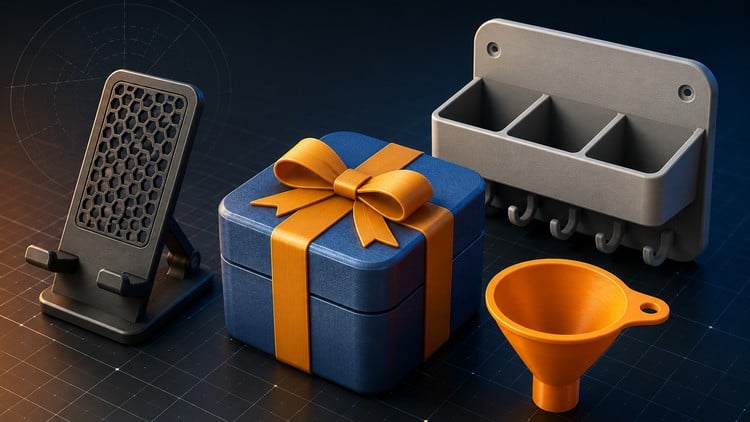
Learn Fusion 360 and 3D printing through hands-on projects: snap-fits, hinges, assemblies, and product design
What You Will Learn:
- Design real-world products in Fusion 360 from scratch — even with zero CAD experience
- Build a portfolio of practical projects including phone stands, funnels, wall-mounted racks, snap-fit boxes, and working hinges
- Master core Fusion 360 tools: sketching, extrude, revolve, shell, fillet, chamfer, and the timeline
- Build multi-part assemblies with joints, components, and motion that actually works
- Create parts that actually fit together using tolerances, clearances, and snap-fit techniques
- Prepare your designs for 3D printing with the right wall thickness, orientation, and manufacturability checks
- Show more
Overview
As someone who’s spent years navigating the often-steep learning curves of various industry-standard CAD software, I approached “Certified Fusion 360 for Absolute Beginners” with a healthy dose of skepticism. Could a course truly cater to those with *zero* CAD experience and still deliver tangible, job-ready skills? The answer, surprisingly, is a resounding yes. This isn’t just another “click here, drag that” tutorial; it’s a carefully structured journey designed to get you from a blank canvas to functional, 3D-printable designs with impressive speed and confidence. The course’s emphasis on real-world projects, from the ubiquitous phone stand to more complex snap-fit mechanisms and even functional assemblies, is its strongest suit. It bypasses theoretical fluff and dives straight into practical application, which is exactly what aspiring designers, engineers, or makers need to build a compelling portfolio and gain confidence.
Prerequisites
Honestly? You don’t need much. The course explicitly states zero CAD experience is required, and I can attest to that. Beyond a willingness to learn and a decent computer capable of running Fusion 360 (it’s a surprisingly resource-efficient piece of software for what it does), you’re good to go. No prior engineering background or fancy math skills are necessary. If you can operate a mouse and follow instructions, you’re ahead of the game.
Skills & Tools
The course does an excellent job of introducing and reinforcing the core Fusion 360 tools. You’ll become intimately familiar with the sketching environment, mastering everything from basic lines and circles to more complex constraints. Then comes the magic of 3D manipulation: extrude and revolve become second nature for creating solid forms, while shell, fillet, and chamfer add crucial detail and refinement. The introduction to the timeline is particularly valuable, as it teaches you a non-destructive workflow, a critical concept for efficient design and iteration in any professional setting. Crucially, the course doesn’t stop at single parts. You’ll learn to build multi-part assemblies, understanding how to leverage joints and components to create dynamic, working models. The focus on practical considerations like tolerances, clearances, and the nuances of creating snap-fits for actual assembly is where this course truly shines, setting it apart from many introductory options.
Career Benefits & Job Roles
For anyone looking to break into fields that involve product design, prototyping, or manufacturing, this course offers a significant head start. The skills you’ll acquire are directly applicable to roles such as:
- 3D Designer
- Product Designer
- Mechanical Designer
- Prototyper
- 3D Printing Technician
- CAD Drafter
Beyond specific job titles, this course provides the foundational knowledge for career growth. It prepares you for more advanced Fusion 360 training or even exposure to other industry-standard tools. The hands-on nature of the curriculum also makes you a more attractive candidate for entry-level positions where practical experience, even from self-study, is highly valued. The ability to showcase a portfolio of completed projects demonstrates initiative and practical application, which recruiters often seek over purely theoretical knowledge.
Pros
- Exceptional Project-Based Learning: The course excels at teaching through doing. The tangible outcomes of building functional items like snap-fit boxes and working hinges provide immense satisfaction and practical understanding.
- True Beginner Focus: If you’ve never touched CAD before, this is the perfect entry point. The explanations are clear, concise, and build logically without overwhelming new users.
- Emphasis on Manufacturability: The inclusion of preparing designs for 3D printing, including crucial aspects like wall thickness and orientation, is a massive plus. This teaches practical considerations often overlooked in beginner courses.
- Builds Confidence Quickly: The structured approach and achievable project goals foster a rapid sense of accomplishment, making the learning process engaging and motivating.
Cons
While the course is fantastic for absolute beginners, it’s worth noting that if you already have some foundational CAD experience, you might find certain sections a bit basic. The deep dive into fundamental tools, while necessary for true novices, might feel like a slower pace for those already familiar with concepts like sketching and extrusion. This is a trade-off for its excellent beginner to advanced accessibility, meaning it’s not quite a shortcut for experienced CAD users looking for advanced techniques.