A Masterclass – Step-by-Step Learning Made Easy
What You Will Learn:
- Students will get an in-depth knowledge of Functionality of AutoCAD Electrical software.
- Using this knowledge, students can create professional electrical control drawings.
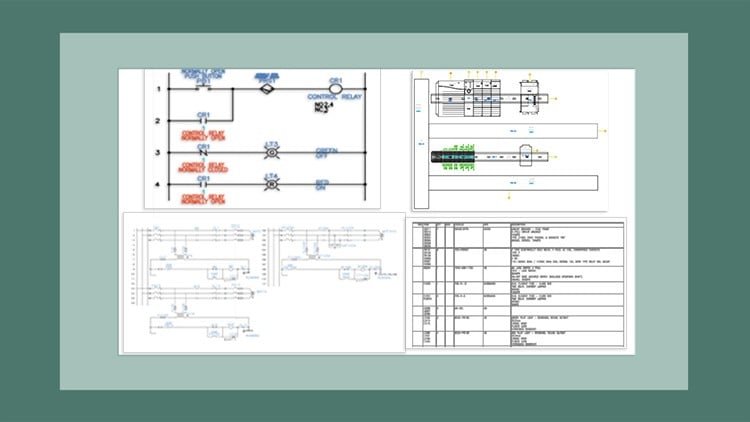
- This course covers a wide range of tools & features such as schematic drawings, Circuit Builder, panel drawings, PLC modules, Title blocks & templates & so on
- This will help the students to create electrical drawings easily and effectively.
Overview: Why This 2027 Edition Actually Matters
Look, I’ve been in the engineering design space for a long time, and I’ve seen my fair share of bloated tutorials that just regurgitate the user manual. However, AutoCAD Electrical 2027: Tutorials, Exercises, and Projects feels different because it acknowledges the reality of the modern workspace. We aren’t just drawing lines and circles anymore; we’re managing data-rich environments. What struck me most about this masterclass is its focus on the “logic” behind the software rather than just the “clicks.”
The 2027 version of the software brings some much-needed refinements to automation, and this course jumps straight into how to leverage those for speed. It’s an industry-standard tool for a reason, but it has a steep learning curve if you try to wing it. This course breaks down that wall by treating the software like an assistant that automates your Bill of Materials (BOM) and wire tagging, rather than just a digital drafting board. If you’re tired of manual errors in your schematics, this is the deep dive you’ve been looking for. It’s an advanced look at how beginner concepts evolve into complex, automated systems.
Prerequisites: What You Need Before You Start
You don’t need to be a coding wizard, but you shouldn’t go in completely blind either. To get the most out of these hands-on labs, I’d recommend:
- A fundamental understanding of electrical symbols and basic circuit logic (you should know the difference between a relay and a contactor).
- Basic familiarity with the standard AutoCAD interface is helpful, though the course does a decent job of walking you through the specific electrical environment.
- A workstation that meets the 2027 system requirements—don’t try to run this on a decade-old laptop, or the PLC modules rendering will drive you crazy.
- A mindset geared toward career growth; this isn’t a casual hobbyist course, it’s designed for professional application.
Skills & Tools: Mastering the Intelligent Design
This is where the course earns its “Masterclass” title. It moves beyond simple drafting and dives into the industry-standard tools that separate the pros from the amateurs. You’ll spend a significant amount of time mastering:
- Intelligent Schematic Symbols: Learning how to use components that actually carry data, rather than “dumb” blocks.
- Circuit Builder: This is a lifesaver. You’ll learn to dynamically generate motor control circuits and power feeds based on wire size and load.
- PLC I/O Integration: The course provides real-world projects on how to import/export PLC data, which is a critical job-ready skill.
- Panel Layouts & Terminal Strips: Moving from a 2D schematic to a physical panel drawing that a shop floor technician can actually use.
- Automatic Report Generation: Mastering the art of one-click wire lists and BOMs to eliminate human error.
Career Benefits & Job Roles
In today’s market, “knowing AutoCAD” is a baseline, but “knowing AutoCAD Electrical” is a specialized niche that pays significantly better. Completing this course and treating it as certification prep can open doors to several high-demand roles. We’re talking about career growth in sectors like renewable energy, automotive manufacturing, and aerospace.
Common job roles for graduates include:
- Electrical Design Engineer: Creating complex control systems for industrial machinery.
- Control Systems Designer: Focusing on PLC modules and automation logic.
- Panel Designer/Draftsman: Specializing in the physical layout of electrical enclosures.
- Project Lead: Using templates and title blocks to standardize company-wide engineering workflows.
The Pros: What They Got Right
- Workflow-Oriented Learning: The course doesn’t just teach tools in isolation. It follows a logical engineering workflow—from the first schematic wire to the final panel drawing. This makes the knowledge stick because it mimics a real day at the office.
- Project-Based Focus: The real-world projects included are actually relevant. You aren’t just drawing random shapes; you’re building control circuits that look exactly like what you’d see in a Tesla or Siemens factory.
- Efficiency Hacks: I appreciated the emphasis on the Circuit Builder and Title Block Setup. These are the features that save you hours of “grunt work,” and the course highlights them effectively to ensure you’re working smart, not hard.
The Cons: One Honest Caveat
If I have to be picky, the pace in the middle sections—specifically regarding Title blocks & templates—can feel a bit slow if you already have a background in standard AutoCAD. The instructor is very thorough, which is great for beginners, but if you’re an advanced user looking for a “quick tips” video, you might find yourself hitting the 1.5x speed button during the setup phases. It’s a minor gripe, but it’s worth noting if you’re short on time.
Final Verdict
If you’re looking to gain job-ready skills in the electrical engineering space, this is a solid investment. It’s a comprehensive bridge from beginner to advanced techniques, ensuring you walk away with the ability to handle complex electrical control drawings with confidence. It’s not just a course; it’s a toolkit for your professional future.