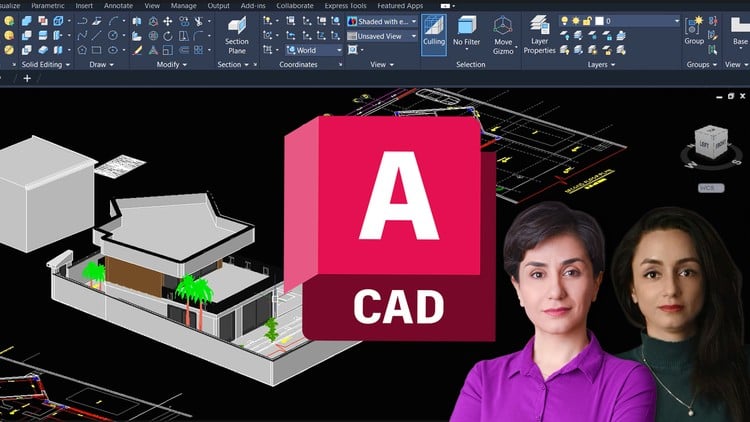
Students wanting practical workflow-based training in AutoCAD 3D from essentials to advanced steps.
What You Will Learn:
- Create complete 3D architectural models in AutoCAD, including walls, floors, roofs, stairs, railings, and landscape elements.
- Master classic architectural modeling techniques, curved entrances, railings, and edge control using AutoCAD 3D tools.
- Set up cameras, manage layers, add text, and arrange greenery for professional 3D visualization of architectural projects.
- Prepare 2D plans for 3D modeling and use core commands like Box, PressPull, Extrude, Slice, and Polysolid effectively.
- Apply a practical, workflow-based 3D modeling approach from essentials to advanced steps for real architectural projects.
- Understand and implement classic and modern architectural styles in 3D modeling to produce clean, structured, presentation-ready models.
- Show more
Overview
If you’ve been stuck in the 2D world of AutoCAD, sketching out plans and elevations but yearning to see your designs come to life with depth and dimension, then buckle up. This ‘AutoCAD 3D Architectural Modeling’ course isn’t just another dry tutorial; it’s a solid pathway to transforming flat blueprints into rich, explorable 3D environments. What really hits home here is its **workflow-based** approach. It doesn’t just throw a bunch of commands at you; it guides you through the process of building an actual architectural model, step by step, from the foundational elements to the intricate details. This isn’t just about learning AutoCAD 3D; it’s about learning how architects *actually* use it in practice. From a beginner’s perspective, it feels comprehensive, yet advanced users will find plenty of nuggets for refining their techniques and speeding up their process. It truly bridges the gap between simply understanding commands and truly applying them in a professional context, setting you up for genuine **career growth** in architectural visualization.
Prerequisites
Alright, let’s talk about what you need before diving in. While the course covers **beginner to advanced** 3D concepts, it’s pretty clear you shouldn’t come into this cold. A solid grasp of **AutoCAD 2D** is non-negotiable. You’ll be taking those 2D plans and pushing them into the Z-axis, so knowing your way around layers, basic drawing commands, and object snaps in a 2D environment is fundamental. If you’re fumbling with `LINE` or `OFFSET`, you’re going to struggle with `EXTRUDE` or `PRESSPULL`. Beyond that, a general understanding of architectural terminology and drafting principles will certainly help you contextualize the lessons. It’s not strictly required, but it speeds up your comprehension of *why* certain modeling choices are made. Think of it this way: you wouldn’t try to sculpt without knowing how to draw a basic sketch first. Having a conceptual grasp of architectural design makes the **hands-on labs** far more intuitive and rewarding.
Skills & Tools
Post-course, you’ll walk away with a robust toolkit for **AutoCAD 3D architectural modeling**. We’re talking about mastering the core 3D commands like `BOX`, `PRESSPULL`, `EXTRUDE`, `SLICE`, and `POLYSOLID` – these are your bread and butter for creating anything from simple walls to complex structural elements. But it’s not just about commands; you’ll develop the skill to build complete architectural models, from the foundational walls and floors to intricate elements like stairs, railings, and even detailed landscape components. The course emphasizes classic and modern architectural modeling techniques, enabling you to tackle everything from curved entrances to precise edge control. Crucially, you’ll learn to prepare your 2D plans for a seamless transition into 3D, set up cameras for compelling views, manage layers effectively for complex models, and add elements like text and greenery for professional-grade 3D visualizations. This truly makes you proficient with **industry-standard tools** for architectural design, providing concrete **job-ready skills**.
Career Benefits & Job Roles
This course isn’t just about learning software; it’s a direct investment in your **career growth**. The **job-ready skills** you gain here are immediately applicable across a range of roles in architecture, interior design, and construction. Think about positions like Architectural Drafter, 3D Modeler, CAD Technician, or even Junior Architect, where presenting ideas in 3D is becoming increasingly essential. Being able to visualize and present designs in three dimensions significantly boosts your value to potential employers and clients. Furthermore, the practical experience with **real-world projects** integrated into the curriculum means you’re not just learning theory; you’re building a portfolio piece by piece. For those looking to solidify their credentials, mastering these AutoCAD 3D skills is a fantastic step towards **certification prep** for Autodesk’s own professional certifications, which can open even more doors in the industry. It truly equips you to confidently tackle complex architectural visualization tasks, positioning you for meaningful advancement.
Pros
- Workflow-Driven Methodology: The greatest strength is its practical, workflow-based approach. It teaches you not just commands, but a logical sequence to build complex models, mirroring actual industry practice. This is invaluable for anyone aiming for **job-ready skills**.
- Comprehensive Skill Development: From basic primitives to complex architectural elements like curved entrances and intricate railings, the course ensures you develop a holistic understanding. It genuinely takes you from **beginner to advanced**, ensuring no stone is left unturned in 3D modeling.
- Focus on Visualization and Presentation: Beyond just modeling, the emphasis on cameras, layers, text, and greenery means you learn to create **presentation-ready models**. This is crucial for effectively communicating designs to clients and stakeholders, a direct boost to **career growth**.
- Practical Application with Real Projects: The integration of **real-world projects** means you’re constantly applying what you learn in **hands-on labs**. This practical experience is critical for building confidence and a strong portfolio, setting you up nicely for **certification prep**.
Cons
Now, no course is perfect, and if I had to pinpoint one area, it would be this: while the course emphasizes creating detailed 3D models in AutoCAD, it naturally stops short of covering advanced photorealistic rendering techniques you might find in dedicated visualization software like 3ds Max or V-Ray. You’ll get your models presentation-ready *within* AutoCAD’s capabilities, setting up cameras and arranging elements, but don’t expect to walk away generating cinema-quality renders. For that next level of visual fidelity, you’d need to export your AutoCAD model to another platform. It’s a minor point, as AutoCAD isn’t primarily a renderer, but it’s an honest expectation check for those dreaming of hyper-realistic imagery right out of the box.