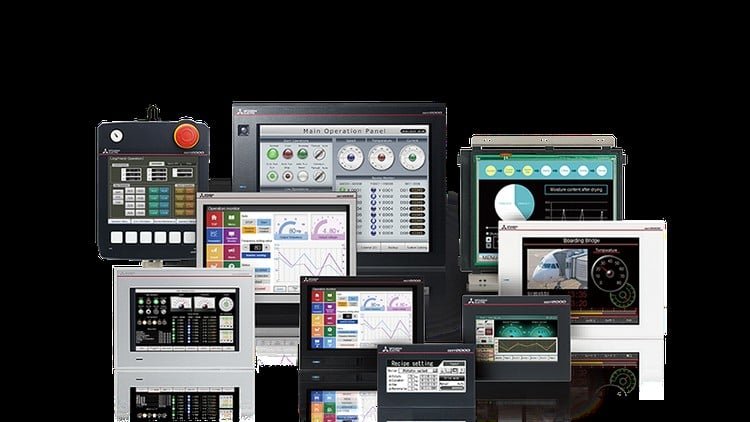
This course will give a person with no prior experience the basic tools necessary to create a HMI program from scratch.
What You Will Learn:
- • By the end of this course, you will be able to create a Mitsubishi GT Designer 3 HMI program from scratch.
- Students will be exposed HMI functionalities and all basic will be covered
- • Students will be confident enough to be able to create a HMI program and learn offset functions in HMI
- Students will know more about scripting on GT Designer 3
The Realistic Gateway to Industrial Visualization
Look, if you’ve ever walked onto a factory floor and seen a high-end Human Machine Interface (HMI) terminal, you know that the “face” of the machine is just as critical as the logic behind it. For years, I’ve seen green technicians struggle because they can’t bridge the gap between PLC logic and visual control. This course on Mitsubishi GT Designer 3 is essentially the “missing link” for anyone looking to break into industrial automation. It doesn’t just hand you a manual; it treats the software like the industry-standard tool it is, taking you from a blank canvas to a fully functioning control hub.
What I appreciate most here is the lack of fluff. In the world of control systems engineering, we don’t have time for academic theory that doesn’t translate to the plant floor. The course leans heavily into the “why” behind the “how.” You aren’t just placing buttons; you’re learning how to architect a system that won’t crash when an operator mashes the screen. It covers the nuances of GOT2000 series hardware integration, which is a staple in high-precision manufacturing environments. Whether you’re aiming for certification prep or just trying to survive your first week on a new job, this provides the hands-on labs experience that usually takes months to acquire through trial and error.
Prerequisites for Success
While the course advertises itself to those with “no prior experience,” let’s be honest: you’ll get 10x the value if you have a pulse on the basics of electricity and binary logic. You don’t need to be a coding wizard, but you do need:
- A PC capable of running GT Works3 (the suite that includes GT Designer 3).
- A fundamental understanding of what a PLC does—specifically Mitsubishi Melsec series, as that’s what you’ll likely be interfacing with.
- The patience to troubleshoot communication drivers (RS-232, RS-422, or Ethernet/IP).
- A desire to move beyond beginner to advanced status in the industrial automation niche.
Developing a Professional Skill Set
The curriculum is designed around real-world projects, which is the only way to actually learn HMI design. You’ll dive deep into the tag database management, which is the backbone of any clean program. If your tags are a mess, your project is a mess. The course forces you to be disciplined with your naming conventions and data types.
Beyond the basics, the focus on scripting on GT Designer 3 is where the real money is. Basic HMI programs are common, but an engineer who can write localized scripts to handle complex data manipulation without taxing the PLC is a gold mine for employers. You’ll learn how to implement offset functions, which are vital when you’re dealing with recipes or large arrays of data that need to be dynamically displayed on a single screen. These are job-ready skills that separate the button-pushers from the actual developers.
Career Benefits & Job Roles
Mastering this software isn’t just a hobby; it’s a massive boost for your career growth. Mitsubishi is a dominant force in the global manufacturing execution systems (MES) market. Companies in automotive, semiconductor, and food packaging are constantly hunting for HMI/SCADA Developers and Automation Technicians who know their way around the Mitsubishi ecosystem.
By completing this course, you’re positioning yourself for roles such as:
- Controls Engineer: Designing the full architecture of machine control.
- Field Service Technician: Being the hero who can walk onto a site and fix a broken interface.
- Systems Integrator: Helping different brands of hardware talk to each other through the HMI.
- Maintenance Lead: Overseeing plant-wide upgrades and HMI migrations.
The Pros
- Workflow Efficiency: The course teaches you the “Mitsubishi way,” which is all about efficiency and leveraging built-in graphic libraries to save hours of design time.
- Advanced Scripting: Unlike many entry-level courses, this doesn’t shy away from the logic side of HMIs. Learning to script within the terminal is a game-changer for system optimization.
- Practical Offset Training: The inclusion of offset functions is brilliant. It’s a specific, high-value skill that is often overlooked but essential for industrial IoT and data-heavy applications.
- Scalability: The lessons apply across various GOT series models, meaning you aren’t boxed into just one specific piece of hardware.
The Honest Con
If I have one gripe, it’s that the networking and protocol section could be a bit more exhaustive. While you learn to build the program, the “handshake” between the HMI and non-Mitsubishi PLCs (like Allen-Bradley or Siemens) is a bit of a dark art that you’ll still have to figure out on your own in the field. It’s a minor hurdle, but one that advanced students should be prepared to research independently.