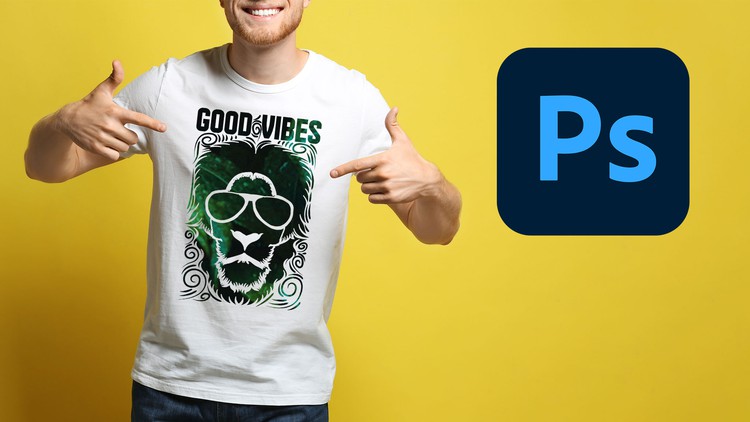
Learn How To Design Bestselling Tshirt Using Adobe Photoshop CC for Teespring, Merch by Amazon, Etsy or Printful.
What you will learn
Create high-quality T-shirt design using Adobe Photoshop
Learn most used photoshop tools and techniques for T-shirt design
Master the Art of Typegraphy
Design attractive Sketch Based T-shirt
Fully colored creative T-shirt
Love T-shirt Design with Text and Shape
Shapes, Text and Icons Based T-shirt
Create Distorted T-shirt with Vintage Look
Easy To Create Text based T-shirt
Modern Text Portrait T-shirt Design
Design an attractive Wolf T-shirt Design
Eye Records T-shirt Design
Quick and Powerful Techniques to do T-shirt Design
Learn about free valuable resources for designers
By applying all the techniques and using their creativity, students will able to create new amazing T-shirts
Description
If you want to learn T-shirt design from the very basic to advanced then you are in the right place. Even if you’ve never touched Photoshop in your life. In this course, I will teach you how to design your own T-shirts that will catch the buyer’s attention. You’ll be able to make a real living just by designing T-shirts with this course.
A short introduction about myself: I am Masuk Sarker Batista, Founder of MSB Academy & I have been selling t-shirts online for 6+ years and still now. In that time I have gathered lots of experience & I know what people are looking for when they want to buy any t-shirt. Also, I am a best seller in Merch by Amazon & Etsy platform.
The T-shirt industry is a multi-billion dollar industry and online is the fastest-growing part of this industry. You can easily sell your designed t-shirts on different platforms. For example Merch by Amazon, Teespring, Teemill, Redbubble, Printful, Printify, etc. And you will be able to make money by selling your t-shirts.
This is a step-by-step online course that teaches you exactly how to create eye catchy t-shirt designs with Adobe Photoshop. You will learn how to choose the right color combination for maximum effect, design the perfect layout for your shirt, and much more. This course is like no other course on the internet.
In this course, I also dedicated an entire section with quick and easy techniques that you can follow and apply to any T-shirt. Also, I share many useful and free design and mockup generating resources for you. This will help you take your design to the next level and I will keep this section constantly updated with new and interesting techniques regularly. This course definitely will blow you away!
My Promise to You, I am a bestseller t-shirt designer and online instructor. I’ll be here for you every step of the way. If you have any questions about the course content or anything related to this topic, you can always post a question in the course or send me a direct message.
Now, go ahead and click the enroll button, and I’ll see you on the inside!
Content
- Course Overview
- This comprehensive course guides you through the entire process of conceptualizing, designing, and finalizing professional-grade T-shirt artwork using Adobe Photoshop CC.
- From foundational digital art principles to advanced graphic manipulation, you’ll learn to craft eye-catching designs optimized for various print-on-demand platforms like Teespring, Merch by Amazon, Etsy, and Printful.
- Whether you’re a complete beginner or looking to elevate your existing design skills, this program offers a structured pathway to creating commercially viable T-shirt graphics.
- Master the intricate blend of creativity and technical proficiency required to produce compelling designs that resonate with target audiences and drive sales.
- Requirements / Prerequisites
- A stable internet connection.
- Access to Adobe Photoshop CC (Creative Cloud subscription recommended).
- Basic computer literacy and familiarity with navigating software interfaces.
- No prior graphic design experience or advanced Photoshop knowledge is strictly necessary, making this ideal for aspiring designers.
- A willingness to learn and experiment with creative concepts.
- Skills Covered / Tools Used
- Advanced Layer Management: Efficiently organizing complex, multi-element designs for streamlined editing and project scalability.
- Precision Selection & Masking: Mastering techniques for isolating design elements, creating intricate cutouts, and seamless composite images.
- Digital Illustration & Tracing: Converting traditional hand-drawn sketches or external graphics into crisp, scalable digital assets suitable for apparel.
- Dynamic Text Effects: Applying diverse stylistic treatments, warp effects, and textural overlays to typography for maximum visual impact.
- Color Theory & Application: Understanding color psychology, building harmonious palettes, and optimizing colors for various print processes.
- Compositional Balance: Arranging text, shapes, and iconic elements to achieve visually appealing and well-structured designs.
- Grayscale & Monochrome Techniques: Developing effective designs that translate across different color applications and shirt base colors.
- Texture & Effect Generation: Implementing distressed, vintage, grunge, and other popular textural effects to add depth and character to designs.
- Brush Customization & Application: Utilizing and creating custom brushes for unique illustrative elements and atmospheric effects.
- Print File Preparation: Ensuring designs are correctly sized, resolution-optimized, and in the right color mode (RGB/CMYK) for high-quality printing.
- Professional Mockup Creation: Generating realistic T-shirt mockups to present designs effectively to clients or customers.
- Benefits / Outcomes
- Develop a strong, diverse portfolio of unique T-shirt designs, ready for commercial launch.
- Gain the technical confidence to navigate Adobe Photoshop CC effectively for any graphic design project.
- Understand the specific design and submission requirements for top print-on-demand platforms.
- Cultivate a keen eye for market trends, niche identification, and compelling visual storytelling.
- Acquire the practical skills to initiate or significantly enhance an online custom apparel business.
- Master efficient design workflows, streamlining your creative process from initial concept to final product.
- Unleash your artistic potential, transforming ideas into captivating, marketable wearable art.
- PROS
- Comprehensive Skill Development: Covers a wide spectrum of Photoshop tools and design principles specifically tailored for T-shirt creation.
- Market-Relevant Training: Focuses on creating designs for popular print-on-demand platforms, making skills directly applicable to earning income.
- Flexible Learning Path: Suitable for absolute beginners while also providing advanced techniques for more experienced designers.
- Portfolio Building Opportunity: Encourages practical application and creation of numerous high-quality designs for a professional portfolio.
- CONS
- Requires Consistent Practice: Mastering the techniques and software effectively demands dedicated time and consistent practice beyond the course material.