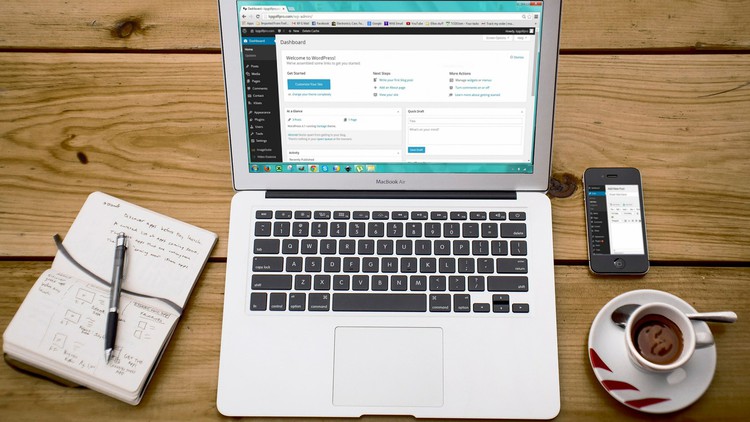
Installing and Customizing WordPress Themes, Working with Posts and Pages, Writing and Optimizing blog posts and more
☑ Install WordPress and connect with Domains
☑ Working with WordPress Settings, Posts and Pages
☑ Customizing Themes and Plugins
☑ Writing and Optimizing Blog Posts
☑ Profiting from Blogs: Banner Ads and Others.
WordPress Blogging and WordPress driven Web development is an amazing career path. By completion of this course, you will master yourself in several aspects of WordPress. This course gives you hands-on and practical experience on Installing and Customizing WordPress Themes, Plugins, Working with Posts and Pages, Writing and Optimizing Blog posts and more.
Mastering these areas are one of the fastest ways to improve your career. Hope this course will be used as a helping hand for your prospective career. Please dig on free preview videos for more information.
English
Language
WordPress Blogging Basics, Domain & Hosting
Getting started
Different blogging platforms
Choosing the domain name
Choosing hosting provider
WordPress Installation & connecting domain to website
WordPress Installation – Quick Install: Part 1
WordPress Installation – Quick Install: Part 2
WordPress Installation – Manual Installation
Connecting your domain to your website
Working with WordPress Settings, Posts and Pages
First look at wordpress
WordPress Settings
Posts
Pages
Working with WordPress Themes and Plugins
Themes
Customizing a theme
The Menu
Plugins
More on plugins
WordPress Blogposts – Writing and Optimization
Writing and optimizing a blogpost
Advanced optimization of a blog post
How to find a good article writer
Earning From WordPress Blogging
Profiting from your blog: Banner Ads
Profiting from your blog: Other Methods
Final thoughts
The Reality Check: Why WordPress Still Matters
Let’s be honest for a second. In an era where everyone is buzzing about AI-generated sites and headless CMS architectures, some “purists” might tell you that learning WordPress is old news. They couldn’t be more wrong. I’ve spent over a decade in the tech trenches, and the reality is that WordPress still powers over 40% of the web. The WordPress for Absolute Beginners course isn’t just a walkthrough of a dashboard; it’s a strategic entry point into the digital economy. What I appreciated most about this curriculum was its refusal to treat the student like a child. It skips the fluff and dives straight into the mechanics of how the web actually functions. Most “beginner” courses fail because they show you where to click without explaining why you’re clicking there. This course flips the script by focusing on the underlying logic of site architecture, making it a solid foundation for anyone looking for career growth in web development or digital marketing.
I’ve seen plenty of tutorials that promise a “site in five minutes,” but they usually leave you stranded when a plugin breaks or a domain won’t propagate. This course feels different. It treats the CMS as a professional industry-standard tool rather than a toy. It bridges the gap between a casual hobbyist and someone who possesses job-ready skills. If you’re tired of “free” videos that are actually just 20-minute sales pitches for hosting, this structured approach is a breath of fresh air. It’s dense, it’s practical, and it respects your time.
Prerequisites
One of the best things about this course is the low barrier to entry, but don’t mistake “beginner” for “easy.” You don’t need to be a computer scientist, but you do need a few basics to get the most out of the hands-on labs:
- Basic Computer Literacy: If you can manage files, use a browser, and understand what a URL is, you’re halfway there.
- A Creative Concept: You’ll get much more out of the real-world projects if you come in with a specific idea for a blog or business site.
- Patience for Troubleshooting: The web isn’t perfect. A willingness to poke around settings until they work is the hallmark of a future pro.
- No Coding Required: You don’t need to know PHP, HTML, or CSS to start, though you’ll likely want to learn them after seeing what WordPress can do.
Skills & Tools
This course moves you from beginner to advanced by introducing a toolkit that goes far beyond just typing words into a text box. You will master:
- Domain & Hosting Management: Understanding DNS, nameservers, and how to connect your “address” to your “house.”
- Content Management Systems (CMS): Mastering the WordPress core, including the Gutenberg editor and the classic interface.
- SEO & Optimization Tools: Using industry-standard tools like Yoast or RankMath to ensure your content actually ranks on Google.
- Monetization Engines: Implementing Google AdSense, affiliate links, and banner management systems.
- Site Security & Maintenance: Learning the vital habit of backups and updates—the “boring” stuff that saves your career later.
Career Benefits & Job Roles
Completing this course is essentially a certification prep for the school of hard knocks. It opens doors to several lucrative paths:
- Freelance Web Developer: You can easily charge $1,000–$3,000 for basic small-business setups once you master these modules.
- Content Strategist/Manager: Companies need people who understand the back-end of a blog to manage their career growth and organic reach.
- Digital Marketer: Knowing how to spin up landing pages and optimize for conversions is a job-ready skill that every agency craves.
- Affiliate Marketer: You’ll have the technical know-how to build your own passive income streams without hiring expensive developers.
Pros
- Practicality over Theory: The hands-on labs ensure you aren’t just watching videos; you’re actually building. By the end, you have a functional asset, not just a certificate.
- Holistic Approach: It doesn’t just stop at “how to make a post.” It covers the business side—monetization and optimization—which is where the real value lies for real-world projects.
- Modern Workflow: It uses current versions of WordPress, meaning you aren’t learning outdated techniques that were relevant three years ago.
Cons
- The “Code” Ceiling: While it’s perfect for getting started, it avoids the deep-dive CSS/PHP customization that some power users might eventually crave. It’s an “absolute beginner” course, so it stays firmly in the “no-code” lane, which might feel limiting once you gain more confidence.