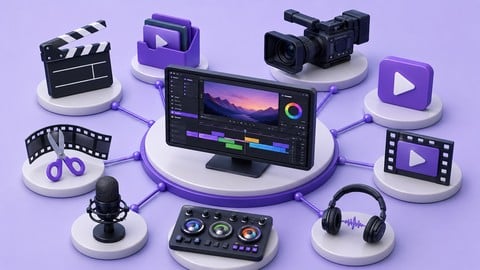
Test your skills in Premiere Pro, After Effects, Color Grading (Resolve), and Audio Mixing with real-world scenarios.
What You Will Learn:
- Evaluate your Video Editing (NLE) skills, mastering proxy workflows, Multicam syncing, and J/L cuts in Premiere Pro.
- Test your Motion Graphics & VFX knowledge, utilizing Graph Editor easing, Track Mattes, and Rotoscoping in After Effects.
- Assess your Color Grading proficiency, reading Vectorscopes/Waveforms and converting Log footage (CST) in DaVinci Resolve.
- Validate your Audio Post-Production skills, managing LUFS compliance, Audio Compression, and High-Pass EQ filtering.
Learning Tracks: English
Note➛ Make sure your 𝐔𝐝𝐞𝐦𝐲 cart has only this course you're going to enroll it now, Remove all other courses from the 𝐔𝐝𝐞𝐦𝐲 cart before Enrolling!
Add-On Information:
- Comprehensive Course Overview:
- Industry-Realistic Assessments: Experience a curriculum designed to simulate the high-pressure environment of professional post-production studios and broadcast houses.
- Diagnostic Skill Auditing: Use these mock exams as a diagnostic tool to identify hidden gaps in your technical knowledge and creative execution across multiple software platforms.
- Scenario-Based Learning: Engage with structured challenges that replicate common client requests, technical hurdles, and creative bottlenecks found in real-world media projects.
- Pipeline Integration Mastery: Focus on the interconnectivity between different software, understanding how to move assets seamlessly between NLEs, motion graphics suites, and color grading panels.
- Time-Bound Performance Testing: Challenge yourself with timed examinations that prepare you for the rapid turnaround requirements of the modern digital content industry.
- Technical Troubleshooting Drills: Learn to identify and resolve common software glitches, hardware bottlenecks, and file format incompatibilities through rigorous testing scenarios.
- Professional Project Management: Master the art of organizing complex timelines and project files according to the strict naming conventions used by top-tier editing agencies.
- Creative Decision-Making Validation: Test your ability to make rapid aesthetic choices regarding pacing, rhythm, and visual storytelling under exam conditions.
- Cross-Platform Proficiency: Gain the flexibility to switch between different industry-standard tools, ensuring you are a versatile asset to any production team or client.
- Certification Readiness: Use these specialized mock exams as a final bridge before attempting official software certification programs from Adobe or Blackmagic Design.
- Metadata and Organization Focus: Validate your ability to manage massive amounts of footage using advanced tagging, metadata entry, and smart bin categorization.
- Quality Control Procedures: Learn to perform professional “Tech Checks” to ensure your final exports meet the rigorous standards of streaming platforms and television networks.
- Workflow Efficiency Benchmarking: Measure your editing speed and efficiency against industry benchmarks to see where you can optimize your personal workflow and shortcuts.
- Diverse Content Applications: Apply your skills to a wide variety of genres, including commercial advertising, documentary storytelling, music videos, and social media shorts.
- Requirements / Prerequisites:
- Functional Software Access: Participants must have active subscriptions or licenses for the latest versions of Premiere Pro, After Effects, and DaVinci Resolve.
- Intermediate Technical Foundation: A pre-existing understanding of basic timeline navigation and software interfaces is necessary, as this is an assessment-based course.
- High-Performance Hardware: A computer capable of handling 4K media playback and rendering complex motion graphics is highly recommended for a smooth exam experience.
- Storage Management Skills: Familiarity with external hard drive management and high-speed data transfer protocols is essential for handling provided project assets.
- Basic Theoretical Knowledge: Understanding of frame rates, aspect ratios, and digital file containers is required to navigate the technical portions of the exams.
- Self-Discipline and Focus: The ability to work independently through long-form practical exams without external guidance is key to succeeding in this masterclass.
- Reliable Internet Connectivity: Necessary for downloading large-scale practice assets and uploading finished projects for peer or self-review.
- Skills Covered / Tools Used:
- Dynamic Link Workflows: Mastering the bridge between Premiere Pro and After Effects to handle real-time updates without the need for intermediate rendering.
- Advanced Keyframing Logic: Testing your ability to create smooth, natural movements for both visual elements and audio parameters using complex interpolation.
- Masking and Tracking Techniques: Validating your precision in isolating elements within a frame for targeted effects or color corrections.
- Bitrate and Codec Optimization: Understanding the nuances of H.264, ProRes, and DNxHR to deliver the highest quality files at the lowest possible sizes.
- Media Ingest and Transcoding: Testing your knowledge of various camera formats and how to prep them for a fluid editing experience.
- Advanced Audio Normalization: Going beyond simple volume adjustments to ensure consistent sound levels across an entire project.
- Subtitling and Captioning Standards: Ensuring your projects are accessible by mastering the creation and export of SRT files and burned-in captions.
- Visual Effects Compositing: Assessing your ability to blend multiple visual layers realistically using blending modes and opacity maps.
- Color Space Transformation: Deepening your understanding of Rec.709, P3-D61, and various Log gamuts to maintain visual consistency across different displays.
- Keyboard Shortcut Optimization: Encouraging the use of professional mapping to decrease mouse reliance and increase overall editing throughput.
- Benefits / Outcomes:
- Enhanced Professional Confidence: Walk into any job interview or production meeting knowing your skills have been rigorously tested against high industry standards.
- Portfolio-Ready Projects: Complete the course with a series of polished, professional-grade sequences that demonstrate your technical versatility to potential employers.
- Accelerated Problem Solving: Develop the “muscle memory” needed to fix technical issues on the fly, reducing downtime during actual paid productions.
- Optimized Post-Production Speed: Experience a noticeable increase in your daily output as you eliminate inefficient habits discovered during the mock exams.
- Validated Technical Vocabulary: Gain the ability to communicate clearly with directors, cinematographers, and sound designers using correct industry terminology.
- Portfolio Differentiation: Stand out in a crowded freelance market by showcasing your commitment to technical excellence and continuous self-assessment.
- Preparedness for High-Pressure Deadlines: Build the mental stamina required to maintain creative and technical quality when working under tight delivery windows.
- Improved Client Satisfaction: By mastering the technicalities, you can focus more on the creative vision of your clients, leading to fewer revisions and better feedback.
- Long-Term Career Growth: Establish a solid foundation of technical mastery that will allow you to adapt to new software and technologies as the industry evolves.
- Comprehensive Skill Mapping: Receive a clear picture of your current professional standing, allowing you to choose your next learning path with precision.
- PROS:
- Holistic Ecosystem Training: Unlike courses that focus on a single app, this covers the entire post-production pipeline for a well-rounded professional profile.
- Zero-Risk Environment: Practice difficult techniques and make mistakes in a safe setting before you have to perform on high-budget, high-stakes client projects.
- Hands-On Learning: Replaces passive watching with active doing, ensuring that information is retained through practical application and repetition.
- Universal Relevance: The principles tested in these exams are applicable across the globe, regardless of the specific niche or region you work in.
- CONS:
- Steep Learning Curve: This course is not intended for absolute beginners and assumes a significant level of prior knowledge and comfort with the software suites.