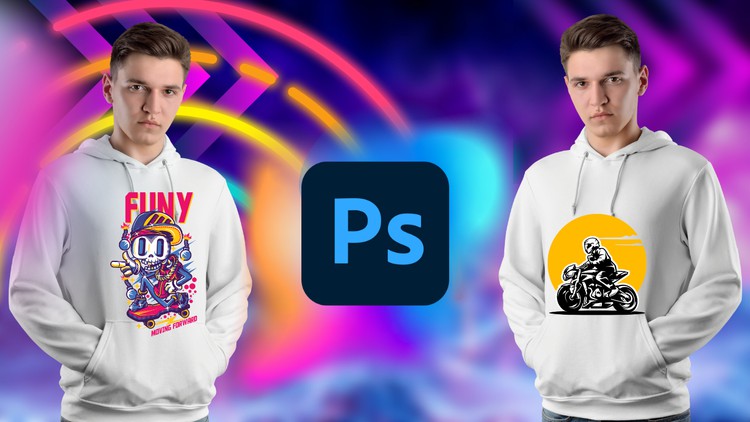
Unleash Your Creativity: Master T-Shirt Design from Beginner to Advanced with Adobe Photoshop
What you will learn
Function of Adobe Photoshop
Tools of Adobe Photoshop
T-Shirt Design Fundamentals
T-Shirt Design Projects
Description
Welcome to the ultimate T-Shirt Design course where creativity meets technology! Whether you’re a beginner looking to explore the world of graphic design or an experienced designer seeking to enhance your skills, this comprehensive Udemy course is designed to take you from zero to hero in T-Shirt design using Adobe Photoshop.
In this hands-on course, we’ll dive into the exciting world of T-Shirt design and unleash your creative potential. We’ll start with the basics, introducing you to the essential tools and functions of Adobe Photoshop, ensuring that even if you have zero prior experience, you’ll be able to follow along seamlessly.
As we progress, we’ll explore fundamental design principles, color theory, typography, and composition techniques, empowering you to craft visually stunning T-Shirt designs. You’ll learn how to conceptualize your ideas, sketch out designs, and bring them to life using Adobe Photoshop’s powerful features.
The course is structured in a step-by-step manner, guiding you through the entire T-Shirt design process. We’ll cover techniques for creating eye-catching illustrations, using custom shapes, applying stunning effects, and integrating text seamlessly into your designs. We’ll also explore advanced techniques such as creating distressed and vintage looks, achieving realistic textures, and optimizing your designs for print.
Throughout the course, you’ll have access to a variety of practical exercises and real-world examples, allowing you to apply your newly acquired knowledge and skills. Additionally, you’ll receive valuable tips, tricks, and industry insights that will elevate your designs to a professional level.
By the end of this course, you’ll not only have mastered T-Shirt design with Adobe Photoshop but also gained the confidence to tackle any design project that comes your way. Whether you dream of launching your own T-Shirt brand, freelancing as a designer, or simply expressing your creativity through stunning T-Shirt designs, this course will equip you with the skills you need to succeed.
Enroll now and let’s embark on this exciting journey of T-Shirt design together! Unleash your creativity and become a T-Shirt design pro with Adobe Photoshop!
Content
Introduction
The Reality of Modern Apparel Design: Beyond the Canvas
Let’s be honest: the world doesn’t need another generic clip-art t-shirt. I’ve spent over a decade navigating the intersection of tech and creative design, and if there’s one thing I’ve learned, it’s that the barrier to entry for “making a shirt” is low, but the ceiling for professional-grade, industry-standard design is incredibly high. Most people jump into Photoshop, mess around with a few filters, and wonder why their final print looks like a pixelated mess.
This course, T-Shirt Design for Beginner to Advanced with Adobe Photoshop, isn’t just another tutorial series—it’s a deep dive into the technical nuances that separate hobbyists from professionals. What caught my eye here wasn’t just the promise of teaching Adobe Photoshop, but the focus on the production-ready workflow. We’re talking about moving from a “cool idea” to a job-ready asset that won’t get rejected by a high-end screen printer. It treats the t-shirt as a medium, not just a flat surface, emphasizing how graphics wrap around the body and how ink interacts with fabric.
What You Need Before You Click Play
You don’t need a degree in Fine Arts, but you do need a decent rig. Adobe Photoshop is a resource-heavy beast, and if you’re trying to run high-resolution 300 DPI canvases on a ten-year-old laptop, you’re going to have a bad time. From a technical standpoint, I recommend having a basic grasp of file management. The course is built for beginner to advanced levels, but your life will be much easier if you understand the difference between a raster and a vector before you start. Ideally, you should have a Creative Cloud subscription ready to go so you can follow along with the hands-on labs in real-time.
Hard Skills and Industry Tools
This curriculum is surprisingly dense. It moves past the basic “how to draw a square” phase very quickly and dives into the meat of industry-standard tools. You’ll spend a significant amount of time mastering:
- Advanced Layer Masking: Essential for non-destructive editing and creating complex textures.
- Color Separation: A critical job-ready skill for anyone looking to work with traditional screen printing.
- Typography & Vector Integration: Learning how to handle text without losing crispness.
- Mockup Creation: Using smart objects to place your designs on realistic 3D garments for client presentations.
- DPI and Print Formatting: Understanding the “technical math” behind high-resolution output.
Career Growth and the Design Economy
The career growth potential in the apparel space is often underestimated. We aren’t just talking about selling shirts on Etsy (though that’s a viable side hustle). Mastering these real-world projects positions you for roles in creative agencies, fashion tech startups, and merchandise management for major brands. If you’re looking at certification prep, the deep-tissue Photoshop knowledge gained here aligns well with the Adobe Certified Professional objectives.
Potential job roles include:
- Apparel Graphic Designer: Creating seasonal collections for streetwear or athletic brands.
- Merchandise Manager: Overseeing the technical specs for band or influencer merch.
- Print Production Specialist: Bridging the gap between the design studio and the print floor.
- Freelance Brand Consultant: Building visual identities that translate across physical products.
What This Course Gets Right
- The Project-Based Approach: I’m a firm believer in “learning by doing.” The real-world projects included here aren’t fluff; they mimic the actual briefs you’d get from a client.
- Technical Accuracy: It covers the “unsexy” but vital parts of design, like bleed lines, CMYK profiles, and halftoning—things most “beginner” courses skip.
- Efficiency Workflows: The instructor shares “pro-tips” on keyboard shortcuts and batch processing that will save you hundreds of hours in a high-volume production environment.
- Scalability: It truly covers the spectrum from beginner to advanced, meaning you won’t outgrow the content in a week.
The Honest Downside
If I have one gripe, it’s the steep learning curve for those who are brand new to the Adobe ecosystem. Adobe Photoshop is notoriously unintuitive for the uninitiated. While the course covers the tools, it moves at a professional clip. If you aren’t prepared to pause, rewind, and practice those hands-on labs multiple times, you might find yourself overwhelmed by the sheer number of panels and palettes. It’s not a “get rich quick” scheme; it’s a technical craft that requires genuine “seat time.”