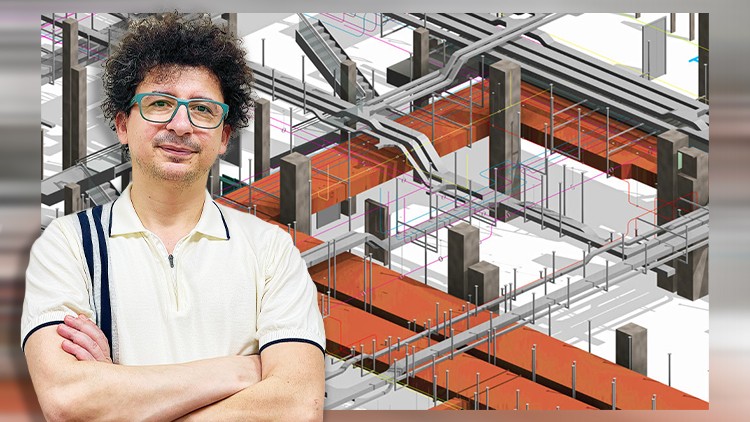
Duct Design, Revit MEP Families, Shop Drawings and Coordinate BIM Projects + RVT Files and complete project files
What you will learn
HVAC Settings in Revit MEP Mechanical
Duct Tools , Editing, and Settings
Duct Elbow Family
Duct Tee Family
Duct Connections
Duct Take-off in Revit
Creating a Revit Family Example Based on Catalogs
Estimation in HVAC Projects by Revit MEP
MEP Fabrication in Revit
Architectural Modeling Tools in Revit
Sheet Layout in Revit MEP
BCF and Teamwork in BIM Projects
AutoCAD File Link in Revit
IFC Format Link in Revit
Building Parameters in Revit
DWFx Link in Revit
Point Cloud and Navisworks Link in Revit
Coordinate Panel Tools in Revit
Documentation in Revit and BIM
Clash Detection in Navisworks
Print in Revit
Why take this course?
🚀 Revit MEP HVAC – Complete Course 🏠➡️🔧
Course Headline: Master Revit MEP for Duct Design, Families, Shop Drawings & Coordination in BIM Projects! 🎓✨
Course Description:
Are you ready to dive into the world of HVAC design with Revit MEP? This isn’t just another course on Revit MEP—we’re taking you through an immersive journey, where we tackle complex projects and uncover hidden gems in the software that will elevate your BIM skills to a whole new level. 🛠️💡
Why This Course?
- Beyond Basics: We’re not just teaching simple techniques; we’re guiding you through challenging projects and revealing insider tricks that are the result of extensive real-world experiences.
- No Prior Knowledge Required: Whether you’re new to Revit or an experienced user, this course is designed for all levels, ensuring you can master HVAC modeling from the ground up.
- Comprehensive Learning: By the end of this course, you won’t just be using Revit MEP; you’ll become a BIM Modeler specializing in HVAC modeling. 🏗️💪
What You’ll Learn:
- 🔍 Introduction to HVAC Modeling in Revit MEP: Lay the foundation of your skills with an overview of what HVAC modeling entails.
- 🛠️ HVAC Settings in Revit MEP Mechanical: Dive into the core settings that will shape your projects, from ducts to pipes.
- 📋 Duct Elbows, Tees, Connections & All MEP Families: Master the creation and manipulation of various MEP families essential for HVAC systems.
- 💰 Estimation in HVAC Projects with Revit MEP: Learn how to use Revit to accurately estimate project costs and materials needed.
- 🛠️ MEP Fabrication in Revit: Discover the tools and techniques for creating precise fabrication drawings for your HVAC systems.
- 📑 Sheet Layout for Shop Drawings: Get proficient at setting up shop drawing sheets to communicate design intent clearly and efficiently.
- 🤝 BCF and Teamwork in BIM Projects: Learn how to use Building Information Modeling Coordination Format (BCF) for effective communication within the team.
- 🧩 Clash Detection & Coordination in BIM Projects: Understand and apply clash detection tools to ensure coordination and reduce errors in your projects.
Who This Course Is For:
- Aspiring BIM MEP Modelers
- Current BIM MEP Modelers looking to enhance their skills
- Engineers and designers working on HVAC systems who wish to utilize Revit MEP more effectively
Join the Journey:
Enroll now and embark on a learning adventure with Revit MEP HVAC – Complete Course. You’ll gain hands-on experience, learn through complex projects, and unlock the full potential of Revit MEP. Plus, you’ll have direct access to your instructor for any questions along the way! 🤝
Don’t Just Take Our Word For It:
“I went from feeling overwhelmed by Revit to confidently managing HVAC projects. This course is a game-changer!” – Past Participant
🚀 Ready to become a BIM HVAC hero? Sign up today and transform your career with advanced Revit MEP skills! 🏗️🎖️
Real-World HVAC Mastery: Beyond Just Drawing Ducts
I’ve spent over a decade navigating the shift from 2D CAD drafting to full-scale Building Information Modeling (BIM), and if there’s one thing I’ve learned, it’s that most courses only teach you how to click buttons. They show you where the “Duct” tool is, but they rarely show you how to survive a real-world coordination meeting. That’s why I was pleasantly surprised by the “Revit MEP HVAC – Complete Course.” It doesn’t just treat Revit as a drafting tool; it treats it as a data-rich environment for HVAC engineering.
The standout factor here is the emphasis on the BIM workflow. Instead of just placing air terminals in a vacuum, the course forces you to think about how industry-standard tools actually interact. We aren’t just talking about “Revit for beginners”; this is a deep dive into advanced Revit workflows that bridge the gap between a conceptual design and a set of shop drawings that a contractor can actually use on-site. The inclusion of RVT files and project templates is a massive plus, as it allows you to deconstruct professional-grade work rather than starting from a blank, intimidating screen.
Prerequisites for Success
While the marketing might say “beginner to advanced,” let’s be honest: you’ll get a lot more out of this if you aren’t seeing a floor plan for the first time. To really thrive, you should have:
- A fundamental understanding of HVAC systems (you should know the difference between a supply and return duct).
- A computer that doesn’t scream for mercy when opening large Revit project files.
- A basic grasp of the Revit user interface is helpful, though the course does provide a refresher on architectural modeling tools to get you up to speed.
- A commitment to hands-on labs; you cannot learn BIM by just watching videos while eating lunch.
The Toolkit: Skills & Technical Mastery
This course packs a punch when it comes to technical depth. You aren’t just learning to “draw”; you’re learning to model with intent. Key areas covered include:
- Parametric Family Creation: This is the “secret sauce.” Learning to build Revit MEP families (like custom elbows and tees) based on manufacturer catalogs is what separates a technician from a high-paid BIM Specialist.
- System Calculations: Using Revit for HVAC estimation and pressure loss reports, ensuring your design isn’t just pretty, but functional.
- MEP Fabrication: Moving from design-intent models to LOD 400 fabrication-ready models, which is a massive trend in the current construction market.
- Coordination & Documentation: Mastering shop drawings and clash detection mindsets to ensure your ducts don’t run straight through a steel beam.
Career Growth & Lucrative Job Roles
The ROI on mastering Revit MEP is currently through the roof. As firms move away from legacy systems, they are desperate for professionals with job-ready skills who can hit the ground running. Completing this course puts you in the running for several high-demand roles:
- BIM Coordinator: Managing the 3D environment and ensuring multi-discipline harmony.
- HVAC Designer: Moving from manual calcs to automated BIM workflows.
- Revit Content Creator: Specialized roles focused entirely on building intelligent Revit families for manufacturers.
- Pre-construction Manager: Using MEP fabrication data to provide accurate HVAC project estimation and bidding.
If you are looking for certification prep, the workflows taught here align closely with the Autodesk Certified Professional exams, making it a solid investment for your long-term career growth.
Pros: Why This Course Wins
- The “Shop Drawing” Focus: Most tutorials stop at the design phase. This course takes you into the weeds of shop drawings, which is where the real money is made in the MEP world.
- Content Library: The provided RVT files and family templates are worth the price of admission alone. They serve as a “cheat sheet” for your future professional projects.
- Parametric Power: The section on creating Revit families from catalogs is world-class. It empowers you to stop relying on generic Revit libraries and start building high-fidelity models.
Cons: The Honest Truth
- The Learning Curve: The transition into MEP Fabrication and custom family nesting is steep. If you are a total Revit novice, you might find yourself hitting the “pause” button frequently. It’s an intensive experience that requires a significant time commitment to truly master the advanced tools.