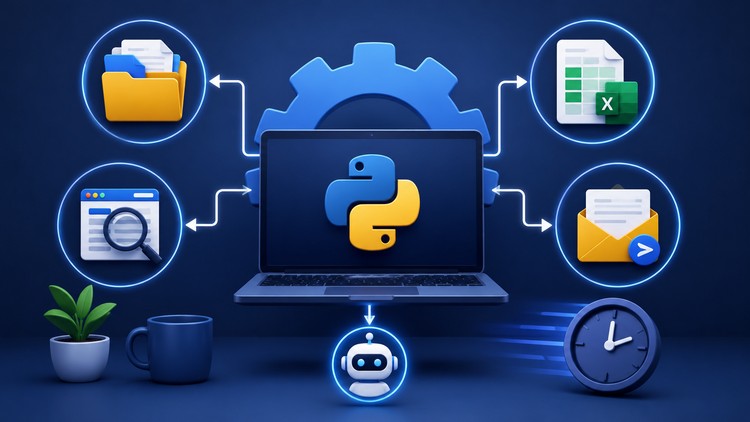
Automate Files, Excel Reports, Web Scraping & Emails with Python Through 4 Real-World Projects
What You Will Learn:
- Build Python automation scripts to eliminate repetitive manual tasks and improve productivity.
- Organize files and folders automatically using Python and the built-in OS modules.
- Read, update, and generate Excel reports programmatically using Python.
- Collect and extract data from websites using web scraping techniques with Requests and BeautifulSoup.
- Create automated email workflows and send messages to multiple recipients using Python.
- Apply Python fundamentals including variables, lists, dictionaries, loops, conditions, and functions in automation projects.
- Show more
The No-Fluff Guide to Reclaiming Your Time with Python
Let’s be honest: most “Learn Python” courses are a slog. You spend three weeks learning how to print “Hello World” and manipulate lists of imaginary fruits before you ever build something that actually helps your workday. If you’re like me—a professional who values efficiency over academic theory—you don’t want to be a computer scientist; you want to stop doing soul-crushing manual work. That is exactly where “Python Automation: Save Hours with 4 Real Projects” finds its sweet spot.
Instead of drowning you in syntax, this course dives straight into the “meat and potatoes” of career growth: building utility. We’ve all been there, staring at a folder of 500 disorganized PDFs or a spreadsheet that needs “just a few tweaks” every Monday morning. This course isn’t about deep-level algorithm design; it’s a toolkit for the modern worker. It transitions you from a passive learner to a creator of industry-standard tools by focusing on the 80/20 rule—learning the 20% of Python that handles 80% of administrative headaches.
Prerequisites: What Do You Actually Need?
You don’t need a CS degree to get started here, but I’ll give it to you straight: if you’ve never seen a line of code, the first hour might feel fast. While the course covers Python fundamentals, it moves with a “learn-as-you-go” momentum. To get the most out of these hands-on labs, you should have:
- Python 3 Installed: A basic setup on Windows, Mac, or Linux.
- A Code Editor: I’d recommend VS Code, though the instructor walks you through the basics.
- Basic Logic: If you understand “If this happens, then do that,” you’re already halfway there.
- A Problem to Solve: You’ll learn faster if you have a specific, boring task at your actual job that you’re itching to kill off.
The Toolkit: Industry-Standard Tools & Skills
The course curates a specific stack of libraries that are staples in the dev-ops and data science worlds. You aren’t just learning “Python”; you’re learning how to interface with the world. You’ll get deep exposure to:
- OS & Shutil: For high-level file operations that make manual folder management look prehistoric.
- Openpyxl: The bridge between Python and Excel. This is the “secret sauce” for anyone in finance or operations.
- Requests & BeautifulSoup: The gold standard for web scraping. You’ll learn to harvest data from the web without the “copy-paste” nightmare.
- smtplib & Email MIME: To build automated email workflows that look professional and hit the inbox every time.
- Logic Patterns: Developing job-ready skills like error handling and loop optimization so your scripts don’t crash the moment they hit a snag.
Career Benefits & Job Roles
Learning to automate isn’t just a “neat trick”; it’s a career growth multiplier. In today’s market, being “good at Excel” is the baseline. Being the person who can “write a script to handle the data” makes you indispensable. This course acts as a solid certification prep for entry-level automation roles or as a massive resume booster for non-technical roles.
The skills here directly translate to roles such as Data Analyst, Junior Backend Developer, Systems Administrator, and Marketing Operations Manager. Even if you stay in your current role, the real-world projects you build here serve as a digital portfolio that proves you can solve complex problems with industry-standard tools.
What I Liked (The Pros)
- Zero Fluff, All Action: Each project is self-contained. You get the dopamine hit of finishing a working script in every section. The hands-on labs feel like you’re actually building a product, not just following a lecture.
- Practical Context: The instructor doesn’t just show you how to scrape a site; they explain why you’d want to and how to avoid getting blocked. This “real-world” nuance is often missing from beginner to advanced courses.
- Portfolio-Ready Output: By the end, you have four distinct scripts you can show an employer. It’s the difference between saying “I know Python” and saying “I built an automated reporting engine.”
The Honest Truth (The Cons)
- The Scraping Ceiling: While the web scraping section is excellent for static sites using BeautifulSoup, it doesn’t touch on Selenium or Playwright for heavy JavaScript-rendered sites. If you’re trying to scrape a highly complex dynamic web app, you might need a follow-up course to handle the extra complexity.