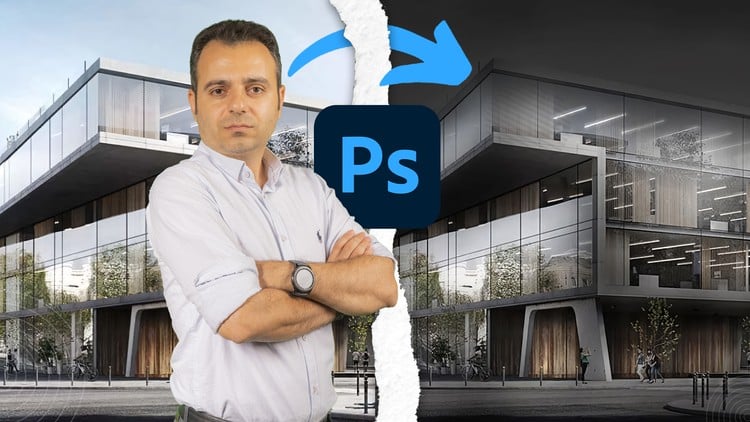
Interior & exterior renders, 3D plans, diagrams, lighting, landscapes, AI tools and architectural presentation layouts
What You Will Learn:
- Photoshop 2026 Fundamentals & Essential Settings – Complete Workflow for Architectural Visualization
- Lighting Techniques & Day-to-Night Rendering – Advanced Methods for High-Detail Architectural Results
- Rainy Scene Presentation in Adobe Photoshop – Expert Techniques for Atmosphere & Realism
- Snowy Scene Presentation in Photoshop – Complete Weather Effects for Architectural Renders
- Material Creation & Texture Development – High-Quality Surfaces for Professional Visualization
- Exterior Post-Production in Adobe Photoshop – Complete Enhancements for Outdoor Architectural Scenes
- Show more
Photoshop for Architecture: Post-Production & Sheets – A Deep Dive
As someone who’s been navigating the ever-evolving landscape of architectural visualization for a good chunk of time, I’m always on the lookout for resources that can genuinely elevate the presentation game. So, when this “Photoshop for Architecture: Post-Production & Sheets” course popped up, I was intrigued. The promise of tackling everything from those jaw-dropping interior and exterior renders to intricate diagrams and even AI integration felt ambitious, but ultimately, very relevant to what we’re doing out there in the field.
This isn’t just another “basic Photoshop for beginners” course. It positions itself as a complete workflow, from initial fundamentals and settings right through to crafting final presentation sheets. What really grabbed my attention was the explicit mention of AI tools. In today’s market, you’d be remiss not to be exploring how these can augment our workflows, and this course seems to embrace that head-on. It’s the kind of hands-on, practical approach that we need, especially when aiming for job-ready skills that employers are actively seeking. The breakdown of topics suggests a comprehensive journey, not just surface-level tweaks. It dives into specific, often tricky, areas like realistic material creation, advanced lighting techniques for day-to-night transformations, and even specialized weather effects like rain and snow – all crucial for creating compelling, mood-driven visualizations.
Prerequisites
Honestly, you don’t need to be a Photoshop guru to jump in. A basic understanding of computer fundamentals is a given. If you’ve played around with image editing software before, even just casually, you’ll find the initial modules a breeze. For those completely new to Photoshop, the “Fundamentals & Essential Settings” section is designed to get you up to speed, so don’t let that be a barrier. What’s more important is having a willingness to learn and a bit of patience, as some of these advanced techniques can be fiddly at first.
Skills & Tools
This course is all about equipping you with industry-standard tools and the know-how to wield them effectively. You’ll be mastering Adobe Photoshop (assuming you have a recent version – the “2026 Fundamentals” implies that). Beyond the software itself, you’ll develop a keen eye for composition, lighting, and color theory as applied to architectural visualization. Expect to gain skills in layering, masking, compositing, and advanced retouching. The emphasis on creating real-world projects means you’ll be building a portfolio as you go, which is invaluable.
Career Benefits & Job Roles
For anyone looking to level up their career growth in architectural visualization, this course is a smart investment. The skills learned here are directly applicable to roles such as:
- Architectural Visualizer
- 3D Artist (Architecture)
- Rendering Specialist
- Presentation Designer (Architecture)
- Junior Architect with strong visualization skills
It’s not just about making pretty pictures; it’s about communicating design intent effectively, a skill that commands a higher salary and opens doors to more exciting projects. This is the kind of training that could put you on the fast track for certification prep if you’re aiming for specific industry credentials.
Pros
- Comprehensive Scope: It covers a remarkably wide range of essential architectural visualization topics, from foundational settings to highly specialized techniques like weather effects and AI integration. This is a genuine end-to-end solution for post-production.
- Practical & Project-Oriented: The focus on workflows and real-world projects means you’re not just learning theory; you’re actively building practical, job-ready skills. This hands-on approach is crucial for retaining information and for portfolio development.
- Addresses Modern Demands: The inclusion of AI tools is a forward-thinking move that aligns with current industry trends, ensuring you’re learning relevant, cutting-edge techniques.
Cons
- Potential for Information Overload: Given the breadth of topics covered, particularly for those who are newer to advanced Photoshop, there’s a risk of feeling a bit overwhelmed if the pacing isn’t perfectly calibrated for all skill levels. While the fundamentals are covered, the depth of some advanced topics might require dedicated practice beyond the course itself.
Overall, “Photoshop for Architecture: Post-Production & Sheets” appears to be a robust and highly relevant course for anyone serious about making their architectural visualizations shine. It’s a strong contender for bridging the gap between raw 3D output and polished, impactful presentations.