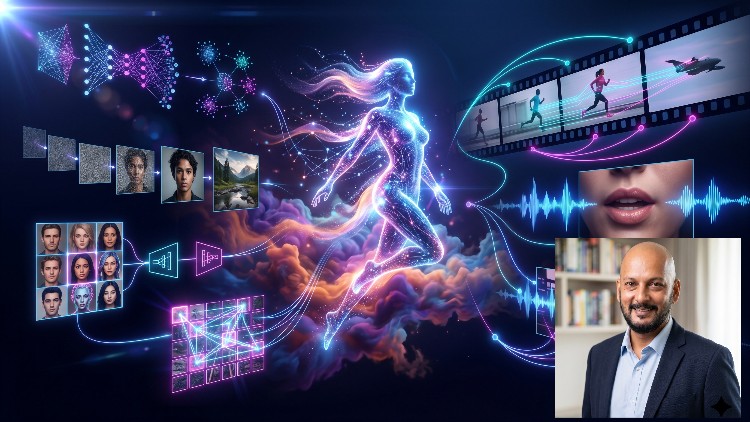
VAEs · Diffusion · ControlNet · Flux · Sora-Style Video Generation · Audio-Visual Sync
What You Will Learn:
- Build VAEs, GANs and Vision Transformers from scratch, understanding reparameterisation, minimax training and patch embeddings that underpin Stable Diffusion
- Implement DDPM, Latent Diffusion Models and Flow Matching, understanding ODE solvers and time-step formulations used in production systems like SD 3.5 and Flux
- Control and accelerate image generation using ControlNet, IP-Adapters, Consistency Models and adversarial distillation techniques like SDXL Turbo & Flux Schnell
- Build spatiotemporal video generation systems using Diffusion Transformers, temporal attention and optical flow, with reference to Sora, Veo 2 and Gen-3.
Overview: Why This Course Actually Matters in the Flux Era
Let’s be real for a second: the GenAI space is currently flooded with “prompt engineering” tutorials that are, frankly, a waste of time for serious developers. If you want to move beyond just typing “/imagine” and actually understand the engine under the hood, you need a deep dive into the architecture. Mastering Generative Vision & Video: From GAN to Flow to DiT is that rare bridge between academic theory and production-grade implementation. I’ve seen plenty of courses stop at basic Stable Diffusion, but this one pushes into the territory of Flow Matching and Diffusion Transformers (DiT)—the exact tech powering heavyweights like Flux.1 and Sora.
What sets this apart isn’t just the “how-to,” but the “why.” Instead of treating a VAE or a U-Net as a black box, the curriculum forces you to confront the math and the code simultaneously. We’re moving into an era where video generation and audio-visual sync are the new frontiers, and this course positions you right at the intersection. It’s less about making pretty pictures and more about understanding the ODE solvers and latent spaces that make these pixels move. If you’re looking to transition from a general software dev to a specialized Machine Learning Engineer, this is the kind of rigorous deep-dive that actually builds job-ready skills.
Prerequisites: Don’t Skip the Fundamentals
This isn’t a “coding for absolute beginners” situation. To get the most out of these hands-on labs, you need a solid foundation. If you aren’t comfortable with Python and the basics of PyTorch, you’re going to hit a wall fast. You should have a working knowledge of linear algebra and calculus—specifically, you need to understand gradients and probability distributions. While the course covers beginner to advanced concepts, “beginner” here assumes you already know what a neural network layer is. You don’t need to be a PhD, but you should be comfortable navigating a Jupyter notebook and troubleshooting CUDA memory errors, because you’ll be seeing plenty of them as you build these real-world projects.
Skills & Tools: The Modern Generative Stack
The toolkit provided here is essentially the industry-standard tools list for any top-tier AI lab. You aren’t just learning conceptual fluff; you’re getting your hands dirty with:
- PyTorch & Hugging Face Diffusers: The bread and butter of modern vision R&D.
- Weights & Biases: For tracking your experiments and minimax training progress.
- ControlNet & IP-Adapters: Essential for precise structural control in image generation.
- Consistency Models: Understanding how to shrink inference time for real-world applications like SDXL Turbo.
- Temporal Attention Mechanisms: The key to making video look like video and not a flickering mess.
By the time you finish, you’ll have a portfolio of real-world projects that demonstrate you can do more than just call an API; you can build, optimize, and deploy these models.
Career Benefits & Job Roles: Beyond the Hype
The career growth potential in the generative vision space is currently massive. Companies are desperate for engineers who understand latent diffusion models and flow matching because these technologies are being integrated into everything from Hollywood VFX pipelines to medical imaging. This course acts as an unofficial certification prep for high-level AI roles. Completing this curriculum puts you on the radar for positions such as:
- Generative AI Engineer: Designing custom fine-tuned models for enterprise needs.
- Computer Vision Researcher: Pushing the boundaries of spatiotemporal data.
- MLOps Specialist: Handling the deployment of massive DiT models in production environments.
- Creative Technologist: Bridging the gap between high-end design and Sora-style video generation.
Having “built a VAE from scratch” on your resume is a huge differentiator during technical interviews. It proves you have the job-ready skills to solve problems when the standard libraries fail.
Pros: Where This Course Shines
- The “From Scratch” Philosophy: There is no better way to learn than building patch embeddings and reparameterisation blocks yourself. It demystifies the magic.
- Cutting-Edge Content: Most courses are 12 months behind. This one actually tackles Flux and Flow Matching, which are the current state-of-the-art.
- Focus on Efficiency: The inclusion of adversarial distillation (like Flux Schnell) is vital. Knowing how to make a model fast is just as important as making it smart.
- Comprehensive Video Training: Most AI courses ignore the temporal dimension. The deep dive into optical flow and temporal attention is worth the price of admission alone.
Cons: The Honest Reality
The only real downside is the compute requirement. Let’s be honest: you cannot effectively run these hands-on labs on a standard laptop. While the course provides guidance, you’re going to need access to a beefy GPU (think A100 or at least a 4090) or be prepared to spend some money on cloud compute like Lambda Labs or Google Colab Pro. This isn’t a fault of the course itself, but the nature of vision and video generation is hardware-intensive, and the “real-world” aspect means dealing with “real-world” hardware costs.