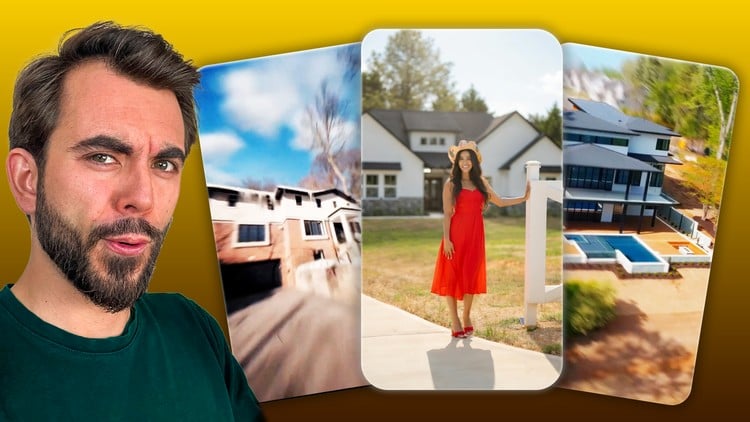
Edit VIRAL Real Estate Videos THIS YEAR — AI Effects, Transitions & Sound Design EVEN WITH Zero Experience.
What You Will Learn:
- CREATE VIRAL CAPTIONS — Build the caption animations dominating real estate reels, from slide-ins to 3D tracked text (Lectures 5–12)
- TRACK ANY SUBJECT — Use head tracking and rotobrush to build dynamic follow effects and hidden captions (Lectures 13–15)
- MASTER CINEMATIC SPEED RAMPS — Build smooth speed ramps and fix the motion blur issue most editors never solve (Lectures 16–19)
- EDIT WITH AI — Generate day-to-night transitions, AI room staging, and empty-lot speed-builds (Lectures 21–23)
- GRADE LIKE A PRO — Understand Rec 709 and Log footage so every property looks premium (Lecture 4)
- BUILD A PORTFOLIO THAT SELLS — Create three polished sample videos that land you real client work (Lecture 27)
- Show more
Why Modern Real Estate Editing is a Different Beast
Let’s be honest: the era of the slow, boring “slideshow” real estate video is dead. If you’re still just cross-dissolving static shots of a kitchen, you’re losing money. Today’s market is driven by high-retention, short-form content that looks more like a Hollywood car commercial than a Zillow listing. I’ve spent years digging through industry-standard tools, and I’ve seen plenty of “influencer” courses that are all flash and no substance. This course, however, hits that sweet spot of technical depth and job-ready skills.
What I appreciate here is the focus on the “viral” aesthetic without sacrificing professional polish. It’s one thing to throw a filter on a clip; it’s another to understand real-world projects like 3D camera tracking and AI-driven sky replacements. The course doesn’t just teach you where the buttons are; it teaches you the “why” behind the “how,” specifically focusing on the high-end career growth opportunities in luxury property marketing.
Prerequisites
While the marketing says “zero experience,” I’ll give you the straight talk: you need a solid workstation. We are talking about industry-standard tools like Adobe Premiere Pro and After Effects, which are resource-heavy. Here is what you should have before diving in:
- A Creative Cloud Subscription: You specifically need Premiere Pro and After Effects (the Dynamic Link between them is where the magic happens).
- A Decent GPU: Speed ramping and Rotobrushing will crawl on an old laptop.
- Basic File Management: You don’t need to be an editor yet, but you should know how to organize large video files.
- Patience for After Effects: It’s a steep climb, but the hands-on labs in this course make it manageable.
Skills & Tools
The curriculum takes you from beginner to advanced by bridging the gap between simple cutting and complex visual effects. You’ll master the following:
- Adobe Premiere Pro: The backbone for storytelling, organization, and the initial assembly.
- Adobe After Effects: Used for the “wow” factors—think 3D tracked text that sits behind a kitchen island or “hidden” captions that appear as the camera pans.
- AI-Powered Workflows: This is huge. You’ll learn to use AI for day-to-night transitions (changing a flat afternoon shot into a glowing “golden hour” masterpiece) and generative fill for staging empty rooms.
- Color Grading: Moving beyond “Rec 709” basics into Log footage correction so your videos have that expensive, cinematic dynamic range.
- Sound Design: Learning how to layer foley and rhythmic cuts to keep viewers engaged on social media.
Career Benefits & Job Roles
The real value of this course isn’t just a certificate; it’s the portfolio that sells. By the end, you aren’t just an “editor”; you are a specialist in a high-ticket niche. This training acts as a comprehensive certification prep for anyone looking to enter the professional video production space.
- Real Estate Marketing Specialist: In-house roles at high-end brokerages are booming, often paying premium salaries for those who can handle the beginner to advanced pipeline of production.
- Freelance Video Editor: Charging $300–$1,000 per “Viral Reel” is the current market rate for editors who can execute the 3D tracking and AI staging taught here.
- Social Media Manager: With job-ready skills in short-form content, you can manage the entire digital presence for luxury agents.
- Content Creator: Use these real-world projects to build your own brand as a technical expert in the property space.
The Pros
- Solving the Motion Blur Myth: Most editors mess up speed ramps by not adjusting the shutter angle or adding artificial blur. This course fixes that early on, which instantly separates your work from the “amateur” look.
- AI Integration: The lectures on AI room staging and empty-lot builds are worth the price of admission alone. It turns you into a “one-person VFX house.”
- Portfolio-First Approach: You aren’t just watching videos; you’re building three specific, real-world projects that you can actually show to clients to land work immediately.
- Niche Focus: Instead of a generic “how to edit” course, this focuses entirely on what actually sells houses and gets clicks in 2024.
The Cons
- After Effects Intensity: For a complete novice, the jump from Premiere (Lecture 4) to 3D tracking in After Effects (Lecture 13) can feel like hitting a brick wall. You’ll likely need to re-watch the tracking modules a few times to really “get” the spatial math involved in 3D text placement.