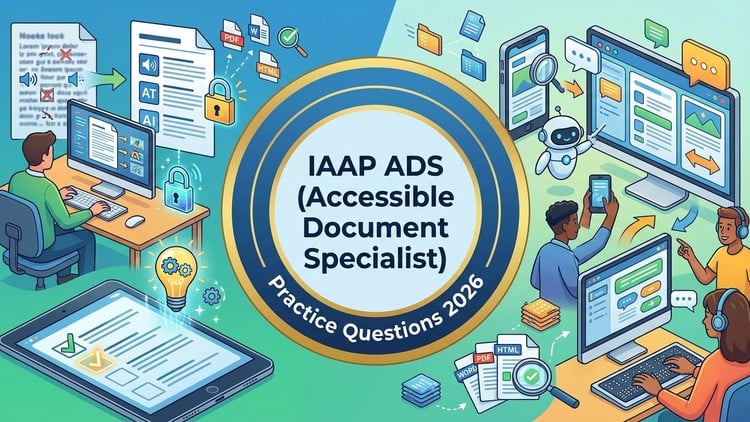
Prepare for the IAAP ADS Certification with Realistic Practice Exams, Detailed Explanations and PDF Accessibility.
What You Will Learn:
- Understand key IAAP ADS exam topics including document accessibility, PDF remediation, accessibility testing, and compliance standards.
- Identify common accessibility issues and apply best practices for creating accessible electronic documents and PDFs.
- Improve exam readiness through realistic practice tests, detailed explanations, and repeated assessment of knowledge gaps.
- Learn accessibility concepts related to WCAG, Section 508, document structure, alt text, forms, tables, and reading order.
- Build confidence to approach the IAAP Accessible Document Specialist certification exam with greater accuracy and preparation.
- Show more
The Reality of Document Accessibility Certification
If you have spent any amount of time in the accessibility space, you know that the IAAP (International Association of Accessibility Professionals) certifications are the gold standard. But let’s be honest: the IAAP ADS (Accessible Document Specialist) exam is a different beast entirely. It’s not just about knowing what an “alt-text” tag is; it’s about understanding the nuances of PDF remediation, complex table structures, and how assistive technology actually parses a document. I’ve seen seasoned pros stumble because they lacked the specific certification prep required to handle the IAAP’s scenario-based questions. That is where the “IAAP ADS Practice Tests 2026” course comes in. It acts less like a dry textbook and more like a tactical simulator for the actual exam environment.
From my perspective as someone who has navigated the transition from beginner to advanced in the digital inclusion space, the biggest hurdle is usually the gap between theory and job-ready skills. You can read the WCAG guidelines until you’re blue in the face, but applying those rules to a 50-page technical manual with nested lists and form fields is another story. These practice tests bridge that gap. They don’t just ask you to memorize facts; they force you to think like a remediator. Whether you are aiming for career growth or trying to standardize your team’s output, these tests provide a much-needed reality check before you drop the registration fee on the actual exam.
Prerequisites
While this is marketed as a comprehensive prep tool, I wouldn’t recommend jumping in without some foundational knowledge. To get the most out of these practice exams, you should have a basic understanding of WCAG 2.1/2.2 principles and at least some exposure to industry-standard tools like Adobe Acrobat Pro. If you’ve never looked at a tag tree or don’t know what a “Heading 1” represents in terms of document hierarchy, you might find the difficulty spike a bit jarring. This isn’t a “start from zero” tutorial; it’s a high-level certification prep engine designed to polish existing knowledge into a professional-grade skillset.
Skills & Tools Covered
The course goes deep into the technical weeds of document accessibility. You’ll find yourself navigating the complexities of PDF remediation, which is arguably the most challenging part of the ADS exam. It covers everything from logical reading order and artifacting decorative elements to the more obscure requirements of Section 508 compliance.
- Document Structure: Mastering the tag tree, managing parent-child relationships, and ensuring proper nesting for lists and tables.
- Remediation Workflow: Utilizing industry-standard tools like the Acrobat Accessibility Checker and PAC (PDF Accessibility Checker).
- Form Accessibility: Creating accessible fillable forms, including tooltips, tab order, and error validation.
- Advanced Testing: Going beyond automated tools to perform manual checks that simulate hands-on labs experiences.
The focus is heavily on real-world projects, meaning the questions reflect the messy, imperfect documents you’ll actually encounter in a corporate or government role.
Career Benefits & Job Roles
The ROI on becoming an IAAP Accessible Document Specialist is significant right now. As organizations face increased legal pressure under the ADA and European Accessibility Act, the demand for people with job-ready skills in document remediation is skyrocketing. Passing the ADS exam isn’t just about the digital badge; it’s about proving you can handle high-stakes accessibility compliance.
- Accessibility Consultant: Providing high-level strategy and technical fixes for large-scale document repositories.
- Compliance Officer: Ensuring that all outward-facing corporate communications meet legal standards.
- Technical Writer: Designing documentation that is “born accessible,” saving companies thousands in later remediation costs.
This certification is a major catalyst for career growth, often acting as the “proof of concept” needed to move into senior-level roles or specialized consulting.
Pros
- Realistic Scenario-Based Questions: Unlike cheaper flashcard sets, these tests mimic the IAAP’s style of questioning, focusing on “what is the best way to handle this” rather than just “what is this called.”
- In-Depth Explanations: Every wrong answer is a learning opportunity. The detailed feedback explains the *why* behind the WCAG standards, which is crucial for long-term retention.
- Current for 2026 Standards: It’s refreshing to see a course that accounts for the latest updates in industry-standard tools and evolving compliance frameworks.
- Repeated Knowledge Gap Assessment: The ability to retake tests and track progress makes it easy to identify exactly where your document accessibility knowledge is shaky.
Cons
- High Intensity: This is not a “casual” study tool. If you aren’t prepared to spend hours analyzing tag trees and reading order, the sheer volume of technical detail can be overwhelming. It requires a significant time commitment to truly master the logic behind the answers.