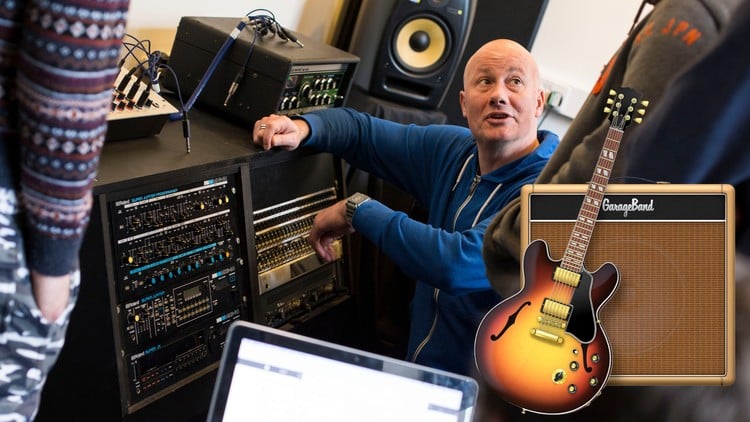
Over 30 guided sessions and 6+ hours of content, this course includes downloadable PDFs! Make the most of this FREE DAW!
What You Will Learn:
- Essential Music recording and production skills
- The Garageband iOS Interface
- Rhythm Theory & MIDI Drum production
- Explore & Use Drummer
- Record and edit audio using Sampler
- Understand and use virtual instruments
- Harmonic Theory and chords in composition
- Melodic Theory and use in Composition
- Show more
Overview
Alright, let’s talk about ‘Garageband iOS (iPad/iPhone) – Composition for Beginners.’ As someone who’s seen countless DAWs and production workflows, my initial thought on a Garageband course for beginners is usually, “Okay, solid starting point.” But this particular offering really leans into the composition aspect, which is critical and often overlooked in basic production guides. It’s not just teaching you where the buttons are; it’s guiding you through the actual process of crafting music from scratch on your mobile device. Imagine having a structured path to turn those melodic ideas rattling around your head into actual tracks, all using a tool you probably already own. This isn’t just a tutorial; it’s a foundational course in musical creation, leveraging the incredible accessibility of Apple’s free DAW.
What I appreciate most is how it bridges the gap between raw creativity and technical execution. Many beginners get bogged down by the sheer volume of options in a DAW, but this course streamlines the learning curve, focusing on essential skills without overwhelming you. It’s designed to make you productive, not just knowledgeable, setting a robust stage for anyone aspiring to dive deeper into music production or even develop some basic **job-ready skills** in sound design for content creation. It really pushes beyond just the “how-to” and into the “how-to-create-meaningfully.”
Prerequisites
Here’s the deal: you don’t need to be a Juilliard grad or have a home studio packed with gear. This course genuinely lives up to its “Beginners” tag. My personal take? The absolute bare minimum you need is an Apple iOS device—an iPad or an iPhone—and Garageband installed on it. That’s it. Seriously. No prior music theory knowledge? No problem. Never touched a digital audio workstation before? Perfect. The course is built to introduce you to everything from the ground up, including fundamental music theory concepts like rhythm, harmony, and melody. While a keen interest in music creation is obviously a plus, it’s not strictly a prerequisite; sometimes, discovering you love something happens *during* the learning process. So, if you’ve got the device and a flicker of curiosity, you’re good to go. It’s a low-friction entry point into a potentially lifelong creative pursuit.
Skills & Tools
This course is a goldmine for practical, hands-on learning. You’re not just watching videos; you’re actively engaging in what could be considered **hands-on labs** for music. By the time you’re done with the 30+ guided sessions, you’ll have a solid grasp of several key areas:
- Garageband iOS Mastery: You’ll navigate the interface like a pro, understanding its core functionalities for recording and arrangement.
- Fundamental Music Theory: Forget dry textbooks; you’ll learn practical rhythm theory, how to construct chords (harmonic theory), and develop compelling melodies. This is crucial for actual composition.
- MIDI Production: You’ll dive deep into **MIDI drum production**, creating realistic beats and understanding the power of MIDI for virtual instruments.
- Audio Recording & Editing: The course specifically covers recording and editing audio using the Sampler, giving you essential audio manipulation skills.
- Virtual Instrument Proficiency: You’ll understand and effectively use Garageband’s built-in virtual instruments to build out your compositions.
- Compositional Techniques: This is where the magic happens. You’ll learn how to structure songs, arrange elements, and bring your musical ideas to life, transforming raw inspiration into polished tracks.
While Garageband isn’t an **industry-standard tool** in the same league as Logic Pro X or Pro Tools for professional studios, the *concepts* and *workflows* you learn here are directly transferable. It’s an excellent stepping stone that builds foundational competency for using more complex DAWs down the line.
Career Benefits & Job Roles
Let’s be realistic: taking a Garageband course isn’t going to land you a head sound engineer gig at Abbey Road. However, underestimating the power of foundational skills, even from a beginner’s course, would be a mistake. This program provides genuinely useful **job-ready skills** for a variety of roles that are increasingly in demand.
- Content Creators: If you’re a YouTuber, podcaster, or social media influencer, the ability to compose original background music or sound effects is huge. It elevates your content beyond stock music, saving you money and making your brand unique.
- Aspiring Musicians/Songwriters: This course empowers indie artists to self-produce demos and even finished tracks, circumventing expensive studio time. It’s a significant step in your **career growth** as a creative professional.
- Media Production Assistants: Understanding basic composition and audio production, even with Garageband, makes you a more versatile candidate for entry-level roles in video production, marketing, or digital media agencies.
- Hobbyists with Professional Aspirations: Many professionals started with basic tools. This course can serve as a vital stepping stone for those considering further education or **certification prep** in music production, laying the groundwork for more **advanced** studies in **industry-standard tools**. It’s about building a portfolio of **real-world projects** (your compositions) that demonstrate your skills.
The core benefit here is creative empowerment and practical skill acquisition, opening doors to various freelance or supplemental income opportunities within the creative economy.
Pros
- Unbeatable Accessibility & Zero Cost: This is a huge win. Garageband is free on iOS devices, making professional-level music composition and production tools available to anyone with an iPhone or iPad. This course leverages that, providing structured learning without requiring any additional software investment, thereby eliminating a major barrier for beginners.
- Comprehensive Beginner-Focused Curriculum: The course doesn’t just skim the surface. With over 30 guided sessions and 6+ hours of content, it meticulously covers both the technical operation of Garageband and essential music theory (rhythm, harmony, melody). This dual focus ensures learners aren’t just pushing buttons but truly understanding the ‘why’ behind their compositions, building robust foundational knowledge.
- Highly Practical and Hands-On Learning: This isn’t theoretical fluff. The structure strongly implies **hands-on labs** where you’re actively composing, recording, and editing. This project-based approach means you’ll build a tangible portfolio of **real-world projects** (your own music) as you progress, solidifying your skills through direct application, which is invaluable for creative learning.
- Excellent Foundation for Future Growth: While it starts with Garageband, the principles taught—MIDI production, audio recording, harmonic structure, melodic development—are universal across all DAWs. This makes the course an ideal springboard for those looking to eventually transition to more **advanced** and **industry-standard tools** like Logic Pro X, Ableton Live, or Pro Tools, setting you up for significant **career growth** in music production.
Cons
- Inherent Limitations of Garageband for Advanced Production: Let’s be frank, Garageband is fantastic for beginners and mobile creation, but it’s not a full-fledged **industry-standard tool** for professional-grade mixing, mastering, or complex arrangements. While the course provides excellent foundational knowledge, students seeking deep dives into advanced audio engineering, third-party plugin integration (VSTs/AUs), or highly nuanced sound design might quickly hit the ceiling of what Garageband can offer. It’s a great starting point, but don’t expect it to be your final destination for high-end professional production work.