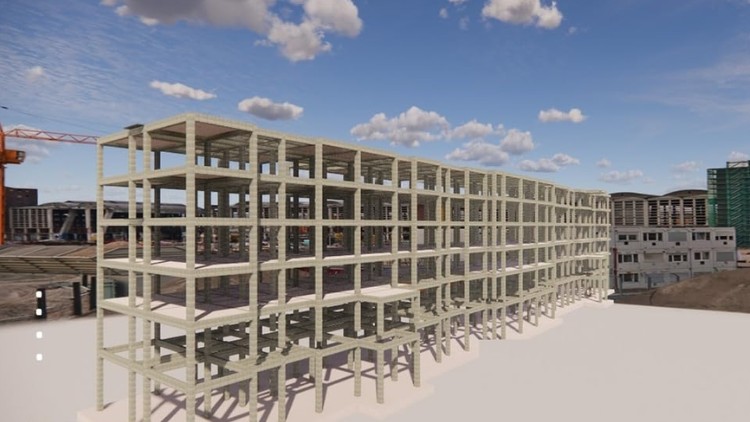
Tutorials on Revit for Structure: Concrete and Steel Structure, Structural Analysis, Family Creation, and Documentation
What you will learn
Understand Revit’s Structural Components
Develop BIM Modeling Skills
Utilize Advanced Analysis Tools:
Generate and Customize Structural Documentation:
Why take this course?
Unlock the power of structural modeling with our comprehensive course, “Exploring Autodesk Revit for Structure: BIM Tutorials.” This course is designed to provide you with in-depth knowledge and practical skills in using Revit for structural projects through the Building Information Modeling (BIM) workflow.
Throughout the course, you will engage in two hands-on projects—one focusing on a commercial building and the other on an industrial facility. This dual-project approach ensures you gain diverse experience in structural modeling across various settings.
What You’ll Learn:
· Structural Modeling in Revit: Master the fundamentals of creating detailed structural models in Revit, including the use of beams, columns, and other structural elements in compliance with BIM practices.
· BIM Workflow Concepts: Understand the essential concepts of BIM workflows and how they apply to structural modeling, ensuring effective collaboration in multidisciplinary teams.
· Robo Structural Analysis: Learn to integrate and perform structural analysis using Robo Structural Analysis, enabling you to assess and validate your designs for safety and performance.
· Documentation: Discover best practices for generating accurate documentation and construction drawings directly from your Revit models, streamlining the documentation process.
· Family Creation: Gain expertise in creating custom families in Revit tailored to your project needs, enhancing your models with specialized structural components.
Whether you are a student, recent graduate, or professional looking to expand your skill set, this course provides all the tools and knowledge necessary to excel in structural modeling using Autodesk Revit. Join us to elevate your BIM capabilities and take your career to the next level!
Course Features:
· Real-World BIM Projects: Apply your learning on real-world BIM projects, ensuring practical, hands-on experience.
· Step-by-Step Tutorials: Follow structured, easy-to-understand tutorials that build your skills progressively.
· Exercises and Quizzes: Test your knowledge and reinforce your learning with practical exercises and quizzes at the end of each module.
· Comprehensive Coverage: From basics to advanced techniques, this course provides a thorough understanding of all Revit functionalities.
· Reading Materials: Each section of the course includes reading materials that provide an in-depth study of the tools used in that section’s tutorials.
The Reality of BIM: More Than Just 3D Modeling
I’ve been in the AEC (Architecture, Engineering, and Construction) industry for over a decade, and if there is one thing I’ve learned, it’s that “knowing Revit” and “knowing Revit for Structure” are two entirely different beasts. Most courses give you a tour of the interface and call it a day. However, Exploring Autodesk Revit for Structure: BIM Tutorials takes a much more pragmatic, grit-under-the-fingernails approach. It moves past the “what” and dives straight into the “why” and “how” of structural integrity within a digital environment.
What struck me most about this curriculum is that it doesn’t treat Revit as a glorified drafting tool. Instead, it positions it as a data powerhouse. We are currently in an era where digital twins and cloud collaboration are the standard, not the exception. This course addresses the friction between a structural engineer’s conceptual design and the actual constructability of a building. It forces you to think about how a concrete reinforcement schedule or a steel connection actually functions in the real world, rather than just how it looks on a 22-inch monitor. It’s an honest, deep dive into the BIM workflow that many professionals spend years trying to figure out on the job.
Prerequisites for Success
Don’t expect to jump into this if you’ve never seen a set of blue prints. While the course is marketed from beginner to advanced, a baseline understanding of structural principles is vital. You don’t need to be a licensed P.E., but you should understand the basic logic of load paths and material properties. From a technical standpoint, you’ll need a machine that doesn’t choke on Revit—ideally something with decent RAM and a dedicated GPU. If you have a basic grasp of 2D AutoCAD, the transition will be smoother, but the course does a fair job of holding your hand through the initial “ribbon-shock” of the Revit interface.
Mastering the Skills and Industry-Standard Tools
This isn’t just about drawing beams; it’s about information management. The course covers a wide array of industry-standard tools that are essential for any modern design office. You will spend a significant amount of time mastering:
- Structural Parametric Families: Learning how to build custom components that actually behave predictably when dimensions change.
- Analytical Modeling: This is the “secret sauce.” You’ll learn how to create a model that can be exported to structural analysis software without falling apart.
- Reinforcement Detailing: Moving beyond 2D lines to 3D rebar modeling, which is becoming a mandatory requirement for high-end real-world projects.
- Worksharing and Collaboration: Understanding how to function within a Central Model environment, which is critical for career growth in large firms.
Career Benefits and Job Roles
Let’s talk money and titles. The industry is currently facing a massive shortage of BIM-capable structural designers. Completing a course like this isn’t just a checkbox; it’s a gateway to high-paying job-ready skills. By mastering these tutorials, you position yourself for roles such as:
- BIM Coordinator: Managing the flow of information between architects and contractors.
- Structural Revit Technician: Specializing in high-detail concrete and steel modeling.
- Virtual Design and Construction (VDC) Specialist: A role that is seeing massive career growth and higher-than-average salary ceilings.
Furthermore, this course serves as excellent certification prep for the Autodesk Certified Professional exam. Having that badge on your LinkedIn profile is often the difference between getting filtered out by an ATS and landing an interview at a top-tier engineering firm.
Why This Course Stands Out (The Pros)
- Hands-on Labs: The instruction doesn’t happen in a vacuum. You are working on real-world projects that mimic the chaos of a real design firm. This “learn by doing” philosophy ensures the knowledge actually sticks.
- Focus on Documentation: Many courses ignore the “D” in BIM. This one excels at teaching you how to generate and customize structural documentation, ensuring your 2D sheets look as professional as your 3D models.
- End-to-End Workflow: It covers the entire lifecycle—from the first grid line to the final material takeoff. It provides a holistic view of the AEC industry standards that are often overlooked in shorter, “quick-start” guides.
The Reality Check (The Cons)
If I have one gripe, it’s the pacing during the structural analysis modules. For a complete novice, the leap from placing a column to understanding analytical nodes can feel like a vertical climb. The course assumes you’ll put in the extra hours to bridge that gap. It’s not a “watch while you eat lunch” type of experience; it requires dedicated, focused hands-on practice to truly master the more complex BIM modeling skills.