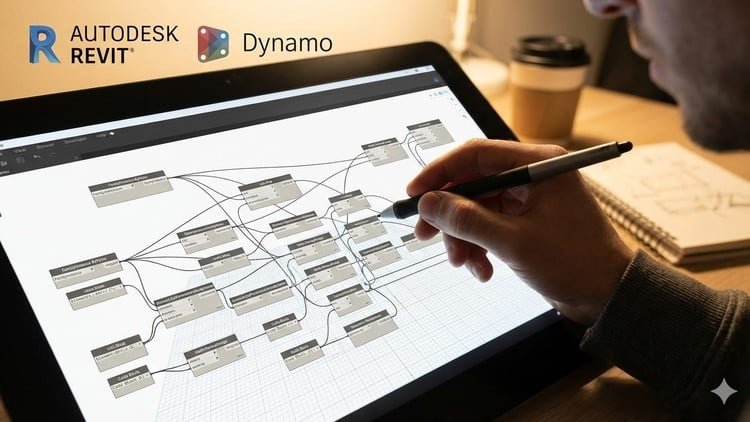
Start Dynamo from Scratch and Automate Revit Tasks with Practical Examples
What You Will Learn:
- Understand the fundamentals of Dynamo and its role in BIM automation within Revit
- Create Dynamo scripts to automate repetitive BIM tasks without coding
- Use Dynamo to control Revit elements such as levels, grids, views, and parameters
- Apply Dynamo workflows to real-world BIM use cases used in professional projects
- Debug common Dynamo errors and optimize simple scripts for better performance
The Reality of BIM Automation: My Honest Take
If you have been working in the Architecture, Engineering, and Construction (AEC) industry for more than a week, you know the “Revit Grind.” It is that soul-crushing cycle of manually renaming hundreds of rooms, renumbering sheets, or adjusting parameter values one by one. I’ve seen brilliant designers waste half their week on tasks that a machine should be doing. That is exactly why Dynamo for Revit In Hindi caught my attention. It isn’t just another software tutorial; it’s a manual on how to stop being a “manual drafter” and start being a BIM Specialist.
The standout feature here is the language. Let’s be real—while most technical documentation is in English, the logic of visual programming hits differently when explained in your native tongue. This course bridges a massive gap for professionals in the South Asian market, turning complex computational logic into something that feels intuitive. It’s about moving from “how do I click this?” to “how do I automate this?” and that shift is where the career growth happens. It’s refreshing to see a course that doesn’t just show you where the buttons are but explains the “why” behind the node-based logic.
Prerequisites
You don’t need a Computer Science degree or a background in C++ to get started here, which is a relief for most architects. However, to get the most out of these hands-on labs, you should have:
- A foundational understanding of Autodesk Revit (knowing how to navigate views and manage families is essential).
- A basic grasp of BIM concepts (what is a parameter, and why do we use levels?).
- A PC with Revit installed (any version from 2020 onwards works, as Dynamo is built-in).
- Zero prior coding experience is required—this is purely for beginner to advanced transitions via visual nodes.
Industry-Standard Tools & Technical Skills
The course focuses heavily on industry-standard tools that you will actually use in a high-pressure office environment. You aren’t just playing with geometry; you are handling data. Key skills covered include:
- Visual Programming Logic: Mastering the “Input-Process-Output” flow that governs all BIM automation.
- Data Management: Using Excel to import/export Revit data—a massive job-ready skill for any BIM Coordinator.
- Geometry Manipulation: Creating complex forms that are nearly impossible to model manually in native Revit.
- Revit API Interaction: Accessing hidden parameters and elements through Dynamo nodes to bypass software limitations.
- Troubleshooting: Learning how to fix those dreaded red “Warning” nodes through systematic debugging.
Career Benefits & Job Roles
In today’s market, just knowing Revit isn’t enough to get you a premium salary. Firms are looking for “Force Multipliers”—people who can make the whole team faster. Completing a course like this is excellent certification prep for internal firm evaluations or professional credentials. By mastering these real-world projects, you position yourself for high-paying roles such as:
- BIM Coordinator: Managing large-scale data sets and ensuring model health.
- Computational Designer: Using algorithms to drive architectural form and performance.
- BIM Manager: Developing office-wide standards and automated workflows to increase profitability.
- VDC Specialist: Integrating automation into the construction and pre-construction phases.
What I Liked (The Pros)
- Practical Over Theoretical: The course doesn’t waste time on abstract math. It dives straight into real-world BIM use cases, like renumbering parking spots or automating sheet sets, which you can use at work the very next day.
- Logical Progression: It handles the beginner to advanced curve very well. It starts with “What is a Node?” and ends with complex data filtering.
- No-Code Empowerment: It demystifies the idea that you need to learn Python to be a “techie” in AEC. It builds confidence in visual logic first.
- Efficiency-Focused: The emphasis on debugging and optimization ensures your scripts don’t just work, but they run fast without crashing your Revit model.
The Honest Downside (The Con)
The only real limitation here is that while visual programming is powerful, the course eventually hits the ceiling of what “out-of-the-box” nodes can do. While it’s perfect for BIM automation for beginners, I would have loved to see a small “bridge” section at the end introducing a tiny bit of Python. Eventually, for very high-end customization, you’ll need to move beyond nodes, and a teaser for that next step would have been the cherry on top.
Final verdict? If you’re tired of the repetitive grind and want to secure your future in an increasingly automated industry, this course is a solid investment in your career growth.