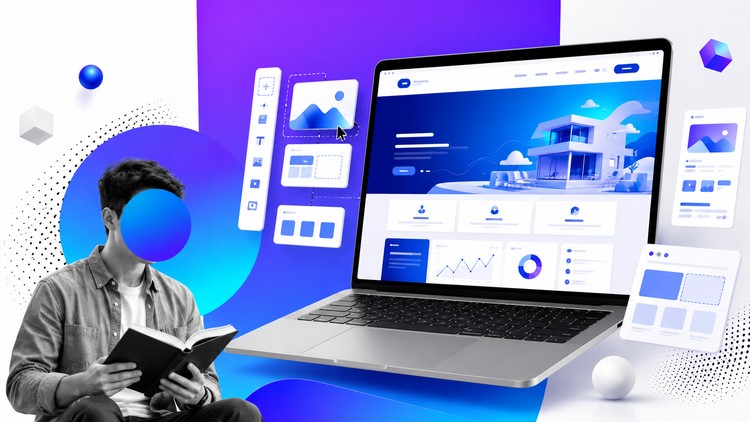
Create a completely free website from start to finish and customize attractive, beautiful ready-made templates
What You Will Learn:
- Learn overview of canva.
- learn how to customize ready made templates
- learn how to make a website from zero to hero
- how to build a weblog
- how to build a personal website
- how to build a news website
- how to build a hotel website
- how to build a sport website
- how to build a product website
- how to build a store website
- how to build a shopping website
- how to build a landing page
- Show more
Alright, let’s talk about this “Create Free Websites with Canva Without Coding” course. As someone who’s spent years in the trenches of web development and digital marketing, I approached this with a healthy dose of skepticism, but also curiosity. Can Canva, the design darling, actually deliver on the promise of building functional websites for free? I dove in to find out.
Overview
My initial thought was, “Is this just glorified brochureware?” And to an extent, yes, it leans heavily into Canva’s design strengths. However, the course does a surprisingly decent job of framing Canva’s website builder as a legitimate, albeit simplified, alternative for certain use cases. It’s less about building the next Amazon and more about empowering individuals and small businesses to establish an online presence without the steep learning curve or financial barrier of traditional web development. The “zero to hero” promise is ambitious, but within the context of Canva’s ecosystem, it feels more attainable. The sheer breadth of website types it covers, from simple personal sites and blogs to more niche offerings like hotel or sports-related pages, hints at a surprising versatility for a no-code platform.
Prerequisites
Honestly, the prerequisites are almost non-existent, which is both a strength and a slight weakness. You don’t need any prior coding knowledge, which is the whole point. A basic understanding of how to navigate a computer and a willingness to learn the Canva interface are pretty much it. For anyone intimidated by the technical jargon often associated with web development, this is a refreshing entry point. However, for those with even a rudimentary understanding of web design principles, some of the early modules might feel a little basic.
Skills & Tools
The primary tool here, obviously, is **Canva**. You’ll become intimately familiar with its drag-and-drop interface, its extensive library of templates, graphic elements, and fonts. The course aims to teach you how to leverage these design assets to create visually appealing pages. While it doesn’t teach you traditional coding languages like HTML, CSS, or JavaScript – the bedrock of most web development – it does equip you with skills in visual composition, user interface (UI) layout within a constrained environment, and content integration. Think of it as learning the “design” aspect of UI/UX rather than the underlying “engineering.” It’s a great way to get a feel for what makes a website look good, even if you don’t understand the code that makes it work.
Career Benefits & Job Roles
This is where we need to be realistic. This course isn’t going to land you a gig as a senior front-end developer or a full-stack engineer. However, it can definitely contribute to career growth in related fields. It’s excellent for entrepreneurs, small business owners, freelancers, or marketing professionals who need to quickly create marketing materials or basic websites. It can also be a stepping stone to understanding the foundational elements of web presence, which can inform future learning in more advanced areas. Roles like social media manager, junior graphic designer with web responsibilities, or even a freelance digital marketer could benefit immensely. You won’t be preparing for a certification prep exam in advanced web technologies, but you will gain job-ready skills for specific, entry-level digital creation tasks. The real-world projects you can build here are tangible portfolio pieces, demonstrating your ability to translate ideas into a visual online format.
Pros
- Accessibility and Affordability: The absolute biggest pro is that it’s completely free. This democratizes website creation in a way that few other tools can. You can experiment and build without any financial commitment.
- Speed and Ease of Use: If you need a website up and running *fast* and don’t want to wrestle with hosting, domains (initially, though you can connect custom ones), or code, Canva is incredibly efficient. The learning curve is practically non-existent for basic functionality.
- Design Focus: For those whose primary concern is aesthetics, Canva excels. You can create genuinely attractive and on-brand websites, especially for visually driven businesses or personal portfolios. The ready-made templates are a fantastic starting point.
Cons
- Limited Functionality and Customization: This is the elephant in the room. While you can build a “website,” it’s inherently limited by Canva’s framework. Complex features, advanced SEO optimization, e-commerce integrations beyond basic product listings, or highly dynamic content are simply not possible. You’re trading deep functionality for ease of use. Think of it as a beautiful, well-designed brochure rather than a fully interactive application.
Ultimately, this course is a fantastic resource for a specific audience. If your goal is to get a visually appealing, simple website online quickly and for free, it’s hard to beat. Just go in with realistic expectations about its capabilities.