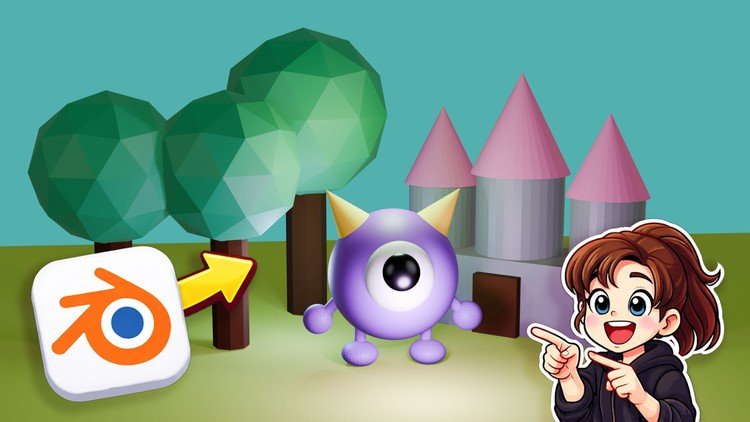
Your First 3D Scene in Object Mode
What You Will Learn:
- Understand the the Blender Interface
- Learn how to move around the 3D Workspace
- Learn to Remove and Add objects
- Learn to Rotate, Scale, Move Objects
- Learn basic texturing in Blender
Overview
Look, if you’ve ever opened Blender and felt like you were staring at the cockpit of a fighter jet, you aren’t alone. We’ve all been there. Most tutorials dive straight into complex sculpting or high-level geometry nodes, leaving you drowning in jargon. This course, “Blender 3D Basics for Beginners,” takes a refreshing, “no-ego” approach. Instead of overwhelming you with the beginner to advanced spectrum all at once, it focuses strictly on the Object Mode workflow. It’s essentially a hands-on lab designed to break that initial paralysis.
What I appreciated most as a tech professional is how it respects your time. It doesn’t just show you where the buttons are; it explains the spatial logic of a 3D environment. We often underestimate the “muscle memory” required for 3D work. By focusing on a single, real-world project—creating your first scene—the course bridges the gap between theoretical knowledge and job-ready skills. It treats Blender as what it is: an industry-standard tool that requires a solid foundation before you can start worrying about complex rendering pipelines. It’s about getting comfortable in the “sandbox” before you try to build a castle.
Prerequisites
- A computer (Windows, macOS, or Linux) that meets the minimum Blender hardware requirements—ideally with a dedicated GPU if you plan on doing heavy rendering later.
- A three-button mouse (the scroll wheel is non-negotiable for viewport navigation).
- A basic understanding of file management and a healthy dose of patience for the initial learning curve.
- No prior experience with 3D modeling or industry-standard tools is required; this is a ground-zero starting point.
Skills & Tools
- The Blender Interface: Mastering the non-overlapping window system and customizing your workspace for maximum efficiency.
- Viewport Navigation: Learning to fly through 3D space using the middle mouse button and shortcut keys (the “secret sauce” of pro workflows).
- Object Manipulation: Precision control over the Move, Rotate, and Scale transforms—the bread and butter of any 3D layout.
- Scene Management: Understanding the “Outliner” to add, remove, and organize objects without cluttering your project.
- Basic Texturing: An introduction to the Shader Editor, focusing on how light and color interact with 3D surfaces to create visual depth.
Career Benefits & Job Roles
In today’s market, 3D literacy isn’t just for Pixar animators anymore; it’s becoming a core requirement for career growth across multiple tech sectors. Whether you are looking at certification prep for creative roles or just trying to expand your toolkit, these skills are highly transferable. If you can navigate Blender, you can pick up almost any other 3D software used in industry-standard pipelines.
Mastering these basics can lead to roles such as:
- Junior 3D Artist: Creating assets for indie games or architectural visualizations.
- UI/UX Designer: Incorporating 3D elements into modern web interfaces and mobile apps.
- AR/VR Developer: Building the foundational environments for immersive experiences.
- Product Designer: Prototyping physical goods in a digital space before they go to manufacturing.
By focusing on job-ready skills early on, you position yourself as a versatile “T-shaped” professional who understands the spatial dimension of digital product design.
Pros
- Practical Pace: The course avoids the “tutorial hell” trap by forcing you to actually build something. This hands-on lab approach ensures the information actually sticks.
- Focus on Fundamentals: By sticking to Object Mode, it prevents the cognitive overload that usually happens when beginners accidentally toggle into complex mesh editing modes.
- Workflow Efficiency: It teaches you the right way to do things from day one, emphasizing shortcuts and clean scene organization that are vital for real-world projects.
- High ROI: For a beginner course, the production value is clear, and the instructions are concise, making it a great first step for career growth in the creative tech space.
Cons
The only real “catch” here is that the course is strictly introductory. While it’s perfect for getting your feet wet, you won’t learn “Edit Mode” (mesh manipulation) or advanced lighting. If you’re looking to go from beginner to advanced in a single weekend, this isn’t that course—it’s a focused deep-dive into the interface and basic transforms, which might feel too slow for someone who has already dabbled in 3D before.