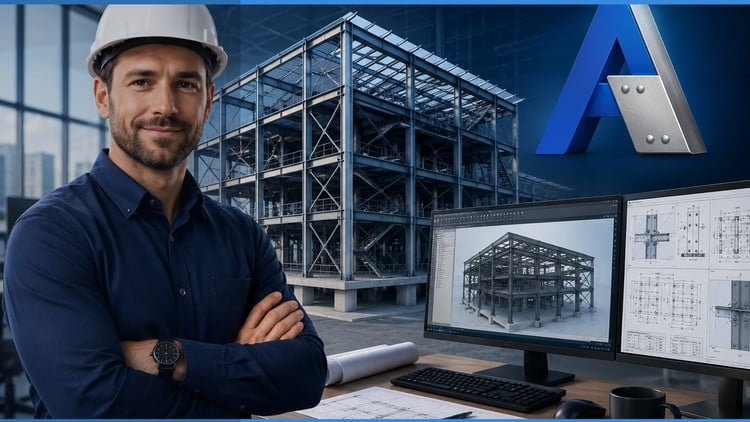
Structural steel design, steel structure modeling & PEB design with Autodesk Advance Steel – beginner to professional.
What You Will Learn:
- Configure Autodesk Advance Steel templates, project settings, and display configurations from scratch
- Create and customize drawing styles for detail, plan, elevation, and anchor plan views in Advance Steel
- Set up beam, column, bracing, bolt, weld, and plate labels for professional structural steel drawings
- Model and manage structural steel structures including railings, clip angles, handrails, and anchor bolts
- Design and configure PEB (Pre-Engineered Building) drawing processes and prototype folder management
- Apply part numbering, custom materials, model roles, and management tools for steel structure projects
- Generate shop drawings with proper revision control, level symbols, and drawing title configurations
- Build a complete Advance Steel workflow from template setup to final shop drawing production
- Steel detailers and draftsmen looking to create professional shop drawings using Advance Steel
- Structural steel fabricators and contractors who want to streamline their shop drawing production process
Overview
This isn’t just another software tutorial; it’s a comprehensive deep dive into Autodesk Advance Steel 2026, positioning itself as *the* guide for anyone serious about mastering steel design and detailing. From a blank screen to a fully detailed set of shop drawings, it promises a complete journey. It’s clearly structured to take a user with little to no prior Advance Steel experience and elevate them to a proficient level, capable of handling complex real-world projects with confidence. My initial take? If you’ve been looking for a single resource to bridge the gap between theoretical structural knowledge and practical application using an industry-standard tool like Advance Steel, this could be your golden ticket. It focuses heavily on establishing efficient workflows, which, let’s be honest, is where most real-world efficiency gains are made in any detailing office.
Prerequisites
While the course positions itself as beginner to professional, it’s not for someone completely new to the concept of structural steel or CAD in general. You’ll definitely want a basic understanding of engineering drawings and some familiarity with CAD environments (like AutoCAD) to hit the ground running. Having a foundational grasp of structural steel components – beams, columns, bracing, connections – will make the technical aspects of Advance Steel much easier to absorb. No prior Advance Steel experience is strictly necessary, but a willingness to dive deep and get your hands dirty with the software is a must. Don’t expect to just passively watch; this is an active learning experience that demands engagement.
Skills & Tools
This guide is a powerhouse for developing crucial job-ready skills. You’ll learn to configure Advance Steel templates from the ground up, moving beyond default settings to create a truly bespoke and efficient working environment. Customizing drawing styles for various views—detail, plan, elevation, anchor plans—becomes second nature, allowing for rapid generation of project documentation. The course excels in teaching you how to set up intelligent labeling for every component, from bolts and welds to plates, ensuring your structural steel drawings meet professional standards and clarity.
Beyond the aesthetics, the practical modeling skills are invaluable. You’ll tackle everything from basic beams and columns to complex elements like railings, clip angles, handrails, and anchor bolts. A significant chunk covers PEB (Pre-Engineered Building) design processes, which is a major value-add for anyone in that specific niche. Learning about part numbering, custom materials, and robust model management tools means you’re not just drawing, you’re building a truly intelligent 3D model. The capstone is undoubtedly the ability to generate precise shop drawings, complete with revision control, level symbols, and custom title blocks—essential for any fabricator. Essentially, you’re learning the complete Advance Steel workflow, an end-to-end solution for steel detailing.
Career Benefits & Job Roles
For steel detailers and draftsmen, this course is a direct path to elevating your output quality and efficiency, potentially leading to significant career growth. Mastering Advance Steel means you can produce professional shop drawings faster and with fewer errors, making you an incredibly valuable asset. Structural steel fabricators and contractors will find immense benefit in streamlining their own shop drawing production processes, reducing lead times and improving project coordination. This skillset is highly sought after in the construction and engineering sectors. Furthermore, completing such a comprehensive course, especially one focusing on industry-standard tools, often serves as excellent groundwork for eventual certification prep (though the course itself isn’t a certification). It equips you with the practical, hands-on labs experience and the ability to tackle real-world projects required for these roles.
Pros
- Comprehensive Workflow Coverage: The course truly delivers on its promise of a “complete” guide, covering every aspect from initial template setup to final shop drawing generation and revision control. It’s an end-to-end solution.
- Focus on Customization: Unlike many basic tutorials, this one dives deep into customizing templates, drawing styles, and labels. This is critical for real-world application where company standards vary.
- PEB Design Integration: The inclusion of PEB drawing processes is a significant differentiator, catering to a specific, high-demand segment of the steel industry. This makes the skills directly transferable to specialized real-world projects.
- Practical, Job-Ready Skills: The emphasis is clearly on developing skills that translate directly to the workplace, preparing individuals for roles as professional detailers and increasing efficiency for fabricators.
Cons
- Steep Learning Curve for True Beginners: While advertised as “beginner to professional,” someone completely unfamiliar with structural steel concepts or CAD software might find the initial pace and depth challenging. A basic understanding of engineering principles and CAD is implicitly expected, making it perhaps more suitable for an advanced beginner rather than a complete novice.