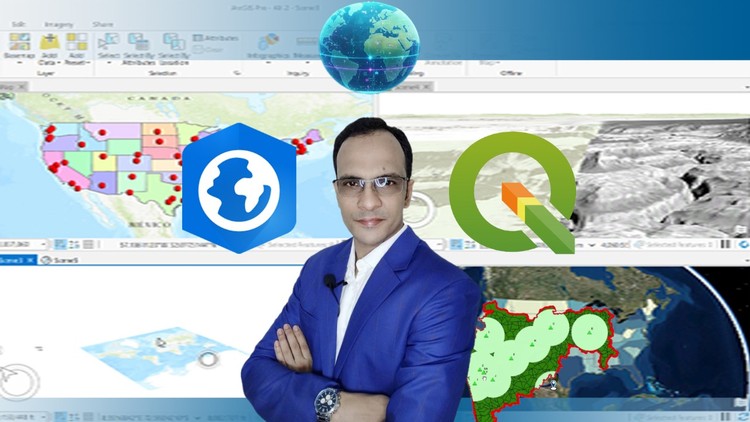
If You Want to Learn Both ArcGIS Pro and QGIS to Choose A Suitable Software for Your Particular GIS Task, Then Enroll.
What You Will Learn:
- How to Get and Install ArcGIS Pro Software Free for 23 Days
- QGIS Download and Installation Steps with Detail Explanation
- User Interface of ArcGIS Pro and QGIS
- Plugins of QGIS
- What is GUI?
- GIS
- Web GIS
- Languages of Web GIS
- Create Shapefile, Layers & Layer Group
- What is EPSG:4326
- Show more
Alright folks, let’s talk GIS software. If you’ve been circling the wagons, trying to figure out whether to dive headfirst into ArcGIS Pro or the ever-popular QGIS, or perhaps you’re like me and believe knowing both is just good practice for any serious GIS professional, then this course, ‘ArcGIS Pro vs QGIS Level 1: Fundamental’, is definitely worth a look. The caption says it all: if you want to equip yourself to make an informed decision about which tool best suits your specific GIS needs, this is your starting point.
Overview
This course offers a really practical approach to getting acquainted with two of the biggest players in the GIS software arena. It’s not about declaring a “winner,” but rather equipping you with the foundational knowledge to navigate and understand the core functionalities of both ArcGIS Pro and QGIS. What I appreciated most was the no-nonsense guide to installation, including a valuable heads-up on getting ArcGIS Pro for a free trial – a critical first step for many who might be hesitant about the initial investment. The breakdown of their respective user interfaces is also a smart move. Understanding the layout and where to find things in each application is half the battle when you’re starting out. They also touch upon the importance of plugins in QGIS, which is a massive advantage for extending its capabilities, and give a decent primer on GIS and Web GIS, including the languages that power it. For those unfamiliar, the explanation of a GUI is also helpful, ensuring everyone’s on the same page.
Prerequisites
Honestly, the prerequisites are pretty minimal, which is a huge plus for this course. You don’t need to be a seasoned GIS guru to jump in. A basic understanding of computers and how to navigate software is pretty much it. If you’ve ever installed an application before, you’re likely good to go. However, having some curiosity about mapping and spatial data will definitely enhance your learning experience.
Skills & Tools
By the end of this course, you’ll be comfortable with:
- Downloading and installing both ArcGIS Pro and QGIS.
- Navigating the user interfaces of both software packages.
- Understanding basic GIS concepts and the emerging field of Web GIS.
- Creating fundamental spatial data structures like Shapefiles, Layers, and Layer Groups.
- Grasping the significance of spatial reference systems, specifically mentioning EPSG:4326.
- Getting a glimpse into how plugins can expand QGIS functionality.
The hands-on nature of following installation guides and understanding the interface builds a solid foundation for future learning and potential certification prep.
Career Benefits & Job Roles
In today’s job market, proficiency in industry-standard tools is paramount. Knowing both ArcGIS Pro and QGIS gives you a significant edge. Employers often look for candidates who are flexible and can work with either platform, or even integrate data between them. This course directly contributes to building job-ready skills. The foundational knowledge gained here is a stepping stone towards roles like GIS Technician, GIS Analyst, or even more specialized positions where spatial data management is key. It’s about developing those real-world projects capabilities that hiring managers want to see. Ultimately, this can lead to significant career growth.
Pros
- Comprehensive Introduction to Both Platforms: This is the absolute standout. It doesn’t force you into one camp but gives you a fair overview of two essential GIS tools, which is incredibly valuable for making informed decisions about your workflow and future software investments.
- Practical Installation Guides: The step-by-step instructions for downloading and installing both ArcGIS Pro (including the trial) and QGIS are extremely helpful, especially for beginners who can get bogged down at this initial stage.
- Foundation for Further Learning: It effectively demystifies the core interfaces and basic data creation, providing a solid launchpad for diving deeper into more advanced topics or specific applications of GIS.
Cons
My honest take? While this is an excellent introductory course, it’s exactly that – introductory. The content is fundamental, so don’t expect to be building complex spatial models or performing advanced geoprocessing by the end. It’s designed to get you comfortable with the basics, which is great, but you’ll definitely need to pursue further, more advanced training to become truly proficient and tackle complex, real-world GIS challenges.