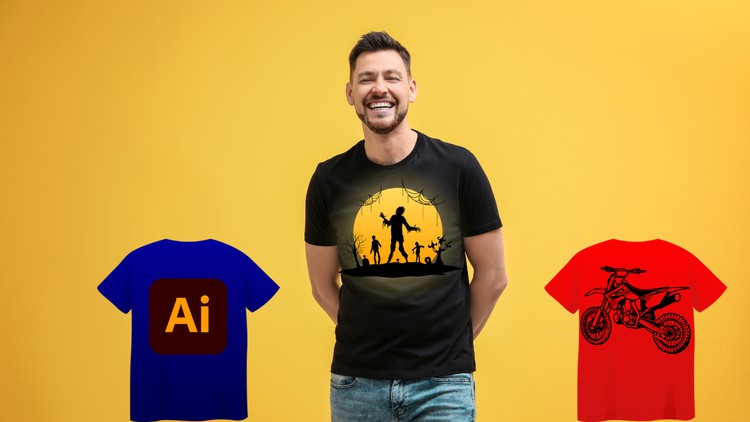
Become a T-Shirt Design Pro: Create Eye-Catching Tees with Illustrator
What you will learn
Introduction to T-Shirt Design
Getting Started with Adobe Illustrator for T-Shirt Design
Creating Colorful Typography T-Shirt Design
Text & Shapes based Design
Creative Rockstar T-Shirt Design Using Basic Shapes And Art Brush
Designing a Comic Based T-Shirt
Simplistic Slogan Based T-Shirt Design
Creating an Amazing Fitness T-Shirt Design
Creating a Hot-Selling T-Shirt Design
Turning Plain Text into an Awesome T-Shirt Design
Quick & Powerful Techniques for T-Shirt Design
Using Free Resources for Designers
Description
Design Your Dream Tee: Master T-Shirt Design with Adobe Illustrator
Ever dreamed of creating your own unique and eye-catching t-shirt designs?
This course will turn your vision into reality! We’ll guide you through the exciting world of t-shirt design using Adobe Illustrator, the industry-standard software for creating professional vector graphics.
What you’ll learn:
- T-Shirt Design Fundamentals: Grasp the key concepts of t-shirt design, including composition, typography, and color theory for maximum impact.
- Mastering Illustrator: Unlock the potential of Adobe Illustrator as you explore the tools and techniques specifically suited for t-shirt design.
- Concept to Creation: Learn a structured design process, from brainstorming ideas and sketching concepts to finalizing your design for print.
- Working with Text & Graphics: Master the art of incorporating text and graphics into your designs, including creating custom typography and eye-catching illustrations.
- Color Confidence: Develop your color palette skills to create visually appealing and brand-consistent designs.
- Print-Ready Files: Learn how to prepare your artwork for professional printing, ensuring crisp and vibrant results on your finished t-shirts.
- Design Inspiration: Explore a library of design examples and industry trends to spark your creativity and elevate your design style.
This course is perfect for:
- Beginners with no prior design experience
- Aspiring t-shirt designers and entrepreneurs
- Anyone who wants to create custom t-shirts for personal projects or businesses
- Creatives who want to expand their design skillset with Adobe Illustrator
By the end of this course, you’ll be able to:
- Design stunning and print-ready t-shirts using Adobe Illustrator
- Develop a strong understanding of t-shirt design principles
- Confidently work with typography, graphics, and color in your designs
- Prepare your artwork for professional printing
Content
Introduction
Overview
Alright, let’s talk shop about “Adobe Illustrator for T-Shirt Design: From Sketch to Print.” As someone who’s tinkered with design tools for years, I’ve seen countless courses promise the moon and deliver a pebble. This one, however, genuinely surprised me with its grounded, practical approach. It’s not just another “learn Illustrator” course; it’s laser-focused on a tangible, marketable skill: designing apparel. What I particularly appreciated was the clear journey it lays out, taking you from the initial spark of an idea – whether it’s a rough doodle or a concept in your head – all the way through to preparing a print-ready file. It’s a pragmatic deep dive into how to leverage one of the industry’s most powerful industry-standard tools for a specific, creative outcome.
Forget abstract theories for a moment; this course immediately dives into creating actual designs you could hypothetically sell tomorrow. It smartly covers the gamut of popular T-shirt aesthetics, from punchy typography and bold geometric shapes to more intricate comic-style illustrations and sleek fitness motifs. It’s structured to build your confidence progressively, moving from simpler, impactful designs to more complex compositions. For anyone looking to add a robust, job-ready skill to their portfolio or even start a side hustle, this course cuts directly to the chase without unnecessary fluff, delivering genuine real-world projects you can be proud of.
Prerequisites
While the course covers the basics of Illustrator for T-shirt design, a complete novice might find the initial pace a tad brisk. If you’ve never opened Adobe Illustrator before, I’d suggest familiarizing yourself with the interface and basic tool functions beforehand. You don’t need to be an expert, but a foundational understanding of vector graphics – what they are, why they’re used – will definitely make your learning curve smoother. That said, it does a commendable job of guiding you through the essential tools specific to the task at hand, making it suitable for those ready to move from a beginner to advanced understanding within the T-shirt design niche.
Skills & Tools
By the end of this course, you’ll be far more than just an Illustrator operator. You’ll gain practical expertise in:
- Mastering core Illustrator tools and techniques specifically for T-shirt graphics.
- Developing strong typography skills to create impactful text-based designs.
- Understanding vector graphic principles for scalability and print readiness.
- Creating custom art brushes and manipulating shapes for unique aesthetics.
- Applying effective color theory relevant to apparel printing.
- Preparing print-ready files, understanding separations, and handling various output formats.
- Conceptualizing and executing diverse T-shirt design styles, from minimalist slogans to complex illustrations.
The primary tool, of course, is Adobe Illustrator. The course effectively showcases its power, turning it from a complex program into a focused design powerhouse for your apparel ambitions.
Career Benefits & Job Roles
The skills you pick up here translate directly into tangible career growth opportunities. This isn’t just a hobbyist course; it equips you with professional-grade capabilities. You could realistically pursue roles such as:
- Freelance Graphic Designer: Offering specialized T-shirt design services to clients.
- Apparel Designer: Working for clothing brands, fashion houses, or print-on-demand companies.
- E-commerce Entrepreneur: Launching your own T-shirt brand on platforms like Etsy, Shopify, or print-on-demand services.
- Print Shop Technician: Understanding the design side helps immensely in print production roles.
- Digital Artist: Expanding your portfolio with vector-based artwork for various applications beyond just tees.
The emphasis on hands-on labs and project-based learning means you’re building a portfolio as you go, which is invaluable for demonstrating your job-ready skills to potential employers or clients.
Pros
- Highly Practical & Project-Oriented: This isn’t just theory; you’re immediately creating diverse, finished T-shirt designs. This hands-on approach is fantastic for cementing learning and building a portfolio.
- Comprehensive “Sketch to Print” Workflow: It truly covers the entire process, demystifying file preparation for different printing methods, which is a critical, often overlooked aspect of apparel design.
- Accessible for Aspiring Designers: While a tiny bit of Illustrator familiarity helps, the instructor breaks down complex processes into manageable steps, making it approachable for those transitioning into specialized design.
- Diverse Design Styles Covered: By tackling various aesthetics (typography, comic, fitness, rockstar), the course broadens your creative toolkit and adaptability as a designer.
Cons
- No Dedicated Certification Prep: While it provides excellent job-ready skills, this course isn’t geared towards official certification prep for Adobe Illustrator. If your primary goal is to pass an Adobe Certified Professional exam, you’d need supplementary resources focused on the exam objectives.