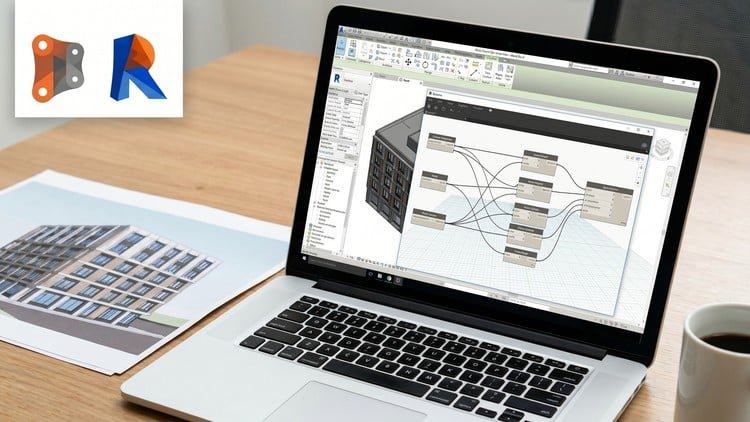
Automate levels, grids, walls, dimensions, tagging, finishes & materials in Revit using Dynamo with real workflows
What You Will Learn:
- Automate repetitive Revit tasks using Dynamo, including walls, grids, beams, and columns to significantly boost your productivity.
- Create powerful Dynamo scripts to automate dimensions, tagging, and annotations in Revit projects with real-world workflows.
- Build parametric workflows using points, vectors, and geometry to control and automate complex Revit modeling tasks.
- Automate finishes, materials, and BIM data management in Revit using Dynamo for faster and more efficient project delivery.
- Apply intermediate Dynamo techniques to solve real BIM challenges and reduce manual work in professional Revit projects.
- Show more
Why This Course Changes the Game for BIM Professionals
Look, let’s be honest: if you’re still manually placing 500 tags or drawing room finishes one by one in Revit, you’re not just wasting time—you’re losing money. I’ve been in the AEC industry for a while now, and the gap between a “draftsman” and a BIM Specialist is exactly what this course addresses. The “Master Dynamo for Revit in Hindi | Intermediate Level” isn’t your typical surface-level tutorial. It hits that sweet spot where you move past the “cool geometry” phase and actually start solving real-world BIM challenges that keep project managers up at night.
What really caught my eye about this specific course is the medium of instruction. High-level computational design content is usually locked behind a language barrier for many talented professionals in India. By teaching this in Hindi, the instructor strips away the academic jargon and gets straight to the logic. It feels like a senior colleague sitting next to you, showing you the ropes of industry-standard tools. This isn’t just about connecting nodes; it’s about shifting your mindset from “drawing” to “programming” your building data.
The focus on intermediate level techniques is crucial. Most free tutorials cover the basics of “Hello World” in Dynamo, but they leave you hanging when the list management gets messy or when you need to handle complex Revit modeling tasks across multiple phases. This course bridges that gap by diving into the “why” behind the automation, ensuring you aren’t just copying a script, but building a job-ready skill set that can be adapted to any office’s standards.
What You Need Before You Start
Don’t jump into this if you’ve never opened Revit. This is an intermediate level course, and you’ll get frustrated if you don’t have the foundations down. To truly benefit from the hands-on labs, you should have:
- A solid grasp of Revit’s native environment (how families, types, and instances interact).
- A basic understanding of the Dynamo UI (you should at least know how to place a node and search for a package).
- A mindset for BIM coordination—you need to understand the manual workflow before you can automate it.
- A machine with Revit and Dynamo already installed to follow along with the real-world projects.
The Tools and Skills You’ll Master
The curriculum is packed with industry-relevant content that goes far beyond simple geometry. You aren’t just making “twisting towers”; you’re building productivity tools. Key takeaways include:
- Data Management: Learning how to push and pull BIM data between Excel and Revit for rapid schedule updates.
- List Logic: Mastering lacing and list levels, which is where most beginners quit. This is the secret sauce for intermediate Dynamo.
- Annotation Automation: Building scripts that handle tagging and dimensions—the most tedious part of any CD (Construction Documentation) set.
- Geometry Manipulation: Using points and vectors to drive parametric workflows that would be impossible to model manually.
- Finish & Material Automation: Automatically generating floor finishes or wall skins based on room data—a massive time-saver for large-scale projects.
Career Growth and Job Roles
Completing a course like this is a major stepping stone for career growth. In today’s market, “knowing Revit” is the bare minimum. Firms are looking for people who can optimize VDC (Virtual Design and Construction) workflows. This course acts as a solid certification prep for internal company advancements or external BIM manager roles. Possible job roles include:
- BIM Coordinator: Managing large-scale models and ensuring data integrity through automation.
- Computational Design Lead: Setting up the logic for complex facades or repetitive layouts.
- Revit Specialist: Being the “go-to” person for fixing broken workflows and speeding up production.
- VDC Engineer: Focusing on the construction side by automating take-offs and material management.
Pros: Why This Course Stands Out
- Contextual Learning: It focuses on real-world workflows. You aren’t building abstract shapes; you’re automating walls, grids, and finishes that you actually use in a professional office.
- Native Language Advantage: The Hindi instruction makes complex logic much easier to digest, allowing for a deeper understanding of computational BIM concepts without getting lost in translation.
- Logic-First Approach: The instructor emphasizes the “why” behind node connections, which is essential for troubleshooting your own scripts later.
- Time-Efficiency: It respects your time by focusing on repetitive Revit tasks that yield the highest ROI (Return on Investment) for your billable hours.
The Honest Cons
While the course is excellent, it’s not perfect. One thing to watch out for is that it doesn’t dive deep into Python scripting within Dynamo. While nodes can do 90% of the work, an intermediate-to-advanced user eventually hits a wall where a little bit of code is needed. If you’re looking to become a full-blown BIM Developer, you’ll need to supplement this course with Python basics later. However, for a Dynamo-focused intermediate path, it’s a solid win.