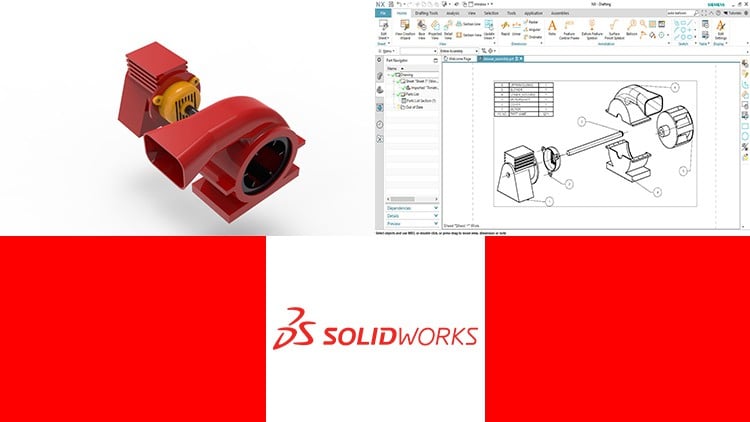
For Basic and Intermediate Users
⏱️ Length: 9.3 total hours
⭐ 4.32/5 rating
👥 114,212 students
🔄 July 2020 update
Add-On Information:
Note➛ Make sure your 𝐔𝐝𝐞𝐦𝐲 cart has only this course you're going to enroll it now, Remove all other courses from the 𝐔𝐝𝐞𝐦𝐲 cart before Enrolling!
-
Course Overview
- Embark on an immersive journey with ‘Learning SOLIDWORKS,’ a meticulously crafted course for students, engineers, and designers across basic and intermediate levels. Spanning 9.3 total hours of focused instruction, it’s your definitive guide to mastering industry-standard 3D CAD software. Highly acclaimed with a 4.32/5 rating from over 114,212 students, and updated in July 2020, this course empowers you to confidently translate complex concepts into precise, manufacturable digital prototypes, aligning your skills with contemporary industry demands.
- You will navigate SolidWorks’ intuitive environment, leveraging its powerful toolset for mechanical design, visualization, and engineering analysis. The curriculum progressively builds from interface fundamentals to advanced geometric constructions, parametric modeling principles, and robust assembly methodologies, instilling practical insights into design intent and best practices for creating adaptable, production-ready models.
-
Requirements / Prerequisites
- A functional installation of SOLIDWORKS software (recent version recommended) is essential for hands-on practice.
- Basic computer literacy, including OS navigation and file management, is expected for course engagement.
- No prior CAD experience is required, but a keen interest in mechanical design or product development is beneficial.
- A stable internet connection is necessary to access all course materials and resources effectively.
-
Skills Covered / Tools Used
- Parametric Feature-Based Modeling: Develop expertise in intelligent 3D model construction, driven by dimensions and relations, for efficient iteration and design intent preservation.
- Precision 2D Sketching & Constraints: Master creating robust 2D sketches using geometric relations, intelligent dimensioning, and sketch blocks, foundational for controlled model geometry.
- Core Solid Part Creation: Gain proficiency in fundamental solid features like extrudes, revolves, sweeps, lofts, plus advanced operations such as shells, ribs, drafts, fillets, and chamfers.
- Strategic Assembly Creation & Mating: Construct complex assemblies using diverse mate types, advanced mates, and component patterning for efficient, organized assembly management.
- Assembly Analysis & Exploded Views: Utilize tools for interference detection and generate professional exploded views with accurate lines for clear assembly process documentation.
- Foundational Surface Modeling: Acquire techniques for crafting smooth, organic shapes via lofted, boundary, filled, and ruled surfaces, including knitting, trimming, and extending for complex aesthetics.
- Direct Editing & Imported Geometry: Develop skills in modifying geometry without feature history, essential for imported files, covering moving faces, deleting features, and repairing non-native CAD data.
- Professional Technical Drawing Generation: Produce industry-standard 2D engineering drawings from 3D models, complete with views, sections, details, dimensions, and annotations for manufacturing communication.
-
Benefits / Outcomes
- Accelerated Career Advancement: Gain high SolidWorks proficiency, boosting employability in diverse design and engineering roles.
- Enhanced Professional Portfolio: Build a robust portfolio of 3D models and designs, showcasing practical skills to employers.
- Streamlined Design Workflow: Master transforming concepts into manufacturable 3D models with speed, accuracy, and engineering principles.
- Foundation for Certification: Acquire core knowledge to successfully pursue official SolidWorks certifications (e.g., CSWA, CSWP).
-
PROS
- Highly Acclaimed & Current: Exceptional 4.32/5 rating from 114,000+ students, coupled with a July 2020 update, ensures proven quality and industry relevance.
- Comprehensive & Accessible: Perfectly tailored for basic and intermediate users, offering a complete learning path from core fundamentals to advanced techniques.
- Flexible Self-Paced Learning: The online format allows convenient, self-paced study, making deep content mastery achievable for varied schedules.
-
CONS
- True mastery and practical speed in SolidWorks require significant independent practice beyond the course’s structured 9.3 hours, which primarily establishes a strong foundation.
Learning Tracks: English,Design,Design Tools
Found It Free? Share It Fast!