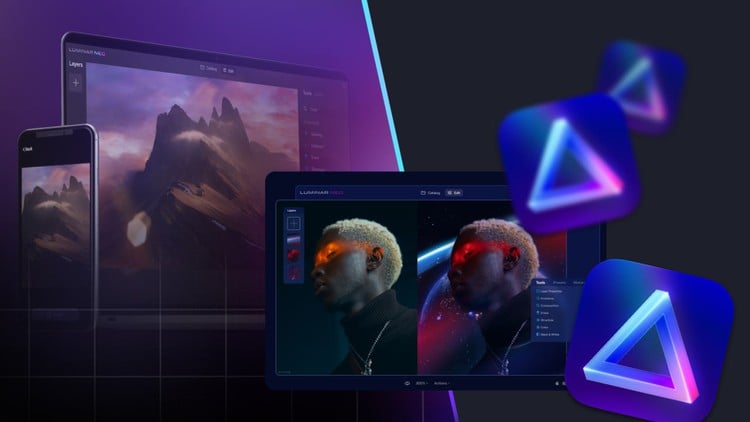
Unleash Your Creative Potential: Master the Art of Photo Editing
⏱️ Length: 2.0 total hours
⭐ 4.48/5 rating
👥 44,519 students
🔄 September 2023 update
Add-On Information:
Note➛ Make sure your 𝐔𝐝𝐞𝐦𝐲 cart has only this course you're going to enroll it now, Remove all other courses from the 𝐔𝐝𝐞𝐦𝐲 cart before Enrolling!
- Course Caption: Unleash Your Creative Potential: Master the Art of Photo Editing Length: 2.0 total hours 4.48/5 rating 44,519 students September 2023 update
- Course Overview
- Beyond simple adjustments, this course establishes a strong foundation in visual storytelling through post-processing, guiding you from basic correction to artistic enhancement. It helps you understand the creative philosophy behind compelling images.
- Explore the transformative journey from merely capturing a scene to defining its mood and message, appreciating how deliberate editing shapes perception and emotional impact.
- Learn to interpret and intuitively respond to the light, color, and composition within your photographs, turning raw captures into polished works that resonate with your unique artistic voice.
- Discover the profound power of digital manipulation to express your individual creative vision, moving beyond merely ‘fixing’ photos to actively ‘crafting’ them into visual masterpieces.
- Understand the evolving landscape of digital imaging, encompassing both timeless traditional techniques and cutting-edge innovations, including the integration of artificial intelligence.
- Position your photography for maximum impact across various platforms, from developing a personal portfolio to preparing images for professional presentations and online sharing.
- This comprehensive guide serves as your essential entry point into transforming ordinary snapshots into extraordinary visual narratives, emphasizing practical application and continuous creative exploration for every aspiring photo editor.
- Requirements / Prerequisites
- A basic understanding of photography concepts (e.g., aperture, shutter speed, ISO) is beneficial for context but not strictly required, as the primary focus remains on post-processing techniques.
- Access to a modern computer (Windows or macOS) capable of efficiently running contemporary photo editing software is necessary.
- While not mandatory, having a personal collection of your own photographs to practice with will significantly enhance the learning experience and allow for immediate application of skills.
- A genuine willingness to experiment, explore diverse editing tools, and cultivate a critical eye for image aesthetics is paramount for success in this course.
- No prior experience with specific photo editing software is assumed or required, ensuring the content is truly accessible and beginner-friendly.
- An active internet connection is needed for software downloads, updates, and accessing supplementary course resources and community support.
- A curious mind and an intrinsic passion for visual communication and artistic expression are your most valuable assets for embarking on this transformative learning journey.
- Skills Covered / Tools Used
- Creative Vision Development: Cultivate an acute eye for identifying an image’s latent potential and systematically translating that vision into a refined and impactful final product.
- Digital Asset Management (DAM) Fundamentals: Grasp core principles for organizing, cataloging, and efficiently retrieving your growing image library, laying the groundwork for a professional and sustainable workflow.
- Non-Destructive Editing Techniques: Master advanced strategies that allow for limitless adjustments and modifications without ever altering the original image data, preserving maximum flexibility and quality.
- Intuitive Color Theory Application: Learn to subtly manipulate hues, saturation, and luminance to evoke specific emotions, enhance visual harmony, and establish a consistent aesthetic across your photographs.
- Advanced Tonal Adjustments: Gain precise proficiency in shaping light and shadow, expertly using curves, levels, and local adjustments to create profound depth, compelling drama, and intricate dimension within your images.
- Contextual Enhancement for Diverse Genres: Adapt your unique editing approach for various photographic subjects and genres, understanding the nuanced differences between landscape grandeur, intimate portraiture, and dynamic street photography.
- AI-Powered Workflow Integration: Explore the capabilities of intelligent automation features and machine learning within modern software to streamline repetitive tasks and accelerate creative breakthroughs, optimizing your editing time.
- Refined Retouching Methodologies: Acquire subtle yet impactful image refinement techniques, ranging from meticulous blemish removal and skin smoothing to sharpening focus and enhancing textures, ensuring professional-grade finishes.
- Cross-Platform Editing Acumen: Seamlessly navigate the strengths and limitations of both robust desktop and agile mobile editing environments, optimizing your workflow for different output needs and convenience.
- Efficient Export & Sharing Strategies: Prepare your images impeccably for various digital and print applications, understanding critical considerations like file formats, resolution requirements, and accurate color profiles for consistent results.
- Interactive Software Engagement: Develop practical fluency and hands-on expertise in industry-leading desktop applications such as Adobe Lightroom Classic/CC, Adobe Photoshop, and Luminar Neo, focusing on their unique strengths and integrated capabilities for a comprehensive toolkit.
- Mobile-First Editing Dexterity: Command popular smartphone applications like Picsart and Snapseed for high-quality, on-the-go edits, ensuring consistent aesthetic and technical excellence across all your devices.
- Batch Processing Automation: Discover powerful methods for applying consistent edits and presets across multiple images simultaneously, significantly boosting productivity for large projects and event photography.
- Benefits / Outcomes
- You will confidently transform your raw photographs into captivating, professional-looking images that truly reflect and amplify your artistic intent and personal vision.
- You will develop a personalized, highly efficient, and sustainable photo editing workflow that significantly saves time while maximizing your creative output and enjoyment.
- You will gain the advanced technical prowess and problem-solving skills to effectively tackle common photographic challenges, turning problematic shots into stunning successes.
- You will elevate your visual communication skills, enabling you to tell more compelling stories and convey deeper emotions through the art of your photography.
- You will unlock new avenues for profound personal expression and continuous artistic growth within the dynamic and ever-evolving digital medium.
- You will acquire a versatile and transferable skill set applicable across a wide array of photographic genres, from personal hobbies and passion projects to potential professional endeavors.
- You will empower your entrepreneurial spirit by learning how expertly edited photos can dramatically enhance your business’s brand image, market presence, and client appeal.
- You will make informed and strategic decisions about photo editing software and tools, understanding their comparative advantages, specialized features, and optimal use cases for your needs.
- You will confidently join a vibrant community of visual creators, equipped with the knowledge and vocabulary to discuss, critique, and deeply appreciate high-quality image post-production.
- You will experience the profound satisfaction of consistently seeing your creative vision brought to life, pushing the boundaries of what you thought possible with your camera and editing skills.
- You will achieve a deeper, more nuanced appreciation for the critical role of post-processing in modern photography, understanding its profound impact on both aesthetics and the intended message of an image.
- Pros
- Comprehensive Beginner Focus: Specifically designed to guide absolute beginners from foundational concepts to advanced techniques, ensuring a smooth, accessible, and progressive learning curve.
- Software Diversity: Offers exposure and practical training across multiple industry-standard and innovative AI-driven software, providing a holistic and well-rounded understanding of the contemporary editing landscape.
- Practical & Actionable: Emphasizes hands-on application, real-world scenarios, and practical exercises, enabling immediate implementation of newly acquired skills into your personal projects.
- Creative Empowerment: Moves beyond mere technical instruction to foster artistic development, encouraging students to develop their unique editing style and articulate their distinctive visual vision.
- Workflow Efficiency: Instills best practices for organizing, streamlining, and optimizing the entire editing process, which is crucial for both amateur enthusiasts and budding professionals seeking productivity.
- Business Integration: Uniquely addresses the tangible commercial benefits of skilled photo editing, offering practical insights into leveraging these abilities for professional growth and entrepreneurial success.
- Accessibility: Covers both robust desktop and convenient mobile editing solutions, making high-quality photo enhancement achievable regardless of your primary device or working environment.
- Up-to-Date Content: The September 2023 update ensures the course remains highly relevant with the latest software features, cutting-edge techniques, and current industry trends, particularly in AI photo editing.
- Cons
- The 2.0-hour total length might be perceived as relatively short for an “Ultimate Guide” that covers such a broad range of software and advanced concepts, potentially requiring additional independent practice or supplementary learning to fully master all topics.
Learning Tracks: English,Photography & Video,Photography Tools
Found It Free? Share It Fast!