Building Professional WordPress Sites From Scratch
👥 14 students
Add-On Information:
Note➛ Make sure your 𝐔𝐝𝐞𝐦𝐲 cart has only this course you're going to enroll it now, Remove all other courses from the 𝐔𝐝𝐞𝐦𝐲 cart before Enrolling!
-
Course Overview
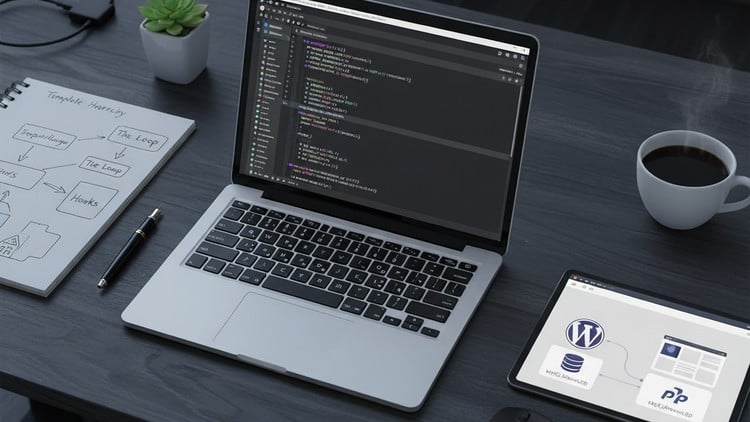
- This comprehensive bootcamp is meticulously designed to transform aspiring and intermediate developers into proficient WordPress professionals, capable of building advanced, custom-tailored websites from the ground up. Moving far beyond drag-and-drop builders or pre-built templates, you will delve into the core architecture of WordPress, learning to craft bespoke themes and powerful plugins that meet precise client specifications and performance demands.
- You will gain a deep understanding of WordPress’s underlying structure, database interactions, and the powerful API system that enables true customization. The course emphasizes a professional development workflow, incorporating modern coding standards, version control, and efficient debugging techniques.
- Through a project-based learning approach, you’ll tackle real-world scenarios, building a robust portfolio that showcases your ability to develop secure, scalable, and maintainable WordPress solutions. This isn’t just about using WordPress; it’s about mastering the art of extending and enhancing it to its full potential, preparing you for freelance opportunities or professional developer roles.
- With a practical, hands-on curriculum, you’ll understand not just the ‘how’ but also the ‘why’ behind WordPress development, empowering you to solve complex challenges and innovate within the ecosystem. The bootcamp is structured to foster critical thinking and problem-solving skills essential for any professional developer.
-
Requirements / Prerequisites
- A foundational understanding of web technologies, including HTML5, CSS3, and basic JavaScript (ES6+), is essential to hit the ground running.
- Familiarity with the general concepts of programming, specifically PHP fundamentals, will be highly beneficial. While not a strict prerequisite, basic PHP syntax and logic will be utilized from early on.
- Comfort using a text editor or Integrated Development Environment (IDE) like VS Code.
- Access to a computer with a reliable internet connection and administrative rights to install necessary software (e.g., local development environment tools).
- A strong desire to learn, an aptitude for problem-solving, and a commitment to dedicated practice are paramount for success.
- Basic user-level familiarity with the WordPress admin interface (e.g., creating posts, pages) is a plus, but no prior WordPress development experience is required.
-
Skills Covered / Tools Used
- Core WordPress Development Principles: Deep dive into the WordPress API, action and filter hooks, transients, WP_Query, database interaction via WPDB, and WordPress security best practices (nonces, sanitization, validation).
- Professional Theme Development: Mastering the WordPress template hierarchy, custom theme structure, responsive design integration, enqueueing scripts and styles correctly, developing custom headers/footers, and implementing custom navigation menus.
- Advanced Theme Features: Building and integrating Custom Post Types (CPT) and Custom Taxonomies, working with meta boxes, understanding theme options, and an introduction to Gutenberg block development for custom content structures.
- Robust Plugin Development: Crafting functional plugins from scratch, understanding plugin boilerplate, creating custom shortcodes and widgets, developing custom admin pages, and extending WordPress core functionality.
- PHP for WordPress: Utilizing Object-Oriented Programming (OOP) principles to structure themes and plugins, PHP Composer for dependency management, and efficient PHP debugging techniques.
- Front-end Technologies: Advanced HTML5 for semantic markup, modern CSS3 with preprocessors like Sass/Less for efficient styling, and JavaScript (ES6+) for interactive elements, including AJAX in WordPress.
- Version Control: Practical application of Git and GitHub for collaborative development, code management, branching strategies, and project versioning.
- Local Development Environments: Setting up and managing local development stacks using tools like Local by Flywheel, Docker, or server environments like XAMPP/MAMP/Valet/Laragon.
- Performance and Optimization: Strategies for optimizing WordPress sites for speed and efficiency, including caching, image optimization, and database query optimization.
- Deployment Strategies: Understanding basic deployment workflows from local to staging to live environments.
-
Benefits / Outcomes
- You will possess the expert knowledge and practical skills to design and build fully custom, professional-grade WordPress themes from the ground up, tailored to any client’s unique requirements.
- You will master the art of developing secure, efficient, and extensible WordPress plugins, capable of adding complex functionalities that seamlessly integrate with the WordPress core.
- You will gain a profound understanding of WordPress best practices, coding standards, and modern development workflows, ensuring your projects are maintainable, scalable, and future-proof.
- You will develop the confidence and technical prowess to tackle challenging WordPress development projects, moving beyond superficial customizations to true system-level enhancements.
- You will build a strong, diverse portfolio of custom WordPress themes and plugins, demonstrating your capabilities to potential employers or freelance clients.
- You will be well-equipped for a career as a freelance WordPress developer, a front-end or back-end WordPress specialist, or to enhance your existing web development skillset significantly.
- You will achieve a deep understanding of the entire WordPress ecosystem, empowering you to innovate and contribute effectively to the platform.
-
PROS
- Highly Practical and Project-Based: Learn by doing, building real-world projects that form a strong portfolio.
- Focus on Best Practices: Emphasizes industry-standard coding conventions, security, and performance.
- Comprehensive Coverage: Delivers a holistic understanding of both theme and plugin development.
- Empowers True Customization: Moves beyond basic site builders to enable complete control over WordPress functionality and design.
- Career-Ready Skills: Prepares you for professional roles in WordPress development, freelancing, or agency work.
- Deep Dive into Core: Fosters a fundamental understanding of how WordPress works under the hood.
-
CONS
- Requires a significant time commitment and dedicated effort to master the advanced concepts and tools.
Learning Tracks: English,IT & Software,Other IT & Software
Found It Free? Share It Fast!