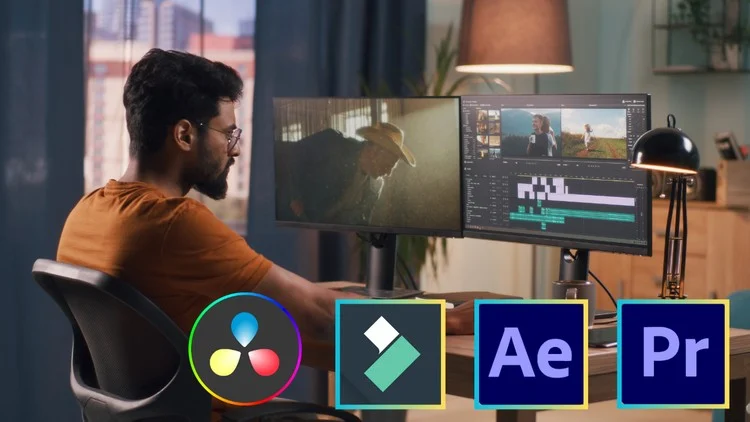
Learn Video Editing With Adobe Premiere Pro, Adobe After Effect, Filmora, Da Vinci Resolve
⏱️ Length: 17.0 total hours
⭐ 4.07/5 rating
👥 35,082 students
🔄 March 2025 update
Add-On Information:
Note➛ Make sure your 𝐔𝐝𝐞𝐦𝐲 cart has only this course you're going to enroll it now, Remove all other courses from the 𝐔𝐝𝐞𝐦𝐲 cart before Enrolling!
- Course Overview
- This comprehensive bootcamp serves as a bridge between creative vision and technical execution, guiding students through a 17-hour deep dive into the industry’s most powerful video manipulation platforms.
- The curriculum is meticulously structured to accommodate the March 2025 updates, ensuring that every lesson reflects the latest AI-enhanced tools and interface changes in modern editing software.
- Unlike singular-tool courses, this program focuses on a multi-platform workflow, teaching students when and why to use specific software for different creative objectives, from cinematic grading to social media shorts.
- Participants will explore the psychology of editing, learning how to manipulate pacing, rhythm, and visual continuity to evoke specific emotional responses from an audience.
- The course emphasizes a hands-on pedagogical approach, where theoretical concepts are immediately applied through practical exercises that mimic real-world professional assignments.
- By integrating Adobe, Blackmagic Design, and Wondershare ecosystems, the bootcamp prepares editors for a versatile career where they can adapt to any studio environment or client requirement.
- Requirements / Prerequisites
- A computer system (Windows or macOS) capable of running modern creative suites, preferably with a dedicated graphics card to handle real-time rendering and high-resolution playback.
- Active subscriptions or trial versions of Adobe Premiere Pro, After Effects, DaVinci Resolve, and Filmora to follow along with the specific technical demonstrations.
- Sufficient internal or external storage space (at least 50GB recommended) to house the high-definition project files, raw footage, and cache files used throughout the lessons.
- A basic understanding of file management, such as creating directory structures, unzipping assets, and navigating operating system folders.
- A foundational interest in visual storytelling and a commitment to practicing technical shortcuts, which are essential for developing a professional-grade editing speed.
- No prior experience in video editing is necessary, as the bootcamp is designed to build knowledge from the ground up, starting with the absolute basics of the digital interface.
- Skills Covered / Tools Used
- Adobe Premiere Pro: Mastering the non-linear editing interface, utilizing the Lumetri Color panel for basic corrections, and managing complex multi-track timelines for narrative projects.
- Adobe After Effects: Implementing motion graphics, understanding the layer-based compositing system, and using keyframes to create dynamic text animations and visual enhancements.
- DaVinci Resolve: Navigating the specialized Color Page to apply node-based grading, utilizing the Fairlight tab for cinematic audio mixing, and leveraging the Cut page for rapid assembly.
- Filmora: Exploiting the streamlined workflow for fast-turnaround content, using built-in transitions, and applying drag-and-drop effects perfect for YouTube and social media influencers.
- Technical Workflows: Learning the art of proxy editing to handle 4K or 8K footage on weaker hardware, and understanding the “Dynamic Link” between Adobe applications to save time.
- Audio Engineering: Syncing external audio recorders with camera scratch tracks, removing background noise, and balancing dialogue with ambient soundtracks and foley.
- Export Optimization: Choosing the correct codecs (H.264, HEVC, ProRes) and bitrates based on the final delivery platform, whether it be a mobile screen or a theater projector.
- Benefits / Outcomes
- The ability to transition seamlessly between different editing environments, making the student a highly “software-agnostic” professional who can work in any production house.
- Construction of a diverse professional portfolio featuring projects ranging from high-end cinematic color-graded clips to fast-paced, motion-graphic-heavy marketing videos.
- Significant improvement in organizational habits, including the use of bins, labels, and metadata to manage large-scale documentary or feature-length projects.
- Development of a “director’s eye” for editing, recognizing the optimal moments for “J-cuts” and “L-cuts” to maintain the narrative flow.
- Confidence to take on freelance opportunities across various niches, including corporate videography, wedding films, music videos, and digital advertisements.
- Access to a global community of over 35,000 students, providing a network for peer feedback, collaboration, and industry insights.
- PROS
- Offers a holistic education by covering four distinct software packages, providing the best value for students who want to be “all-in-one” creators.
- The March 2025 update ensures that the content remains relevant in the fast-evolving landscape of AI-assisted video editing features.
- The 17-hour duration is perfectly balanced—long enough to be comprehensive but concise enough to prevent student burnout.
- Taught with a focus on practical application, avoiding dry technical jargon in favor of “show-and-tell” instructional methods.
- CONS
- The breadth of covering four different major software applications may require students to spend significant additional time practicing independently to achieve true mastery in each individual tool.
Learning Tracks: English,Photography & Video,Video Design
Found It Free? Share It Fast!