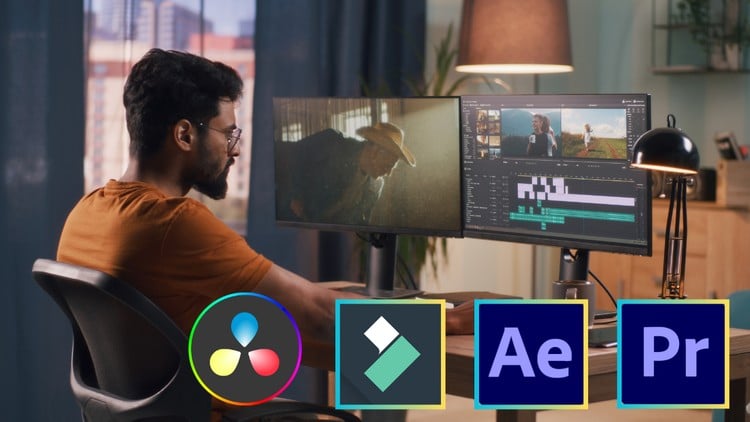
Learn Video Editing With Adobe Premiere Pro, Adobe After Effect, Filmora, Da Vinci Resolve
⏱️ Length: 17.0 total hours
⭐ 4.27/5 rating
👥 29,842 students
🔄 March 2025 update
Add-On Information:
Note➛ Make sure your 𝐔𝐝𝐞𝐦𝐲 cart has only this course you're going to enroll it now, Remove all other courses from the 𝐔𝐝𝐞𝐦𝐲 cart before Enrolling!
-
Course Overview
- This comprehensive bootcamp transforms aspiring editors into proficient video professionals, moving beyond basic software operation to strategic and artistic principles. Journey from foundational concepts to sophisticated, multi-layered edits, preparing you for diverse video projects with confidence and creativity.
- Embark on a dynamic learning adventure mastering the craft of visual communication. Learn to transform raw footage into compelling, audience-resonant narratives. Gain a holistic understanding of the entire post-production ecosystem, empowering precise and artistic storytelling across various platforms.
- Designed for ultimate accessibility, this bootcamp guides you through the complete video editing process, from media ingest to final export. Emphasizing hands-on application, you’ll understand not just how to use software, but why creative and technical decisions are made, adapting skills to industry demands and personal visions.
-
Requirements / Prerequisites
- Enthusiasm for Visual Storytelling: No prior editing experience required, but a genuine passion for creating engaging visual content and telling stories through moving images is highly recommended to drive your learning.
- Access to Computing Resources: A personal computer (PC or Mac) capable of running video editing software smoothly (fast processor, 16GB+ RAM, ample storage) is essential. A stable internet connection is crucial for course materials and software downloads.
- Software Access: Access to trial versions of Adobe Premiere Pro, Adobe After Effects, DaVinci Resolve (free available), and Wondershare Filmora is necessary to follow practical exercises across all platforms.
- Commitment to Practice: Consistent practice is key. Dedicate time outside lectures to apply concepts, experiment with techniques, and work on personal projects to truly internalize and build proficiency.
-
Skills Covered / Tools Used
- Cross-Platform Workflow Mastery: Gain strategic insight into selecting and leveraging the optimal editing software for specific project types, utilizing the unique strengths of Adobe Premiere Pro, Adobe After Effects, DaVinci Resolve, and Wondershare Filmora for efficient professional demands.
- Advanced Story Arc Construction: Develop a sophisticated understanding of narrative structure, pacing, and emotional resonance. Learn how strategic cuts, scene arrangement, and judicious transitions profoundly impact audience engagement, transforming footage into compelling stories.
- Performance Optimization Techniques: Master methods to enhance editing machine performance, including proxy workflows for 4K files, efficient cache management, and robust project organization, ensuring fluid editing even with demanding projects and boosting productivity.
- Professional Export and Delivery Standards: Master various output formats, codecs, and compression settings tailored for different distribution channels (e.g., YouTube, broadcast). Understand critical factors for maintaining visual quality while optimizing file size.
- Strategic Audio Post-Production & Sound Design: Move beyond basic adjustments to comprehensive sound design principles. Sculpt immersive soundscapes by layering ambient audio, effects, and musical scores, ensuring dialogue clarity and professional auditory balance.
- Creative Problem-Solving & Troubleshooting: Cultivate the ability to diagnose and resolve common post-production challenges like mismatched frame rates, corrupted media, or complex client feedback, developing a resilient problem-solving mindset essential for professional environments.
-
Benefits / Outcomes
- Build a Professional-Grade Portfolio: Conclude with a diverse collection of high-quality video projects, showcasing your mastery across various editing styles and software, essential for attracting clients or securing industry employment.
- Achieve Creative Autonomy: Gain technical proficiency and creative insight to bring virtually any visual concept to life, empowered to execute your unique artistic vision and transform ideas into captivating realities.
- Career Readiness & Freelance Confidence: Be equipped with practical skills and industry understanding to confidently pursue freelance opportunities, apply for junior to mid-level editing positions, or launch your own video production ventures.
- Become a Versatile Video Specialist: Develop adaptability to seamlessly transition between different editing platforms and project demands—from social media to corporate documentaries—making you an invaluable asset in any media production team.
- Master the Art of Visual Persuasion: Learn how to use editing as a powerful tool for persuasion and emotional engagement, crafting videos that not only look stunning but also effectively communicate messages and drive actions.
-
PROS
- Multi-Software Proficiency: Offers a significant advantage by training on multiple industry-standard tools (Premiere Pro, After Effects, DaVinci Resolve, Filmora), making graduates highly versatile and adaptable for diverse professional environments.
- Comprehensive “Bootcamp” Structure: Designed as a complete journey from beginner to expert, ensuring foundational understanding before progressing to advanced techniques for a robust skill set.
- Practical, Project-Based Learning: Emphasizes hands-on application through practical exercises, allowing students to immediately apply concepts and build a tangible, professional portfolio.
- Up-to-Date Content: The March 2025 update ensures material is current with the latest software versions and industry best practices, maximizing skill relevance in a rapidly evolving field.
- High Student Satisfaction: A 4.27/5 rating from nearly 30,000 students signifies a proven track record of quality instruction and positive learning outcomes.
-
CONS
- Significant Time and Resource Commitment: Mastering multiple complex software applications and advanced concepts within 17 structured hours, plus additional self-practice, demands substantial time, dedication, and suitable high-performance computing hardware.
Learning Tracks: English,Photography & Video,Video Design
Found It Free? Share It Fast!