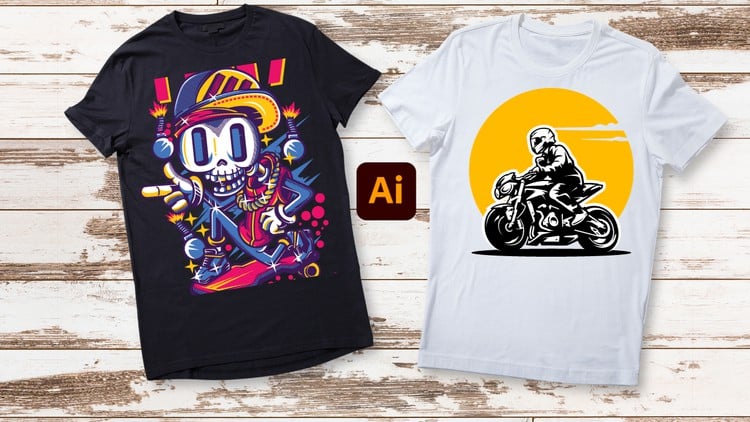
Unleash Your Creativity: From Beginner Brushstrokes to Expert Masterpieces – T-Shirt Design in Adobe Illustrator
⏱️ Length: 4.4 total hours
⭐ 4.21/5 rating
👥 19,213 students
🔄 November 2023 update
Add-On Information:
Note➛ Make sure your 𝐔𝐝𝐞𝐦𝐲 cart has only this course you're going to enroll it now, Remove all other courses from the 𝐔𝐝𝐞𝐦𝐲 cart before Enrolling!
- Course Overview
- Holistic Vector Design Philosophy: Immerse yourself in a comprehensive curriculum designed to transition your creative mindset from a hobbyist level to a professional vector artist specifically focused on the lucrative apparel industry.
- Structured Learning Trajectory: This course provides a meticulously scaffolded learning experience, ensuring that each of the 4.4 hours of content builds logically upon the last, moving from basic interface familiarity to complex compositional mastery.
- Production-Centric Curriculum: Unlike general graphic design courses, every module here is optimized for real-world application, teaching you the nuances of how digital designs translate onto physical textiles and varied fabric blends.
- Updated Industry Insights: With the November 2023 update, the course integrates contemporary design trends and the latest Adobe Illustrator features, ensuring your portfolio remains relevant in a rapidly evolving fashion marketplace.
- Scalable Creative Solutions: Learn the intrinsic value of vector graphics, focusing on how to create artwork that maintains perfect clarity whether it is printed on a small pocket logo or a massive oversized back-print.
- Professional Design Efficiency: Discover how to navigate the Adobe Illustrator workspace with speed and precision, utilizing shortcuts and professional workflows that significantly reduce the time between concept and completion.
- Requirements / Prerequisites
- Adobe Illustrator Software Access: A functional subscription or trial of Adobe Illustrator is required; while older versions may suffice, the Creative Cloud version is recommended for full feature compatibility.
- Standard Computing Hardware: A desktop or laptop computer (PC or Mac) capable of running vector software smoothly, ideally equipped with a dedicated mouse or a pressure-sensitive graphics tablet for fine detailing.
- Digital Literacy Fundamentals: A basic understanding of file management, such as saving, exporting, and organizing folders, is necessary to keep your design projects structured and accessible.
- Creative Growth Mindset: An openness to iterative learning and a willingness to practice repetitive techniques is essential for mastering the precision-heavy tools found within the Illustrator environment.
- Baseline Aesthetic Interest: No prior drawing experience is required, but a passion for t-shirt culture and an interest in visual communication will help you get the most out of the creative exercises.
- Skills Covered / Tools Used
- Mastery of the Pen Tool: Develop surgical precision with the most powerful tool in the software, learning to create elegant curves, sharp corners, and perfectly closed paths for screen printing.
- Shape Builder and Pathfinder Logic: Understand the geometry of design by merging, subtracting, and intersecting basic shapes to create complex icons and intricate custom illustrations.
- Advanced Typography Manipulation: Go beyond standard fonts by learning how to warp text, create custom lettering outlines, and apply envelope distortions that wrap perfectly around graphical elements.
- Color Theory for Apparel: Navigate the complexities of CMYK versus RGB and learn how to manage limited color palettes (spot colors) to keep printing costs low without sacrificing visual impact.
- Distressing and Texture Application: Learn professional techniques for applying “vintage” or “worn” textures to your designs, giving your t-shirts a soft, lived-in feel directly within the vector environment.
- Layer Management and Organization: Master the art of non-destructive editing by organizing your workspace into logical layers, making it easy to adjust specific elements of a design without affecting the whole.
- Precision Alignment and Symmetry: Use smart guides, grids, and the align panel to ensure your designs are perfectly balanced and centered, avoiding the “amateur” look of misaligned graphics.
- Artbrush and Pattern Creation: Learn how to build custom brushes for unique strokes and decorative patterns that can be applied to borders, sleeves, or background elements of your apparel.
- Image Tracing Techniques: Discover how to convert hand-drawn sketches or high-resolution raster images into clean, editable vector paths that are ready for the printing press.
- Mockup Creation and Presentation: Learn how to place your finished vector artwork onto realistic t-shirt templates to create professional presentations for clients or online storefronts.
- Benefits / Outcomes
- Entrepreneurial Readiness: Acquire the technical skills needed to launch your own Print-on-Demand (POD) business on platforms like Merch by Amazon, Redbubble, or Etsy with confidence.
- Portfolio Development: Build a diverse collection of professional-grade t-shirt designs throughout the course that demonstrate your versatility to potential employers or freelance clients.
- Commercial Print Knowledge: Gain a deep understanding of technical specifications, such as resolution requirements and transparent background exports, ensuring your files never get rejected by printers.
- Artistic Independence: Break free from the need for stock imagery by gaining the skills to illustrate your own unique concepts from scratch, giving you full creative control over your brand.
- Freelance Income Potential: Position yourself as a specialist in the niche market of apparel design, a high-demand skill set for local businesses, sports teams, and clothing startups.
- Workflow Optimization: Transition from “guessing” to “knowing” by internalizing a professional design process that eliminates wasted effort and maximizes creative output.
- PROS
- Highly Concentrated Content: Delivers a massive amount of industry-specific knowledge in a concise 4.4-hour window, respecting the learner’s time.
- Massive Peer Community: Join a cohort of over 19,000 students, providing a broad base of shared experiences and community-driven social proof of the course’s efficacy.
- Niche Specification: Unlike generic Illustrator courses, every lesson is laser-focused on the specific constraints and opportunities of t-shirt and apparel design.
- Recent Content Refresh: The 2023 update ensures that students are not learning outdated workflows or using obsolete software menus.
- CONS
- Vector Logic Learning Curve: Absolute beginners may find the mathematical nature of vector points and handles counterintuitive during the initial hours of the course, requiring significant patience and repetition to master.
Learning Tracks: English,Design,Graphic Design & Illustration
Found It Free? Share It Fast!