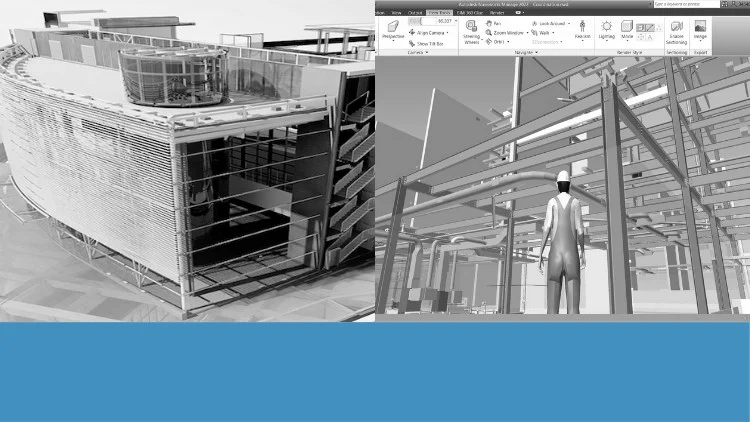
Tutorials on Navisworks: Navigation, Timeliner, Scripter, Clash Detection, Animator, Quantification, and Rendering
⏱️ Length: 2.9 total hours
⭐ 4.27/5 rating
👥 7,729 students
🔄 July 2024 update
Add-On Information:
Note➛ Make sure your 𝐔𝐝𝐞𝐦𝐲 cart has only this course you're going to enroll it now, Remove all other courses from the 𝐔𝐝𝐞𝐦𝐲 cart before Enrolling!
-
Course Overview
- Embark on a comprehensive journey through Autodesk Navisworks, the industry-leading BIM coordination and project review software. This meticulously crafted tutorial series, ‘Exploring Navisworks: BIM Tutorials from Basics to Advanced,’ is designed to transform you into a proficient Navisworks user, regardless of your current skill level. You will delve into the critical functionalities that empower architects, engineers, construction managers, and BIM specialists to streamline project workflows, enhance collaboration, and proactively identify and resolve potential issues before they manifest on site. The course emphasizes practical application, guiding you step-by-step through real-world scenarios, ensuring you gain not just theoretical knowledge but also hands-on experience in leveraging Navisworks for impactful project delivery. From initial model aggregation to advanced simulation and data extraction, prepare to unlock the full potential of your BIM data within a dynamic, coordinated environment.
- This highly-rated course (4.27/5 from 7,729 students) offers a concise yet robust learning experience, updated in July 2024, reflecting the latest best practices and interface nuances. Despite its focused 2.9-hour length, it efficiently covers a broad spectrum of Navisworks capabilities, providing a solid foundation and pathway to advanced techniques.
-
Requirements / Prerequisites
- While no prior experience with Navisworks is necessary, a fundamental understanding of Building Information Modeling (BIM) principles and concepts will be beneficial. Familiarity with 3D modeling software such as Revit, AutoCAD 3D, or Civil 3D is advantageous, as Navisworks primarily aggregates models created in these platforms.
- You will need access to Autodesk Navisworks software (preferably Navisworks Manage for full functionality coverage) to follow along with the tutorials and practice the learned techniques. A basic level of computer literacy and an eagerness to explore powerful BIM coordination tools are the only other essential prerequisites for success in this course.
-
Skills Covered / Tools Used
- Intuitive Navigation and Model Interaction: Master the art of traversing complex 3D models with ease, utilizing various viewing tools, sectioning techniques, and measurement functionalities to inspect designs from every angle and extract crucial spatial information. Learn to customize your workspace for optimal efficiency.
- 4D Simulation with Timeliner: Discover how to integrate project schedules with 3D models to create compelling 4D construction simulations. You will learn to link tasks to model elements, visualize construction sequences over time, identify potential schedule conflicts, and even incorporate cost data for comprehensive project planning and communication.
- Automated Task Execution with Scripter: Delve into the advanced realm of automating repetitive tasks and creating custom commands within Navisworks using its Scripter functionality. This powerful feature allows you to optimize workflows, enhance consistency, and significantly reduce manual effort for complex operations.
- Robust Clash Detection and Resolution: Acquire expertise in setting up, running, and managing clash detection tests across federated models. Learn to define intelligent clash rules, analyze results, group clashes, generate detailed reports, and effectively communicate identified conflicts to project teams for swift resolution, minimizing costly errors and rework.
- Dynamic Animations with Animator: Unleash your creativity by producing professional-grade animations and walkthroughs of your project models. Learn to set camera paths, animate objects, and create engaging visual narratives that effectively communicate design intent, construction phases, or operational scenarios to stakeholders.
- Accurate Quantification and Material Takeoff: Explore the quantification tools within Navisworks to extract precise material quantities and perform detailed cost estimations directly from your BIM models. This skill is invaluable for budgeting, procurement, and ensuring cost control throughout the project lifecycle.
- High-Quality Rendering and Visualization: Enhance the visual appeal of your project presentations by mastering rendering techniques within Navisworks. Learn to apply materials, adjust lighting, and generate photorealistic images and captivating animated sequences that bring your designs to life and impress clients and stakeholders.
-
Benefits / Outcomes
- Upon completion, you will possess a strong command of Navisworks, enabling you to confidently lead BIM coordination efforts, perform advanced model analysis, and significantly contribute to clash-free project delivery. You will be able to enhance interdisciplinary collaboration by effectively aggregating and reviewing models from various authoring tools.
- This course will equip you with the skills to mitigate project risks, improve decision-making through visual scheduling and precise quantity takeoffs, and ultimately drive greater efficiency and cost savings. Furthermore, mastering these advanced Navisworks functionalities will significantly boost your profile in the AEC industry, opening doors to advanced roles in BIM management, coordination, and project controls. You will be adept at creating compelling project narratives through sophisticated animations and renders, ensuring clear and effective communication of project complexities.
-
PROS
- Comprehensive Yet Concise: Despite its relatively short duration (2.9 hours), the course manages to cover a broad and essential range of Navisworks functionalities, from basic navigation to advanced features like Scripter and Quantification.
- Highly Rated and Popular: With a 4.27/5 rating from over 7,729 students, the course demonstrates strong user satisfaction and a proven track record of effective learning.
- Practical, Tutorial-Based Learning: The emphasis on ‘tutorials’ in the title suggests a hands-on approach, allowing learners to apply concepts immediately.
- Up-to-Date Content: The July 2024 update ensures that the material is current with the latest software versions and industry practices.
- Foundational to Advanced: Caters to a wide audience by starting from basics and progressing to more complex topics, making it suitable for both newcomers and those looking to deepen existing skills.
- Efficient Skill Acquisition: The compact format allows for rapid skill development in critical BIM coordination tasks, making it ideal for busy professionals.
-
CONS
- The compact nature of the course might necessitate additional practice or external resources for in-depth mastery of highly specialized topics, especially given the breadth of subjects covered in just 2.9 hours.
Learning Tracks: English,Design,Design Tools
Found It Free? Share It Fast!