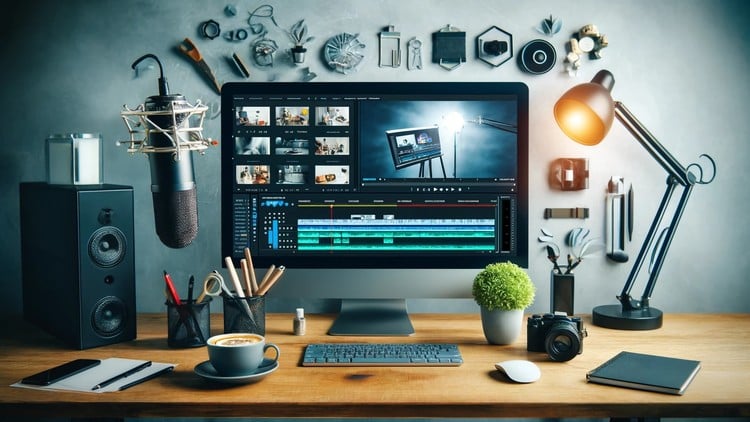
Learn Camtasia from installation to creating professional videos with audio, animations, and more!
⏱️ Length: 3.2 total hours
⭐ 3.93/5 rating
👥 3,530 students
🔄 June 2025 update
Add-On Information:
Note➛ Make sure your 𝐔𝐝𝐞𝐦𝐲 cart has only this course you're going to enroll it now, Remove all other courses from the 𝐔𝐝𝐞𝐦𝐲 cart before Enrolling!
- Course Overview
- This immersive course serves as your definitive gateway to mastering Camtasia, the industry-leading software for screen recording and comprehensive video editing. It provides a structured, step-by-step curriculum designed to transform beginners into confident video producers, leveraging Camtasia’s powerful features.
- Dive deep into the practical application of video production principles, focusing on hands-on exercises that solidify your understanding of each tool and technique. The learning journey emphasizes not just what to do, but why certain approaches yield better results for diverse video projects.
- Specifically tailored for individuals keen on creating compelling instructional content, engaging marketing videos, insightful software demonstrations, or dynamic presentations, this course covers the entire production pipeline. You’ll learn to craft polished visuals that resonate with your target audience across various digital platforms.
- Despite its concise duration, the program is packed with essential insights and efficient workflows, ensuring you gain maximum proficiency in minimum time. The curriculum is meticulously curated to provide immediate applicability, enabling you to start producing professional-grade videos right after completing modules.
- Benefit from an updated curriculum, reflecting the latest features and best practices in video production as of June 2025. This ensures that the skills you acquire are current, relevant, and directly applicable to the modern digital content landscape, future-proofing your video creation capabilities.
- Explore the nuanced art of combining various media elements, from still images to pre-recorded footage, with your screen captures and voiceovers. This course goes beyond basic recording to teach you how to weave these components into a seamless and impactful narrative.
- Requirements / Prerequisites
- Access to Camtasia software (trial version or full license recommended) for hands-on practice throughout the course modules.
- A desktop or laptop computer capable of running Camtasia effectively, ensuring a smooth learning experience without technical hurdles.
- Basic computer literacy, including familiarity with operating system navigation, file management, and common software interactions.
- A stable internet connection to stream course videos, download project files, and access any external resources provided within the curriculum.
- Headphones and an optional microphone are highly recommended for practicing audio recording and editing techniques, enhancing your practical learning.
- An eagerness to learn video production and a commitment to completing practical exercises to reinforce acquired knowledge.
- Skills Covered / Tools Used
- Strategic Screen Recording: Master various screen capture methods, including full-screen recording, custom region selection, and application-specific recording, to capture precise visual information efficiently.
- Seamless Webcam Integration: Learn to record and synchronize webcam footage for professional picture-in-picture effects, adding a personal touch and enhancing presenter visibility in your videos.
- Refined Audio Processing: Develop skills in recording crisp voiceovers, performing basic audio clean-up (noise reduction), and achieving consistent volume levels across your entire project for a polished sound.
- Dynamic Timeline Manipulation: Gain expertise in segmenting, trimming, extending, and merging video clips on the timeline to construct coherent sequences and refine your video’s pace and flow.
- Engaging Visual Enhancements: Apply and customize a diverse range of annotations like callouts, arrows, shapes, and highlights to draw viewer attention to key areas and clarify complex information.
- Professional Transitions & Behaviors: Utilize a variety of transitions between clips for smooth scene changes and implement behavior effects to animate text and objects, making your visuals more dynamic and engaging.
- Advanced Visual Effects: Explore techniques such as chroma key (green screen) to replace backgrounds, creating sophisticated and customizable visual environments for your content.
- Interactive Element Design: Discover how to embed interactive quizzes and hotspots within your videos to boost engagement, assess comprehension, and create more dynamic learning experiences.
- Efficient Media Management: Learn to organize and utilize Camtasia’s media bin and library for assets, ensuring a streamlined workflow and easy reuse of intros, outros, and other common elements.
- Precision Cursor Effects: Implement visual cursor effects, highlights, and clicks to guide viewer focus during software demonstrations and tutorials, improving clarity and instruction.
- Optimized Export Settings: Understand how to export your final videos in various file formats, resolutions, and quality settings, tailored for specific platforms and distribution channels.
- Productivity with Shortcuts: Familiarize yourself with Camtasia’s keyboard shortcuts and efficient workflow strategies to significantly reduce editing time and enhance overall production speed.
- Benefits / Outcomes
- Attain significant confidence in independently planning, producing, and polishing high-quality video content using Camtasia, from concept to final export.
- Develop a strong portfolio of professional-grade videos, showcasing your technical proficiency and creative flair, which can be invaluable for career advancement or personal projects.
- Unlock new revenue streams and entrepreneurial opportunities by independently creating sellable online courses, engaging marketing content, or client-commissioned video projects.
- Enhance your ability to communicate complex ideas and processes effectively through visual storytelling, making your presentations and tutorials more impactful and memorable.
- Gain the flexibility to rapidly prototype and iterate on video content, adapting quickly to feedback and evolving content needs without relying on external editors.
- Significantly reduce reliance on costly third-party video editing services, empowering you to maintain creative control and manage production budgets more effectively.
- Cultivate a structured approach to video project management, from initial scriptwriting and asset gathering to final review and distribution, ensuring consistent quality.
- Empower yourself to become a prolific content creator, capable of regularly producing fresh and engaging video material for various personal and professional platforms.
- Develop an intuitive understanding of audience engagement through visual and auditory cues, learning to craft videos that not only inform but also captivate viewers.
- PROS
- Highly Practical and Hands-On: The course emphasizes practical application, ensuring you gain functional skills rather than just theoretical knowledge.
- Excellent Student Satisfaction: A 3.93/5 rating from over 3,500 students indicates a well-received and effective learning experience.
- Concise and Efficient Learning: With a total length of 3.2 hours, the course is designed for rapid skill acquisition without unnecessary filler.
- Up-to-Date Content: The June 2025 update ensures that the techniques and features taught are current and relevant to the latest Camtasia versions.
- Broad Applicability: Skills learned are valuable for educators, marketers, entrepreneurs, and anyone looking to create professional screen-recorded content.
- Foundation for Monetization: Directly equips learners with the knowledge to create sellable content and leverage popular video platforms for income.
- CONS
- Limited Advanced Scope: While comprehensive for mastery, the relatively short duration might not delve into highly specialized or extremely advanced video production scenarios for seasoned editors.
Learning Tracks: English,Teaching & Academics,Teacher Training
Found It Free? Share It Fast!