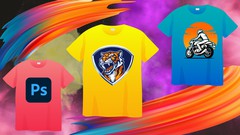
Photoshop for T-Shirt Design: A Beginner-Friendly Guide to Creating Stunning Designs
⏱️ Length: 4.7 total hours
⭐ 4.01/5 rating
👥 23,948 students
🔄 November 2023 update
Add-On Information:
-
Course Overview
- This comprehensive ‘Beginner Guide to Learn T-Shirt Design With Photoshop’ course serves as an ideal entry point for individuals eager to transform their creative visions into unique wearable art.
- Designed specifically for novices, it demystifies the process of creating compelling T-shirt graphics using Adobe Photoshop, guiding learners from initial concept to a professional, print-ready file.
- Embark on a practical journey where you’ll discover the intersection of digital artistry and fashion, learning to craft visually striking designs suitable for personal projects, merchandise lines, or freelance ventures.
- With a focus on hands-on application, the curriculum is structured to equip you with a solid foundational understanding of both the creative and technical aspects of apparel design.
- Unleash your potential to produce distinctive T-shirt artwork, understanding the nuances that differentiate a good design from a great one in the competitive world of custom apparel.
- The course encapsulates the entire workflow, ensuring participants gain a holistic perspective on design development and production for physical garments.
- Explore the vibrant realm of graphic apparel, learning how to translate abstract ideas into tangible, stylish designs that resonate with audiences.
-
Requirements / Prerequisites
- Software: Access to Adobe Photoshop (ideally a recent version) is essential, as all practical demonstrations and exercises will be conducted within this powerful image editing environment.
- Computer Literacy: A basic familiarity with computer operations, file management, and navigating software interfaces is beneficial, though not strictly required, as fundamental Photoshop navigation will be covered.
- Passion for Design: An enthusiasm for graphic design, an interest in T-shirt fashion, and a readiness to explore your creative boundaries are key ingredients for success in this course.
- No Prior Design Experience: Absolutely no previous experience with Photoshop or graphic design is necessary, making this an accessible starting point for absolute beginners.
- Willingness to Learn: A desire to experiment, practice the techniques taught, and actively engage with the course material will greatly enhance your learning experience and design outcomes.
- Internet Connection: A stable internet connection is recommended for accessing course materials, downloading any supplementary resources, and ensuring smooth streaming of video lessons.
- Basic Hardware: A computer capable of running Adobe Photoshop efficiently will ensure a smooth and frustration-free learning process.
-
Skills Covered / Tools Used
- Layer Management & Organization: Master the art of non-destructive editing through efficient use of layers, groups, and smart objects for flexible design iterations.
- Precision Selection & Masking: Develop proficiency in utilizing various selection tools (e.g., Pen Tool, Quick Selection, Color Range) and layer masks for intricate image manipulation.
- Typographic Styling & Layout: Learn advanced text handling, font pairing, kerning, leading, and how to warp/distort type to create impactful textual elements suitable for apparel.
- Shape Creation & Vector Integration: Understand how to create scalable vector shapes directly within Photoshop and integrate external vector assets for crisp, print-ready graphics.
- Color Theory Application: Explore effective color palettes, blend modes, and adjustment layers to evoke specific moods and ensure visual harmony in your T-shirt designs.
- Brush Customization & Application: Learn to create and utilize custom brushes for unique textural effects, hand-drawn elements, and artistic flourishes within your artwork.
- Filter & Effect Exploration: Discover a range of Photoshop filters, blending options, and smart filters to generate complex visual effects and aesthetic styles.
- Image Manipulation Techniques: Gain skills in photo retouching, background removal, and integrating raster images seamlessly into your T-shirt compositions.
- Print File Preparation: Understand critical settings like resolution, color profiles (RGB vs. CMYK), and file formats (PSD, PNG, TIFF) necessary for professional T-shirt printing.
- Mockup Creation: Develop the ability to present your T-shirt designs professionally using high-quality digital mockups, making your concepts more tangible and appealing.
-
Benefits / Outcomes
- Proficient T-Shirt Designer: Emerge from the course with the confidence and technical prowess to conceptualize, design, and finalize compelling T-shirt graphics using Photoshop.
- Portfolio-Ready Assets: Build a foundational collection of unique T-shirt designs that you can proudly showcase in a personal portfolio, aiding in future freelance opportunities or career pursuits.
- Technical Printing Acumen: Gain a practical understanding of the technical specifications and considerations required to prepare your designs for various printing methods, ensuring optimal results.
- Creative Expression Unleashed: Develop the ability to translate your imaginative ideas into tangible, wearable art, fostering a deeper connection with your personal artistic style.
- Empowered Freelancer/Entrepreneur: Acquire the skills necessary to start designing T-shirts for clients, launch your own apparel brand, or create custom merchandise for events and organizations.
- Enhanced Photoshop Skills: Significantly improve your general proficiency in Adobe Photoshop, learning valuable techniques applicable across a wide spectrum of graphic design disciplines.
- Marketable Skill Set: Add a highly sought-after and practical skill—apparel graphic design—to your repertoire, opening doors to new creative and professional avenues.
- Informed Design Decisions: Learn to make educated choices regarding typography, color, and composition that specifically cater to the unique constraints and opportunities of T-shirt design.
-
PROS
- Highly Rated & Popular: With a 4.01/5 rating from over 23,948 students, this course demonstrates proven effectiveness and student satisfaction.
- Beginner-Friendly Approach: Specifically tailored for beginners, making complex Photoshop tools and design concepts easily digestible and approachable.
- Up-to-Date Content: The November 2023 update ensures learners are receiving current information and techniques relevant to modern design practices.
- Practical & Niche Focus: Concentrates on a specific, marketable niche (T-shirt design), providing immediately applicable skills for creating commercial products.
- Concise Learning Experience: At 4.7 total hours, the course is structured to deliver essential knowledge efficiently, allowing for quick skill acquisition and application.
- Comprehensive Coverage: Spans the entire design process from initial conceptualization and sketching to mastering Photoshop tools, creating specific design aesthetics (distressed/vintage, textures), and optimizing for print.
- Industry Insights Included: Offers valuable tips and insights, preparing students not just for design, but also for the practicalities of the apparel industry.
- Accessibility: Available in English, making it accessible to a wide global audience interested in design and graphic illustration.
-
CONS
- While comprehensive for a beginner guide, the relatively short duration (4.7 hours) might not delve into highly advanced Photoshop techniques, niche printing methods (e.g., discharge, sublimation), or in-depth marketing strategies for T-shirt businesses.
Learning Tracks: English,Design,Graphic Design & Illustration
Note➛ Make sure your 𝐔𝐝𝐞𝐦𝐲 cart has only this course you're going to enroll it now, Remove all other courses from the 𝐔𝐝𝐞𝐦𝐲 cart before Enrolling!