For Electrical Control Designers
⏱️ Length: 5.3 total hours
⭐ 4.09/5 rating
👥 15,548 students
🔄 May 2025 update
Add-On Information:
Note➛ Make sure your 𝐔𝐝𝐞𝐦𝐲 cart has only this course you're going to enroll it now, Remove all other courses from the 𝐔𝐝𝐞𝐦𝐲 cart before Enrolling!
- Course Title: AutoCAD Electrical 2024: A Tutorial Series
- Course Caption: For Electrical Control Designers | Length: 5.3 total hours | 4.09/5 rating | 15,548 students | May 2025 update
- —
- Course Overview
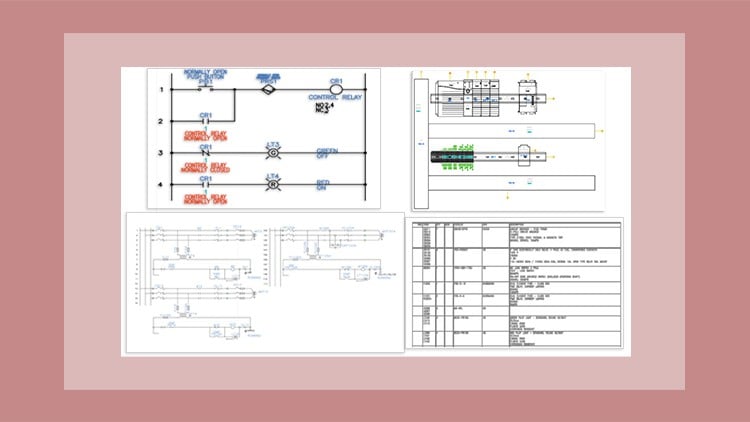
- This comprehensive tutorial series serves as your definitive guide to mastering AutoCAD Electrical 2024, the industry-leading software for electrical control design.
- It’s meticulously crafted to empower electrical control designers with the advanced skills necessary to transform complex electrical concepts into precise, intelligent, and error-free digital schematics and layouts.
- Explore the software’s capabilities for streamlining the entire electrical design workflow, from initial concept to final documentation, ensuring efficiency and accuracy at every stage.
- Understand the fundamental principles of intelligent electrical drawing, where components are not just lines and symbols but smart objects carrying critical data and relationships.
- Delve into practical, project-based learning scenarios that simulate real-world design challenges, ensuring you gain hands-on proficiency that is immediately applicable in your professional role.
- Learn to leverage AutoCAD Electrical’s powerful automation features to significantly reduce design time and minimize manual errors inherent in traditional CAD methods.
- Gain insight into how AutoCAD Electrical facilitates compliance with various industry standards, ensuring your designs are professional, safe, and interoperable.
- This course is periodically updated, with the latest refresh in May 2025, guaranteeing you learn the most current features and best practices of AutoCAD Electrical 2024.
- Requirements / Prerequisites
- A basic understanding of fundamental electrical engineering principles and common electrical components is highly recommended to fully grasp the course material.
- Familiarity with general CAD concepts or basic drafting knowledge would be advantageous but is not strictly required, as the course starts with foundational software navigation.
- Access to Autodesk AutoCAD Electrical 2024 software (or a compatible version, though 2024 is ideal) is essential for practicing the hands-on exercises and assignments.
- A functional computer capable of running AutoCAD Electrical 2024 smoothly, equipped with sufficient RAM and processing power for design tasks.
- A stable internet connection for accessing course materials, updates, and any supplementary resources provided within the tutorial series.
- An eagerness to learn and a commitment to completing the practical exercises will ensure maximum benefit from this specialized training.
- Skills Covered / Tools Used
- Intelligent Wire Numbering and Cross-Referencing: Develop expertise in automating wire numbering schemes and generating accurate cross-references between components, enhancing readability and design integrity.
- Custom Symbol Creation & Management: Master the creation and organization of custom electrical symbols to build personalized libraries, ensuring design consistency and adherence to company standards.
- Terminal Strip Editor: Utilize the dedicated terminal strip editor to efficiently design, document, and manage complex terminal block assemblies, including connection data and component assignments.
- Component Tagging & Annotation Automation: Implement intelligent tagging for electrical components and automate annotation processes, ensuring all design elements are clearly identified and documented.
- Bill of Material (BOM) Generation & Customization: Generate comprehensive and accurate Bills of Materials directly from your schematics, and learn to customize their format for purchasing and manufacturing needs.
- PLC I/O Addressing & Spreadsheet Integration: Efficiently manage PLC I/O addresses, import/export data using spreadsheets, and automatically generate PLC drawings from external data.
- Panel Layout Optimization: Beyond basic panel design, learn techniques for optimizing component placement, wireway routing, and clearance checks within your panel layouts for manufacturing efficiency.
- Pneumatic/Hydraulic Drawing Integration: Discover how AutoCAD Electrical can support the integration of pneumatic and hydraulic schematics within an electrical control system design environment.
- Data Management and Project Organization: Implement best practices for organizing complex electrical projects, including drawing sets, folder structures, and revision control within the software.
- Custom Reporting and Data Extraction: Go beyond basic report generation by customizing reports to extract specific data for various project stakeholders, aiding in procurement, testing, and maintenance.
- Benefits / Outcomes
- Enhanced Design Efficiency: Drastically reduce design time by leveraging automated tools for schematic creation, wire numbering, cross-referencing, and report generation.
- Improved Accuracy and Reduced Errors: Minimize costly design mistakes through intelligent component linking, real-time error checking, and standardized design processes.
- Professional Documentation: Produce clear, consistent, and industry-compliant electrical documentation that enhances project communication and simplifies manufacturing and maintenance.
- Increased Employability: Gain a highly sought-after skill in the electrical design industry, making you a more valuable asset to engineering firms and manufacturing companies.
- Streamlined Project Workflow: Learn to manage entire electrical projects within a single, integrated environment, from concept to commissioning.
- Cost Savings: Contribute to significant project cost reductions through optimized material lists (BOMs), reduced rework, and faster design cycles.
- Compliance with Standards: Design projects that adhere to recognized electrical standards (e.g., IEC, JIC, NFPA), ensuring global applicability and safety.
- Confidence in Complex Designs: Develop the confidence to tackle intricate electrical control system designs with a structured and professional approach.
- —
- PROS
- Industry-Relevant Content: Focuses on a specific, in-demand software used globally by electrical control designers.
- Experienced Instructor(s): Implied by a structured “tutorial series” and student numbers/rating.
- Practical, Hands-on Approach: Enables immediate application of learned skills through practical examples and exercises.
- Up-to-Date Material: May 2025 update ensures the content is current with AutoCAD Electrical 2024 features and best practices.
- Flexible Learning: Self-paced format allows students to learn at their convenience (implied by “tutorial series” and length).
- Value for Time: At 5.3 hours, it’s a concise yet comprehensive introduction for rapid skill acquisition.
- Strong Community/Validation: High student enrollment (15,548) and positive rating (4.09/5) indicate a well-received course.
- Career Advancement: Directly equips learners with skills for professional growth in electrical control design.
- CONS
- Potential for Limited Depth: Given the 5.3-hour length, some advanced topics or niche applications might not be covered in extensive detail.
Learning Tracks: English,IT & Software,Other IT & Software
Found It Free? Share It Fast!