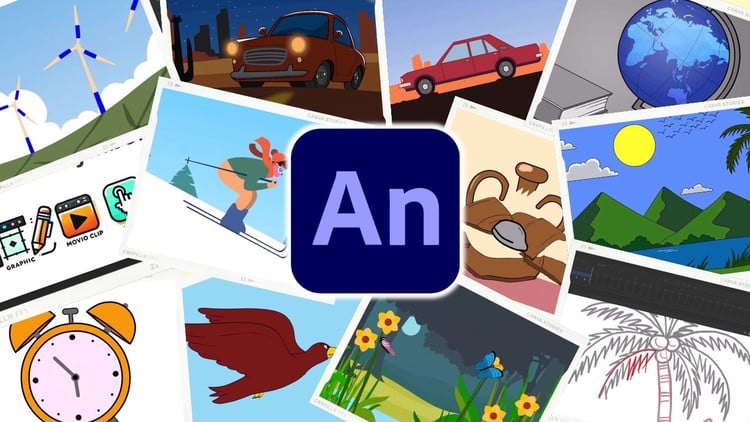
Learn Adobe Animate from scratch! Master tools, principles & 2D animations with hands-on projects & expert guidance.
⏱️ Length: 9.9 total hours
⭐ 4.79/5 rating
👥 2,869 students
🔄 December 2025 update
Add-On Information:
Note➛ Make sure your 𝐔𝐝𝐞𝐦𝐲 cart has only this course you're going to enroll it now, Remove all other courses from the 𝐔𝐝𝐞𝐦𝐲 cart before Enrolling!
- Course Overview
- Embark on your creative journey into the captivating world of 2D animation with “Animate Like Pro.” This comprehensive beginner-level course is meticulously designed to transform you from a complete novice into a confident animator using Adobe Animate. Over approximately 9.9 hours of engaging instruction, you’ll delve into the fundamental building blocks of animation, mastering both the software’s powerful features and the timeless principles that define compelling motion graphics.
- This course isn’t just about learning a tool; it’s about cultivating an animator’s mindset. You’ll acquire the skills to bring static designs to vibrant life, whether for web, social media, or conceptual prototyping. Through a series of hands-on projects, guided by expert instruction, you’ll build a portfolio of your own animated creations, showcasing your growing proficiency. The recent December 2025 update ensures you’re learning with the most current functionalities and best practices.
- With a stellar 4.79/5 rating from over 2,869 students, this program has a proven track record of success. It caters specifically to those taking their first steps into digital animation, demystifying complex concepts and making them accessible and enjoyable. Prepare to unlock your storytelling potential through the art of animation.
- Requirements / Prerequisites
- A personal computer (Windows or macOS) capable of running Adobe Animate.
- A stable internet connection for accessing course materials and potential software downloads/updates.
- A curious and enthusiastic mindset, ready to learn and experiment with animation techniques.
- Basic computer literacy and familiarity with navigating file systems.
- While prior animation experience is not required, an interest in visual storytelling or graphic design will be beneficial.
- Access to a licensed version of Adobe Animate (a free trial is often available from Adobe).
- Skills Covered / Tools Used
- Adobe Animate Interface Mastery: Navigating panels, understanding the timeline, scene management, and custom workspace creation.
- Vector Drawing & Editing: Proficiency with shape tools, pen tool, stroke and fill properties, and path manipulation for crisp, scalable animations.
- Color & Gradient Application: Utilizing the gradient tool for realistic shading and atmospheric effects, and managing color palettes effectively.
- Symbolic Animation Workflow: Understanding instance properties, library management, and the power of reusable graphic elements.
- Motion & Shape Tweens: Creating fluid transitions for position, rotation, scale, and color, and morphing shapes seamlessly.
- Layer Management & Organization: Structuring animation projects for clarity, control, and efficient editing.
- Text Animation Techniques: Bringing typography to life with dynamic reveals, motion paths, and expressive character animation.
- Image Integration & Manipulation: Incorporating raster graphics and applying animated effects.
- Depth & Dimension Creation: Developing layered backgrounds and implementing parallax scrolling for immersive environments.
- Application of Core Animation Principles: Understanding and applying concepts like anticipation, squash and stretch, timing, and easing for believable motion.
- Exporting & Publishing Animations: Preparing your work for various platforms (web, video) in appropriate formats.
- Benefits / Outcomes
- Confidence in Adobe Animate: Feel empowered to open the software and begin creating without intimidation.
- Foundation for Further Learning: This course provides a solid bedrock for advancing to more complex animation techniques and software.
- Creation of Engaging Animated Content: Produce polished animations for personal projects, social media, or potential client work.
- Enhanced Visual Communication Skills: Learn to convey messages and emotions effectively through animated motion.
- Development of a Digital Art Portfolio: Build a collection of your animated pieces to showcase your growing talent.
- Understanding of Animation as a Discipline: Grasp the fundamental theories that underpin all successful animation.
- Problem-Solving Abilities in Animation: Develop the capacity to troubleshoot and refine your animated sequences.
- Increased Creative Expression: Unlock new avenues for artistic and narrative expression through animation.
- Ability to Add Dynamic Elements to Projects: Integrate animated graphics into websites, presentations, or other multimedia projects.
- PROS
- Expert-Led Instruction: Learn from experienced professionals who bring practical insights and best practices.
- Hands-On Project-Based Learning: Apply what you learn immediately, reinforcing concepts through practical application.
- Beginner-Friendly Curriculum: Specifically designed to guide absolute newcomers through the learning curve smoothly.
- Comprehensive Coverage of Core Animate Features: Get a solid understanding of the essential tools and workflows.
- High Student Satisfaction: Proven by an excellent rating, indicating a valuable and effective learning experience.
- CONS
- Focus on Adobe Animate: Primarily centered on one software, potentially limiting exposure to other animation tools if broader software knowledge is desired.
Learning Tracks: English,Design,3D & Animation
Found It Free? Share It Fast!