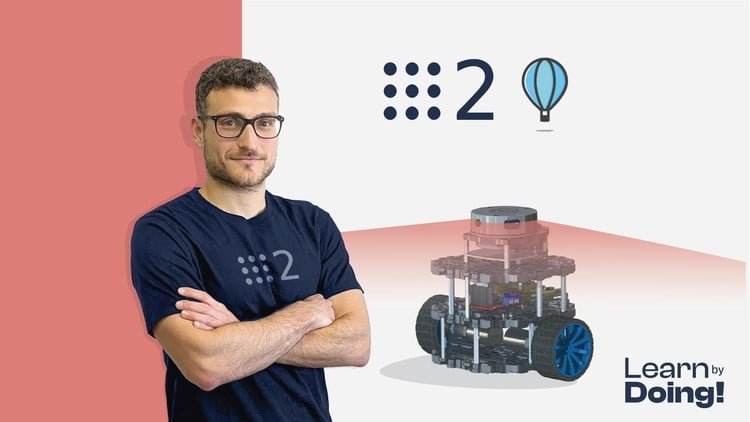
Create a ROS2 Self-Driving robot with Python and C++. Master Robot Localization, Mapping and SLAM
What You Will Learn:
- Create a Real Self-Driving Robot
- Master ROS2, the latest version of the Robot Operating System
- Implement Mapping algorithms
- Implement Localization algorithms
- Implement SLAM algorithms
- Simulate a Self-Driving robot in Gazebo
- Programming Arduino for Robotics Applications
- Master Nav2
- Probability Theory
- Use Laser Sensors for real-world applications
- Show more
Overview: A Realistic Look at Navigating the ROS 2 Frontier
I’ve spent the better part of a decade working with various iterations of the Robot Operating System, and I’ve seen my fair share of tutorials that promise the moon but leave you stranded in a broken catkin workspace. However, ‘Self Driving and ROS 2 – Learn by Doing! Map & Localization’ hits a different chord. In an industry where autonomous systems are moving from experimental prototypes to industry-standard tools, this course focuses on the “messy” middle—the transition from making a robot move to making a robot actually know where it is and where it’s going.
What sets this apart from the sea of generic robotics content isn’t just the hands-on labs; it’s the commitment to the Nav2 stack. Most courses treat navigation as a black box—you launch a node and hope for the best. This curriculum forces you to get your hands dirty with the localization and mapping logic that powers modern self-driving technology. It’s less about theoretical “what-ifs” and more about the grit of getting a Lidar sensor to talk to a Gazebo simulation and, eventually, actual hardware. It feels like a genuine certification prep for anyone looking to enter the R&D space of autonomous vehicles.
The course architecture reflects a “software engineer first” mentality. It doesn’t just teach you how to write a script; it teaches you how to structure a real-world project. In my experience, that distinction is what separates a hobbyist from someone with job-ready skills. You aren’t just learning to code; you’re learning to architect a system that can survive the unpredictability of the real world.
Prerequisites: What You Actually Need Before Starting
- Mid-level Python and C++: Don’t expect a syntax refresher. You need to be comfortable switching between these two languages, as that’s the reality of a robotics engineer.
- Linux Literacy: If you’re allergic to the terminal or Ubuntu, this will be a steep climb. You need to understand how filesystems and environments work.
- Basic Math and Physics: You don’t need a PhD, but if probability theory and coordinate transformations (quaternions, anyone?) scare you, you might want to brush up on the basics first.
- Hardware Access (Optional but Recommended): While simulation is heavy, having an Arduino and some basic sensors will help you extract the full value of the “real-world application” sections.
The Toolkit: Skills & Industry-Standard Tools
This course is a deep dive into the modern robotics stack. You aren’t playing with toys; you are mastering industry-standard tools that are currently in use at major tech firms. Key highlights include:
- ROS 2 (Foxy/Humble): Mastering the latest Robot Operating System communication protocols and middleware.
- SLAM Algorithms: Deep dives into Simultaneous Localization and Mapping—the literal eyes of an autonomous system.
- Nav2 Stack: Learning the intricacies of global and local planners, behavior trees, and costmaps.
- Gazebo Simulation: Creating high-fidelity virtual environments to stress-test your self-driving robot before deployment.
- Arduino & Micro-ROS: Bridging the gap between high-level compute and low-level motor control/sensor data.
Career Benefits & Job Roles
Let’s be honest: the career growth potential in autonomous systems is astronomical right now. Completing a course of this depth doesn’t just add a line to your resume; it provides a portfolio of real-world projects that you can actually demonstrate in an interview. We are seeing a massive demand for professionals who can navigate the complexities of Map & Localization. Potential roles include:
- Robotics Software Engineer: Designing the core logic for autonomous platforms.
- SLAM Engineer: Focusing specifically on spatial awareness and computer vision integration.
- Autonomous Vehicle Specialist: Working in the burgeoning field of self-driving cars and delivery bots.
- Embedded Systems Developer: Perfect for those focusing on the Arduino and sensor-fusion side of the house.
The Pros: Why This Course Stands Out
- Hardware-Software Synergy: It doesn’t stop at the screen. Integrating Arduino for robotics applications provides that “lightbulb moment” where code meets physical motion.
- Nav2 Mastery: Most resources on Nav2 are fragmented. This course provides a cohesive, beginner to advanced path that actually explains *why* the parameters are set the way they are.
- Practical Localization Logic: The focus on probability theory in the context of localization is excellent. It turns abstract math into a tool for solving sensor noise issues.
- Portfolio-Ready Output: By the end, you have a functional, simulated self-driving robot that serves as a massive proof-of-concept for potential employers.
The Cons: An Honest Critique
If I have one gripe, it’s the steep learning curve during the transition from simulation to real-world sensors. Troubleshooting serial communication between a Linux environment and an Arduino can be a nightmare for those who aren’t used to hardware debugging. The course does its best to guide you, but there are moments where you’ll feel like you’re banging your head against a wall. This isn’t necessarily a failure of the course—it’s just the nature of robotics—but a few more “what if this breaks” troubleshooting modules would have been a godsend for the uninitiated.