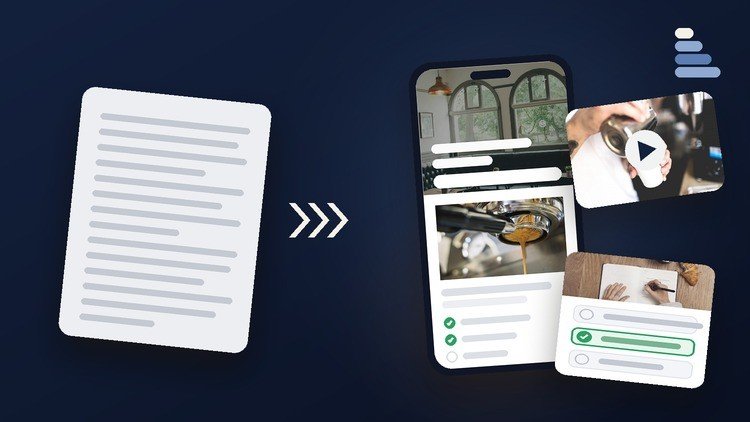
Learn every menu, block and AI tool in Rise 360, then build a complete onboarding course step by step.
What You Will Learn:
- Build a complete course in Rise 360, from learning goals to a tested SCORM package
- Use every Rise block, from text and images to accordions, processes, timelines and quizzes
- Design a whole course with the theme: cover page, navigation, headers, colors, fonts, brands
- Use Rise’s AI tools (course drafts, AI blocks, images, narration, avatars) and check results
- Build scored quizzes with real-life questions, feedback, retries and a passing score
- Preview on every device, collect feedback in Review 360 and publish to any LMS
- Design accessible lessons: alt text, captions, readable contrast and practice with feedback
- Manage versions with snapshots, work with co-authors and start translated versions
The Lowdown on Modern eLearning: My Take on the Rise 360 Guide
If you have spent any time in the Instructional Design world, you know the name Articulate. It is the industry-standard tool that everyone lists on their resume, but for years, the learning curve for their flagship product, Storyline, was a massive barrier to entry. Enter Rise 360—the sleek, web-based, responsive alternative. I recently dove into ‘Articulate Rise 360: The Complete Guide for Beginners’ to see if it actually delivers on the promise of turning a novice into a pro, and I have some thoughts.
Most courses just show you where the buttons are. This one feels different because it focuses on the real-world projects that actually land you a job. It is not just a tour of the interface; it is a full-scale hands-on lab where you build a legitimate onboarding course from the ground up. In an era where career growth in L&D depends on how fast you can turn out high-quality content, this course hits the sweet spot between “how-to” and “why-to.” The inclusion of AI tools is particularly timely. We are seeing a massive shift in how content is generated, and seeing a structured approach to using Rise’s AI for course drafts and narration is a huge win for anyone looking to increase their efficiency.
Prerequisites: What You Need Before You Click Play
The good news is that you do not need a background in coding or graphic design. However, there are a few things that will make your life easier:
- An Articulate 360 Subscription: You can use a free trial, but you definitely need access to the software to follow along with the hands-on labs.
- Basic Computer Literacy: If you can navigate a browser and upload a file, you are halfway there.
- A Concept: While the course provides an onboarding theme, having your own real-world project idea in mind helps the job-ready skills stick better.
The Toolkit: Skills & Tools You Will Master
This course moves you through the beginner to advanced spectrum by covering a surprising amount of ground. You aren’t just slapping text on a screen; you are learning the technical side of certification prep for the internal L&D world. Here is what is in the box:
- The Full Rise Block Library: Mastering everything from simple text blocks to complex interactive timelines and processes.
- AI Integration: Using Articulate’s AI to generate course drafts, images, and realistic narration without leaving the app.
- Accessibility Standards: This is huge. You learn to handle alt text, contrast, and closed captions—non-negotiables for modern corporate compliance.
- LMS Deployment: The technical “scary stuff” like SCORM packages and xAPI tracking is demystified.
- Collaborative Workflow: Learning how to use Review 360 for stakeholder feedback and managing version control with snapshots.
Career Benefits & Job Roles: Why This Matters
If you are looking for career growth, Articulate proficiency is essentially your “license to practice” in the corporate sector. Completing a comprehensive guide like this prepares you for several specific job roles:
- Instructional Designer: The primary role where you will use these industry-standard tools daily to create job-ready skills training.
- L&D Specialist: Perfect for those in HR who need to rapidly prototype training for internal teams.
- Freelance eLearning Developer: Having a portfolio with a polished Rise course is the fastest way to land real-world projects on platforms like Upwork or LinkedIn.
- Corporate Trainer: Transitioning from live sessions to asynchronous learning requires the exact workflow taught here.
The Pros: What Makes This Course Stand Out
- Practical Project Focus: You aren’t just learning theory. By the end, you have a tested SCORM package ready for an LMS, which is a massive confidence booster.
- Deep Dive into Accessibility: Many “beginner” courses skip the hard stuff. This one treats accessible design as a core requirement, which is essential for high-level Instructional Design roles.
- Modern AI Workflow: The focus on AI tools (avatars, narration, drafts) ensures your workflow isn’t stuck in 2019. It teaches you how to be a “prompt-aware” designer.
- Cross-Device Mastery: The course emphasizes how to preview and test on every device, ensuring your real-world projects don’t break when a user opens them on a phone.
The Cons: An Honest Critique
- The “Rise Box” Limitation: While the course does an excellent job of teaching the tool, it sometimes glosses over the fact that Rise is a “walled garden.” If you want deep, custom interactivity that requires JavaScript or complex variables, you’ll eventually need Storyline. The course could be more explicit about when to step away from Rise and head into Storyline for those advanced edge cases.
Overall, if you want to skip the “playing around” phase and move straight into building industry-standard content, this is the most direct path I have seen. It is efficient, opinionated, and highly practical.